BUILD your tripwire funnel
What if every time someone signed up for your freebie, some of them became paying customers too? Automatically, without a launch, a sales call, or you having to do a thing.
That’s exactly what a tripwire funnel does. And once it’s set up, it works in the background 24/7.
This game plan walks you through the whole system from scratch. You’ll create your freebie, build your opt-in and tripwire pages, write your follow-up emails, and connect it all together inside FEA Create. Every step is mapped out, with our gorgeous templates and CarrieAI prompts and to help you with the copy along the way.
The result? A list that doesn’t just grow. A list that buys.
Game plan
Create your irresistible offer
One of the most exciting steps in building your business is creating your irresistible offer, the one that makes your dream clients think, “Yes! This is exactly what I need.”
By the end you'll have
A clear, aligned offer idea, with the transformation it creates for your dream customers mapped out
Your offer details and pricing decided, from what's included and how it's delivered to a price that feels good
An onboarding experience that wows, so every new customer feels welcomed, valued and excited from day one 🎉
No more staring at a blank page wondering where to start. No more spending hours trying to figure out the tech. Just describe what you need, and let AI do the heavy lifting.
There are four AI tools inside FEA Create, and each one does something different. This game plan will walk you through what they are, when to use them, and how to get started with each one.
💡 Good to know: These AI tools are a paid add-on inside FEA Create, but the costs are tiny. Generating content (emails, blogs, page copy) costs roughly 9p per 1,000 words. To put that in perspective, writing a full blog post costs less than 10p. Generating an image costs about 6p. You add credit as you go, so you're always in control of what you spend.
New to creating offers? Watch the video above to learn how your skills, experience and passion come together to solve a real problem and deliver real results for your dream audience.
Your plan
Four steps, and they connect
Once you've watched the video above, follow the steps below to create your offer inside FEA Create. As part of your membership, you've got beautifully designed, strategically created assets to help you, from Canva workbook templates to add value to your offer, to a powerful onboarding automation that gives your buyers a warm welcome. We've got your offer creation covered! ✨
1
Decide what you’re going to create
Get clear on the offer you're going to create, one your dream customer will be excited to say yes to.
2
Outline the details of your offer
Map out exactly what your offer includes, how it's structured, and what it's worth.
3
Create your irresistible offer
Turn your outline into a real offer, fully set up and ready to sell inside FEA Create.
4
Create an amazing onboarding experience
This is where the real conversion happens. Instead of sending people to a plain "check your inbox" page after they sign up for your freebie, you're going to present them with your tripwire offer.
5
AI Costs
What it actually costs to use the AI tools inside FEA Create.
6
Getting Results From AI
Get the most out of using the AI tools built right into FEA Create, and start building with confidence.
First
Before you start
Download the Canva templates: The Ultimate Workbook (A4), The Ultimate Workbook (US letter)
Watch these trainings: $10K Month Bootcamp: Offer Sculpt, 90 Day Sprint: Create Your Irresistible Offer
Check these FEA Create help articles: Creating Courses, Creating Memberships, Creating Service Based or Coaching Businesses, Creating Digital Products
Step 1 of 4 · CREATE your irresistible offer
Decide what you’re going to create
Get clear on the offer you're going to create, one your dream customer will be excited to say yes to.
Every great offer starts with a powerful idea, something your dream customer wants, needs, and is excited to say yes to. It could be a coaching package, a service offer, a digital product, the format is flexible.
Use the prompts with CarrieAI. She’ll help you find the golden thread between your skills and your audience’s needs so your offer feels aligned, purposeful, and full of value
Action Steps
Use the CarrieAI prompt to come up with your offer ideas
Use the CarrieAI prompt to decide on the type of offer you're going to create
Use the CarrieAI prompt to map out the transformation your offer will deliver
Need more inspiration? Watch the Offer Sculpt training with Carrie ✨
🤖 Suggest 3 -5 offer ideas:
Suggest 3–5 offer ideas that connect my skills of [list skills] with my audience’s biggest problems of [list problems] and desires of [list desires].
🤖 Suggest what type of offer to create:
Suggest the best offer format (course, coaching, membership, digital product, service) for my audience of [describe dream audience] and expertise of [describe expertise].
🤖 Outline your transformation:
Outline the transformation my offer [describe offer idea] will create, showing where my customer starts, where they end up, and why it matters.

💡 Top Tip: Always review what Workflow AI builds before you switch it on. Check the email content, the timing between steps, and that it's connected to the right forms and lists.
⚠️ Pricing note: Workflow AI uses a separate credit system to the content tools. $10 gives you approximately 950 executions. Each time a workflow runs for a contact costs roughly 1 cent.
Step 2 of 4 · CREATE your irresistible offer
Outline the details of your offer
Map out exactly what your offer includes, how it's structured, and what it's worth.
Now that you’ve got your idea, it’s time to bring it to life by outlining the details. Your offer doesn’t need to be huge or complicated; it just needs to deliver a clear result in a way that feels aligned with you and valuable to your customer.
Use the prompts with CarrieAI to help you map out the details and structure of your offer.
Action Steps
Use the CarrieAI prompt to outline your offer
Use the CarrieAI prompt to create your offer tiers
Use the CarrieAI prompt to help you decide on your pricing ✨
🤖 Outline your offer:
Outline the key details of my offer [describe offer idea]: inclusions, delivery, timeline, and bonuses.
🤖 Suggest 3 different offer options:
Suggest 3 versions of my offer [describe idea] for my audience of [describe dream audience] — simple starter, mid-tier, and premium.
🤖 Decide on your price:
Suggest 3 price options (low, mid, premium) for my offer [describe offer idea], and explain the pros and cons of each.
💡 Top Tip: Always review what Workflow AI builds before you switch it on. Check the email content, the timing between steps, and that it's connected to the right forms and lists.
⚠️ Pricing note: Workflow AI uses a separate credit system to the content tools. $10 gives you approximately 950 executions. Each time a workflow runs for a contact costs roughly 1 cent.
Step 3 of 4 · CREATE your irresistible offer
Create your irresistible offer
Turn your outline into a real offer, fully set up and ready to sell inside FEA Create.
This is where your idea turns into something real and exciting. You’ve defined what you want to create and outlined the key details – now it’s time to pull it all together into an offer that feels aligned, valuable, and ready to share.
We’ve got some beautiful Canva templates, funnel templates, automations and more linked below to make this easy and fun!
Action Steps
Decide which type of offer you're creating (coaching package, digital product, membership, etc.)
Follow the tutorial for setting up that specific offer type inside FEA Create ✨
🤖 Outline your offer:
Outline the key details of my offer [describe offer idea]: inclusions, delivery, timeline, and bonuses.
🤖 Suggest 3 different offer options:
Suggest 3 versions of my offer [describe idea] for my audience of [describe dream audience] — simple starter, mid-tier, and premium.
🤖 Decide on your price:
Suggest 3 price options (low, mid, premium) for my offer [describe offer idea], and explain the pros and cons of each.
💡 Top Tip: Always review what Workflow AI builds before you switch it on. Check the email content, the timing between steps, and that it's connected to the right forms and lists.
⚠️ Pricing note: Workflow AI uses a separate credit system to the content tools. $10 gives you approximately 950 executions. Each time a workflow runs for a contact costs roughly 1 cent.
Step 4 of 4 · CREATE your irresistible offer
Create an amazing onboarding experience
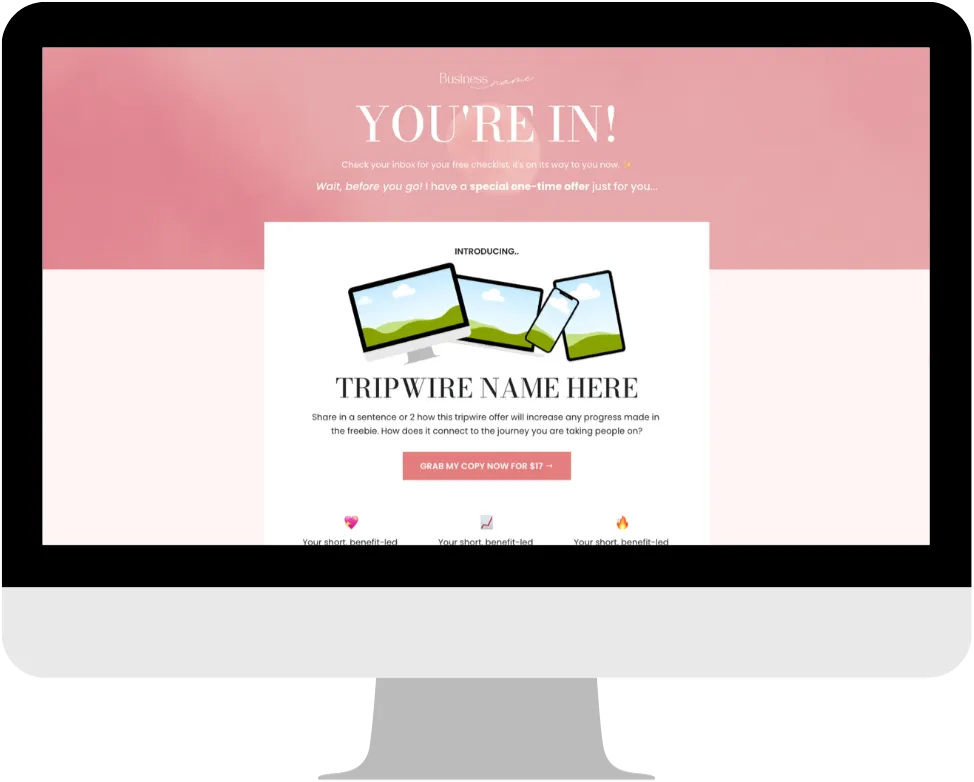
This is where the real conversion happens. Instead of sending people to a plain "check your inbox" page after they sign up for your freebie, you're going to present them with your tripwire offer.
This is where the real conversion happens. Instead of sending people to a plain "check your inbox" page after they sign up for your freebie, you're going to present them with your tripwire offer.
Once someone says “yes” to your offer, the experience really begins, and your onboarding process is where you set the tone, build excitement, and help them feel confident and supported from the start.
Use the prompts with CarrieAI to help you create your onboarding experience with ease and joy. Then check out the done-for-you onboarding automation we have for you inside your FEA Create account!
Action Steps
Use the CarrieAI prompt to write your onboarding welcome email
Use the CarrieAI prompt to create any welcome resources
Use the CarrieAI prompt to map out your onboarding nurture emails
Clone the onboarding workflow inside FEA Create, set your trigger and add your tag
Add your emails to the sequence, making sure your send from name and email are set on each
🤖 Write your onboarding welcome email:
Write a warm, welcoming onboarding email that confirms my customer’s purchase [insert offer], outlines the next steps, and makes them feel excited to get started.
🤖 Create your welcome resources:
Based on my offer [insert offer], suggest 3–5 ideas for a simple welcome resource I could create to make my new customer feel supported from the start.
🤖 Write your onboarding emails:
Create 3-5 onboarding emails for my offer [insert offer] that build excitement, and helps my new customer feel confident.
💡 Bonus Tip: Create a smartlist using the tag so you can easily see everyone who's signed up. ✨
⚠️ Pricing note: Workflow AI uses a separate credit system to the content tools. $10 gives you approximately 950 executions. Each time a workflow runs for a contact costs roughly 1 cent.
If something goes wrong
Common sticking points
I have lots of ideas but can't decide what to create
Come back to three simple questions: What am I helping my audience achieve? What problem does this solve? What transformation will this create? The idea with the clearest answers is usually your winner. The CarrieAI prompts in Step 1 will help you find the golden thread between your skills and what your audience needs.
I'm not sure whether it should be a course, coaching or a digital product
The format is flexible, and there's no wrong answer! What matters most is that your offer helps your audience move from where they are now to where they really want to be. Use the CarrieAI prompt to explore which format suits your audience and expertise best.
I feel like my offer needs to be bigger before I can sell it
Your offer doesn't need to be huge or complicated. It just needs to deliver a clear result. Starting with a bite-sized offer is a brilliant way to build your confidence, get feedback and testimonials, and start making sales. Revisit the $10K Month Bootcamp session for Carrie's guidance on exactly this 💕
Onboarding feels like one more thing to create
Keep it simple! A friendly welcome email, a short welcome guide or checklist, and a clear next step can make a huge difference. The done-for-you Onboarding Automation and emails inside FEA Create do most of the work, and The Ultimate Workbook Canva template makes your welcome guide easy to design.
Woohoo 🎉
Look what
you just built
Woohoo, you did it! 🎉 Your offer is created and ready to go, and that's such a huge step towards building a business that lights you up.
An offer idea that creates a real transformation
Your offer details and pricing, all mapped out
An onboarding experience that welcomes every new customer
Share it
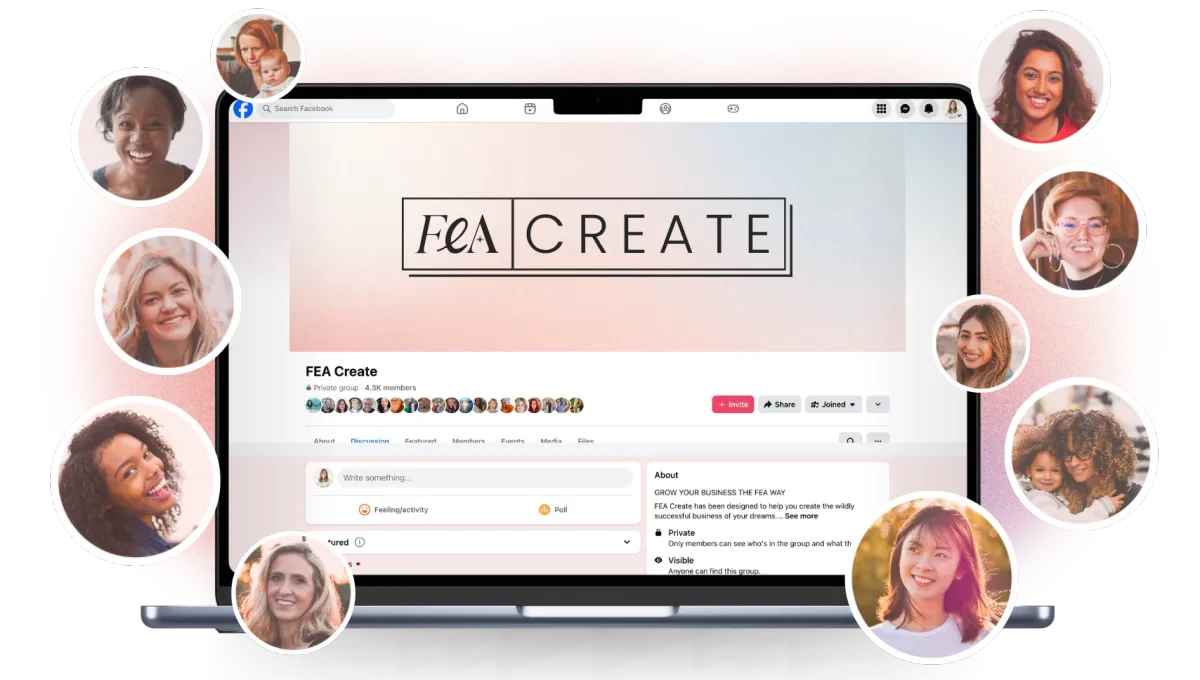
Go and share your page in the Facebook group so we can all celebrate with you. We love seeing what you build. 💖
What's next
You're all set!
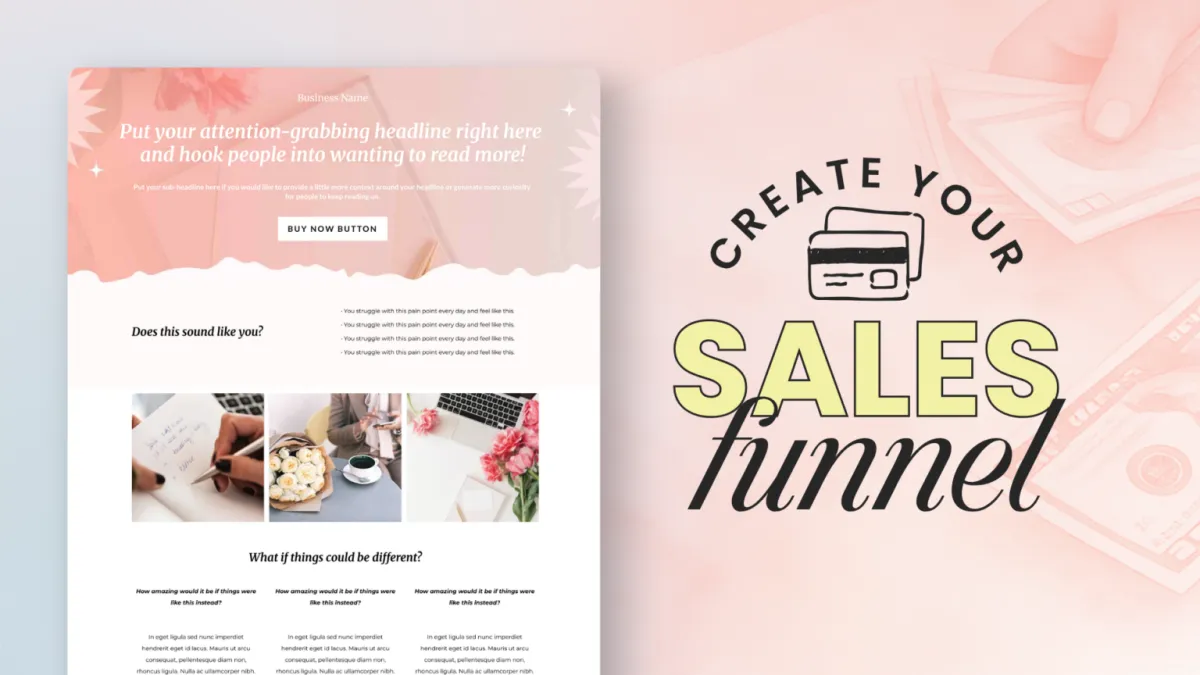
Now it's time to get it in front of the world. Check out the Sales Funnel Gameplan next so you can start selling your amazing new offer!
CREATE your irresistible offer
One of the most exciting steps in building your business is creating your irresistible offer, the one that makes your dream clients think, “Yes! This is exactly what I need.”
New to creating offers? Watch the video above to learn how your skills, experience and passion come together to solve a real problem and deliver real results for your dream audience.
Once you've watched the video above, follow the steps below to create your offer inside FEA Create. As part of your membership, you've got beautifully designed, strategically created assets to help you, from Canva workbook templates to add value to your offer, to a powerful onboarding automation that gives your buyers a warm welcome. We've got your offer creation covered! ✨
Resources
CANVA TEMPLATES
FEA Create Help ARticles
Preview our 5 themes:
Trainings

Step 1
Decide what you’re going to create
Get clear on the offer you're going to create, one your dream customer will be excited to say yes to.
Every great offer starts with a powerful idea, something your dream customer wants, needs, and is excited to say yes to. It could be a coaching package, a service offer, a digital product, the format is flexible.
Use the prompts with CarrieAI. She’ll help you find the golden thread between your skills and your audience’s needs so your offer feels aligned, purposeful, and full of value
Action Steps
Use the CarrieAI prompt to come up with your offer ideas
Use the CarrieAI prompt to decide on the type of offer you're going to create
Use the CarrieAI prompt to map out the transformation your offer will deliver
Need more inspiration? Watch the Offer Sculpt training with Carrie ✨
💡 Top Tip: Your freebie should deliver a quick win. Something your audience can use right away and get a result from. That quick win builds trust and makes them far more likely to say yes to your tripwire offer.
TRY THESE CARRIE AI PROMPTS:
🤖 Suggest 3 -5 offer ideas:
Suggest 3–5 offer ideas that connect my skills of [list skills] with my audience’s biggest problems of [list problems] and desires of [list desires].
🤖 Suggest what type of offer to create:
Suggest the best offer format (course, coaching, membership, digital product, service) for my audience of [describe dream audience] and expertise of [describe expertise].
🤖 Outline your transformation:
Outline the transformation my offer [describe offer idea] will create, showing where my customer starts, where they end up, and why it matters.
Step 2
Outline the details of your offer
Map out exactly what your offer includes, how it's structured, and what it's worth.
Now that you’ve got your idea, it’s time to bring it to life by outlining the details. Your offer doesn’t need to be huge or complicated; it just needs to deliver a clear result in a way that feels aligned with you and valuable to your customer.
Use the prompts with CarrieAI to help you map out the details and structure of your offer.
Action Steps
Use the CarrieAI prompt to outline your offer
Use the CarrieAI prompt to create your offer tiers
Use the CarrieAI prompt to help you decide on your pricing ✨
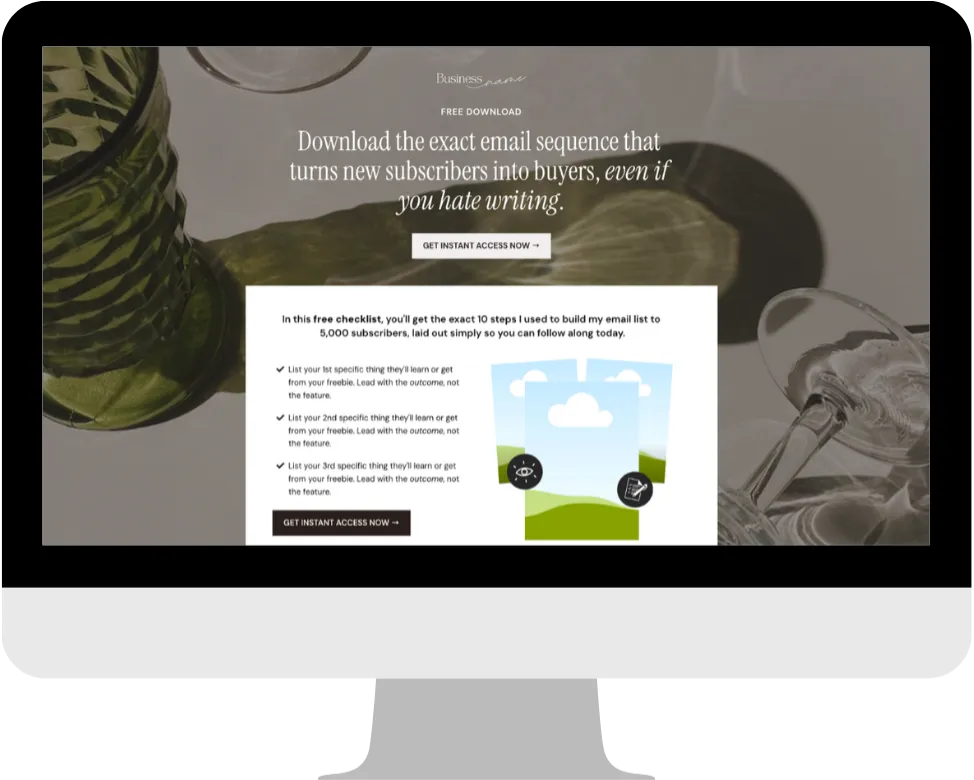
💡 Top Tip: If you have a visual mockup of your freebie (like a PDF cover or workbook preview), add it to the page. It makes the freebie feel more tangible and valuable.
TRY THESE CARRIE AI PROMPTS:
🤖 Outline your offer:
Outline the key details of my offer [describe offer idea]: inclusions, delivery, timeline, and bonuses.
🤖 Suggest 3 different offer options:
Suggest 3 versions of my offer [describe idea] for my audience of [describe dream audience] — simple starter, mid-tier, and premium.
🤖 Decide on your price:
Suggest 3 price options (low, mid, premium) for my offer [describe offer idea], and explain the pros and cons of each.
Guides
CANVA TEMPLATES
CANVA TEMPLATES
Funnel Template
Funnel Template
FEA CREATE Tripwire funnel template
Preview our 5 themes:
Step 3
Create your irresistible offer
Turn your outline into a real offer, fully set up and ready to sell inside FEA Create.
This is where your idea turns into something real and exciting. You’ve defined what you want to create and outlined the key details – now it’s time to pull it all together into an offer that feels aligned, valuable, and ready to share.
We’ve got some beautiful Canva templates, funnel templates, automations and more linked below to make this easy and fun!
Action Steps
Decide which type of offer you're creating (coaching package, digital product, membership, etc.)
Follow the tutorial for setting up that specific offer type inside FEA Create ✨
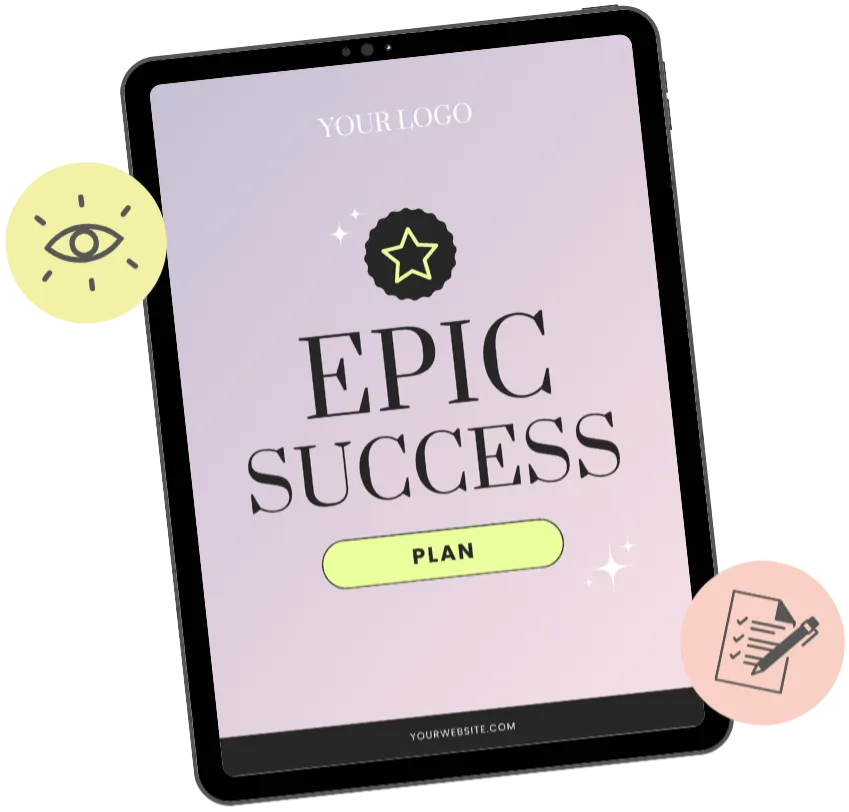
💡 Top Tip: If you have a visual mockup of your freebie (like a PDF cover or workbook preview), add it to the page. It makes the freebie feel more tangible and valuable.
TRY THESE CARRIE AI PROMPTS:
🤖 Prompt 1:
I need help creating my tripwire product. My freebie is [describe your freebie] and my audience is [describe your audience]. I want to create a low-cost product (between $7 and $47) that feels like the natural next step after downloading the freebie. Help me outline what this product should include, what result it delivers, and suggest a compelling name for it. Ask me clarifying questions to get all the information you need to help customise and personalise the copy to me, my business and my brand voice.
🤖 Prompt 2:
I've decided my tripwire product will be [describe your tripwire product] priced at [your price]. Help me create the content outline for this product so I know exactly what to include. Keep it focused on delivering a quick win. Ask me clarifying questions to get all the information you need to help customise and personalise the copy to me, my business and my brand voice.
Templates and Resources
GUIDES
CANVA TEMPLATES
FUNNEL TEMPLATE
↗︎ FEA CREATE Tripwire funnel template
Preview our 5 themes:
↗︎ Big Leap
↗︎ Dreamy Days
↗︎ Power Moves
Guides
CANVA TEMPLATES
CANVA TEMPLATES
Funnel Template
Funnel Template
FEA CREATE Tripwire funnel template
Preview our 5 themes:
Step 4
Create an amazing onboarding experience
This is where the real conversion happens. Instead of sending people to a plain "check your inbox" page after they sign up for your freebie, you're going to present them with your tripwire offer.
This is where the real conversion happens. Instead of sending people to a plain "check your inbox" page after they sign up for your freebie, you're going to present them with your tripwire offer.
Once someone says “yes” to your offer, the experience really begins, and your onboarding process is where you set the tone, build excitement, and help them feel confident and supported from the start.
Use the prompts with CarrieAI to help you create your onboarding experience with ease and joy. Then check out the done-for-you onboarding automation we have for you inside your FEA Create account!
Action Steps
Use the CarrieAI prompt to write your onboarding welcome email
Use the CarrieAI prompt to create any welcome resources
Use the CarrieAI prompt to map out your onboarding nurture emails
Clone the onboarding workflow inside FEA Create, set your trigger and add your tag
Add your emails to the sequence, making sure your send from name and email are set on each
💡 Bonus tip: create a smartlist using the tag so you can easily see everyone who's signed up. ✨
💡 Top Tip: You can also add a small bump offer on the checkout. This is a little add-on that people can tick to add to their order. It's a great way to increase the average order value.
TRY THESE CARRIE AI PROMPTS:
🤖 Write your onboarding welcome email:
Write a warm, welcoming onboarding email that confirms my customer’s purchase [insert offer], outlines the next steps, and makes them feel excited to get started.
🤖 Create your welcome resources:
Based on my offer [insert offer], suggest 3–5 ideas for a simple welcome resource I could create to make my new customer feel supported from the start.
🤖 Write your onboarding emails:
Create 3-5 onboarding emails for my offer [insert offer] that build excitement, and helps my new customer feel confident.
Guides
CANVA TEMPLATES
CANVA TEMPLATES
Funnel Template
Funnel Template
FEA CREATE Tripwire funnel template
Preview our 5 themes:
Step 5
Set Up Your Confirmation Page
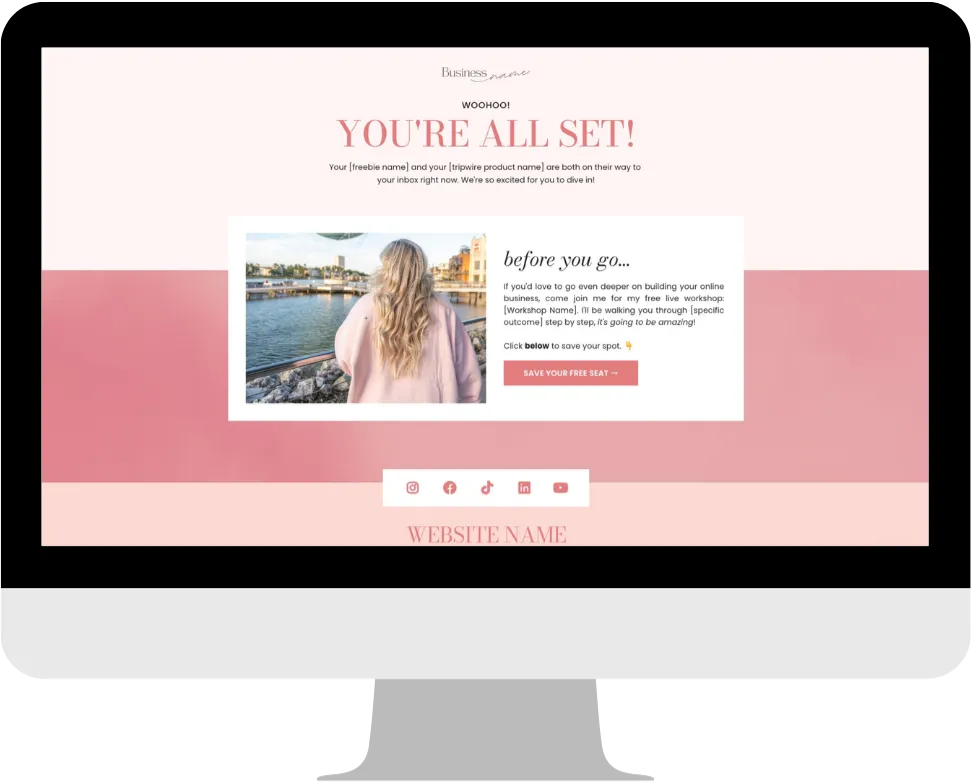
This is the page people land on after they've either bought your tripwire or clicked "no thanks." Either way, you want this page to feel warm, celebratory, and give them one more soft next step.
You'll need two versions of this page:
Version A: For people who bought the tripwire
Confirm that both their freebie AND their purchase are on their way. Make them feel amazing about the decision they just made. Then give them a soft call-to-action for something free.
Version B: For people who didn't buy
Confirm that their freebie is on its way. Keep it positive and warm. Then give them the same soft call-to-action.
What should your call-to-action be?
This doesn't have to be another sales offer. Keep it light. Some ideas:
Invite them to your free live workshop
Invite them to join your Facebook group
Send them to your Instagram or social media
Share your podcast or YouTube channel
Offer another free resource
The goal is to keep them moving deeper into your world. You want them going down the rabbit hole with you!
💡 Top Tip: You can also add a small bump offer on the checkout. This is a little add-on that people can tick to add to their order. It's a great way to increase the average order value.
TRY THESE CARRIE AI PROMPTS:
🤖 Prompt 1:
I need to write two versions of my confirmation/thank you page. Version A is for people who bought my tripwire product [describe product]. Version B is for people who only signed up for the freebie [describe freebie]. For both versions, write a warm, celebratory confirmation message and a soft call-to-action inviting them to [describe your next step, e.g., free workshop, Facebook group, podcast]. Ask me clarifying questions to get all the information you need to help customise and personalise the copy to me, my business and my brand voice.
Templates and Resources
GUIDES
CANVA TEMPLATES
FUNNEL TEMPLATE
↗︎ FEA CREATE Tripwire funnel template
Preview our 5 themes:
↗︎ Big Leap
↗︎ Dreamy Days
↗︎ Power Moves
Funnel Template
FEA CREATE Tripwire funnel template
Preview our 5 themes:
Step 6
Write Your Follow-Up Email Sequence
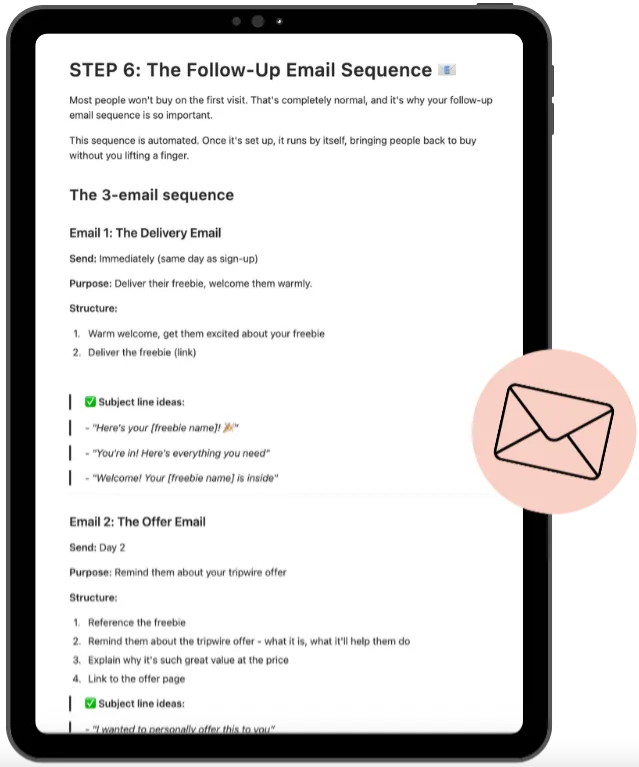
Once someone has signed up, you need an automated email sequence to deliver their freebie, welcome them, and (if they didn't buy on the thank you page) remind them about your tripwire offer.
Keep it simple. You need just three emails:
Email 1: Delivery Email (sent immediately)
This email delivers the freebie, gives them a really warm welcome, and tells them what to do next. Make them feel excited that they signed up.
Include: a warm welcome, the freebie download link, a clear instruction on what to do with it, and a short note about you or your community.
Email 2: Offer Email (sent 6-24 hours later)
This email is for people who DIDN'T buy the tripwire on the thank you page. Remind them about the offer. The initial 20-minute price has expired (and that needs to be genuine), but you can offer a slightly higher price that still feels like a great deal.
For example, if the 20-minute price was $7, the email price might be $17 (still way below the normal $97).
Email 3: Final Reminder (sent 17-24 hours after Email 2)
This is a short urgency email. Let them know this is the last chance to grab the offer at the special price before it goes back to full price. Keep it brief and direct.
💡 Top Tip: If someone DID buy the tripwire, they should receive a separate email sequence that welcomes them and helps them take action on the product they bought. People who take action get results. People who get results become raving fans who want to buy more from you.
TRY THESE CARRIE AI PROMPTS:
🤖 Prompt 1:
I need to write a 3-email automated sequence for my tripwire funnel. My freebie is [describe your freebie] and my tripwire product is [describe product] which was offered at [special price] on the thank you page but will be offered at [slightly higher price] in the emails, normally [full price]. Write all 3 emails: 1) An immediate delivery email that welcomes them warmly and delivers the freebie. 2) An offer reminder email (sent 6-24 hours later) for people who didn't buy. 3) A final urgency email (sent the next day) letting them know it's their last chance. Keep the tone warm and encouraging, not pushy. Ask me clarifying questions to get all the information you need to help customise and personalise the copy to me, my business and my brand voice.
🤖 Prompt 2:
I also need a short welcome email for people who DID buy my tripwire product [describe product]. Write a warm, celebratory email that confirms their purchase, tells them how to access the product, and gives them one clear action step to take right away so they start getting results. Ask me clarifying questions to get all the information you need to help customise and personalise the copy to me, my business and my brand voice.
Templates and Resources
GUIDES
Step 7
Build Your Funnel in FEA Create
Once you've got all your copy and content ready, it's time to bring it all to life inside FEA Create!
HERE'S YOUR BUILD CHECKLIST:
Step 1: Create your freebie opt-in page in FEA Create
Step 2: Set up your form to capture name and email address
Step 3: Create your tripwire thank you page with the offer, countdown timer, checkout, and "no thanks" link
Step 4: Create your confirmation page (Version A for buyers, Version B for non-buyers)
Step 5: Set up your tripwire product and checkout
Step 6: Add a bump offer to your checkout (optional but recommended!)
Step 7: Set up your automated email sequence (delivery + offer emails)
Step 8: Connect all the pages so the flow works: opt-in → tripwire page → confirmation page
Step 9: Test EVERYTHING. Sign up yourself and go through the entire flow. Check every link, every email, every page.
Step 10: GO LIVE! 🎉
💡 Top Tip: If someone DID buy the tripwire, they should receive a separate email sequence that welcomes them and helps them take action on the product they bought. People who take action get results. People who get results become raving fans who want to buy more from you.
TRY THESE CARRIE AI PROMPTS:
🤖 Prompt 1:
I need to write a 3-email automated sequence for my tripwire funnel. My freebie is [describe your freebie] and my tripwire product is [describe product] which was offered at [special price] on the thank you page but will be offered at [slightly higher price] in the emails, normally [full price]. Write all 3 emails: 1) An immediate delivery email that welcomes them warmly and delivers the freebie. 2) An offer reminder email (sent 6-24 hours later) for people who didn't buy. 3) A final urgency email (sent the next day) letting them know it's their last chance. Keep the tone warm and encouraging, not pushy. Ask me clarifying questions to get all the information you need to help customise and personalise the copy to me, my business and my brand voice.
🤖 Prompt 2:
I also need a short welcome email for people who DID buy my tripwire product [describe product]. Write a warm, celebratory email that confirms their purchase, tells them how to access the product, and gives them one clear action step to take right away so they start getting results. Ask me clarifying questions to get all the information you need to help customise and personalise the copy to me, my business and my brand voice.
Templates and Resources
GUIDES
CANVA TEMPLATES
FUNNEL TEMPLATE
↗︎ FEA CREATE Tripwire funnel template
Preview our 5 themes:
↗︎ Big Leap
↗︎ Dreamy Days
↗︎ Power Moves
FEA Create Tripwire Funnel Tutorial Video
FEA Create Tripwire Funnel Tutorial Video
OTHER HELPFUL RESOURCES
FEA Create Tripwire Funnel Tutorial Video
Step 8
Track & Optimise (Bonus Step!)
Once your funnel is live, these are the numbers to keep an eye on:
Opt-in rate: The percentage of visitors who sign up for your freebie. Aim for 30% on the low end, 50%+ on the high end. If you're not hitting this, test a new headline or tweak your bullet points.
Tripwire conversion rate: The percentage of new subscribers who buy your offer. Aim for 10-20%. If it's lower, test your headline, price point, or tweak your offer.
Email click-through rate: Aim for 2-5%. If it's lower, make your call-to-action clearer and your copy more compelling.
This is a process of testing and tweaking. Don't expect perfection on day one. Keep optimising until it's working beautifully.
Once your funnel is working, you can drive even more traffic to it by:
Running Facebook or Instagram ads to your freebie opt-in page
Promoting it on social media with regular posts
Setting up DM automations ("comment LOVE to get my free guide")
Adding it to your website so visitors can sign up
Mentioning it on your podcast or YouTube channel
Instead of running a freebie campaign where you're just getting subscribers, you're running a campaign where you're getting buyers. That is a game changer.
💡 Top Tip: If someone DID buy the tripwire, they should receive a separate email sequence that welcomes them and helps them take action on the product they bought. People who take action get results. People who get results become raving fans who want to buy more from you.
TRY THESE CARRIE AI PROMPTS:
🤖 Prompt 1:
I need to write a 3-email automated sequence for my tripwire funnel. My freebie is [describe your freebie] and my tripwire product is [describe product] which was offered at [special price] on the thank you page but will be offered at [slightly higher price] in the emails, normally [full price]. Write all 3 emails: 1) An immediate delivery email that welcomes them warmly and delivers the freebie. 2) An offer reminder email (sent 6-24 hours later) for people who didn't buy. 3) A final urgency email (sent the next day) letting them know it's their last chance. Keep the tone warm and encouraging, not pushy. Ask me clarifying questions to get all the information you need to help customise and personalise the copy to me, my business and my brand voice.
OTHER HELPFUL RESOURCES
FEA Create Tripwire Funnel Tutorial Video
WOOHOO!
You're all set!
Woohoo, you did it! 🎉 Your offer is created and ready to go, and that's such a huge step towards building a business that lights you up.
Now it's time to get it in front of the world. Check out the Sales Funnel Gameplan next so you can start selling your amazing new offer!
Here’s what you should do next.
Here's what to do next....
Lorem ipsum dolor sit amet, consectetur adipiscing elit, sed do eiusmod tempor incididunt ut labore et dolore magna aliqua. Ut enim ad minim veniam, quis nostrud exercitation ullamco laboris nisi ut aliquip ex ea commodo consequat.
Explore other game plans

FEA CREATE TUTORIALS
BUILD your tripwire funnel
Lorem ipsum dolor sit amet, consectetur adipiscing elit, sed do eiusmod tempor incididunt ut labore et dolore magna aliqua. Ut enim ad minim veniam, quis nostrud exercitation ullamco laboris nisi ut aliquip ex ea commodo consequat.
1. GET ALL SET UP
Set your business up for success
2. GROW VISIBILITY
From lead gen funnels to traffic campaigns
3. CREATE OFFERS
Create your offers: courses, memberships & beyond
4. SALES & LAUNCH
Build high converting sales funnels and pages
Build Your High Converting Website
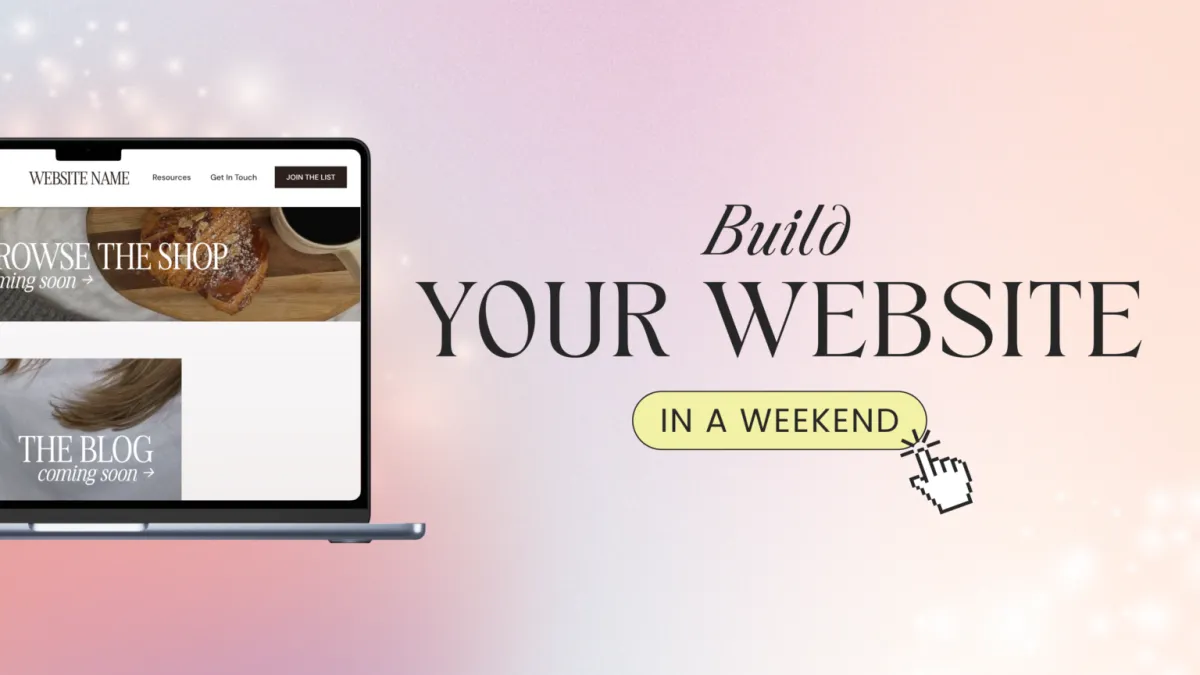
Your website is your online home for your business. You can use your website to help your potential customers learn more about you, your business, your offers, and start their journey to becoming a customer. In this tutorial, we will walk you through how to set up your website using our beautiful website template.
Step One: Title Goes Right Here
Lorem ipsum dolor sit amet, consectetur adipiscing elit, sed do eiusmod tempor incididunt ut labore et dolore magna aliqua. Ut enim ad minim veniam, quis nostrud exercitation ullamco laboris nisi ut aliquip ex ea commodo consequat.
Step Two: Title Goes Right Here
Lorem ipsum dolor sit amet, consectetur adipiscing elit, sed do eiusmod tempor incididunt ut labore et dolore magna aliqua. Ut enim ad minim veniam, quis nostrud exercitation ullamco laboris nisi ut aliquip ex ea commodo consequat.
Step Three: Title Goes Right Here
Lorem ipsum dolor sit amet, consectetur adipiscing elit, sed do eiusmod tempor incididunt ut labore et dolore magna aliqua. Ut enim ad minim veniam, quis nostrud exercitation ullamco laboris nisi ut aliquip ex ea commodo consequat.
Here's what to do next....
Lorem ipsum dolor sit amet, consectetur adipiscing elit, sed do eiusmod tempor incididunt ut labore et dolore magna aliqua. Ut enim ad minim veniam, quis nostrud exercitation ullamco laboris nisi ut aliquip ex ea commodo consequat.
© 2026 Female Entrepreneur Association is a trading name of Carrie & Co Ltd.