BUILD your tripwire funnel
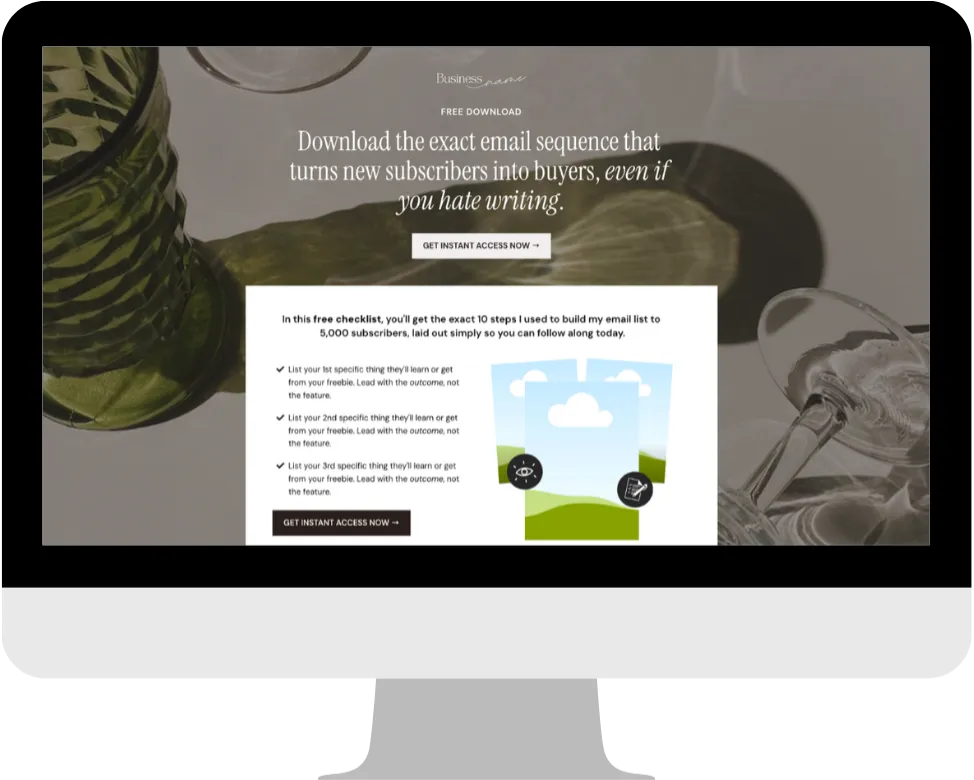
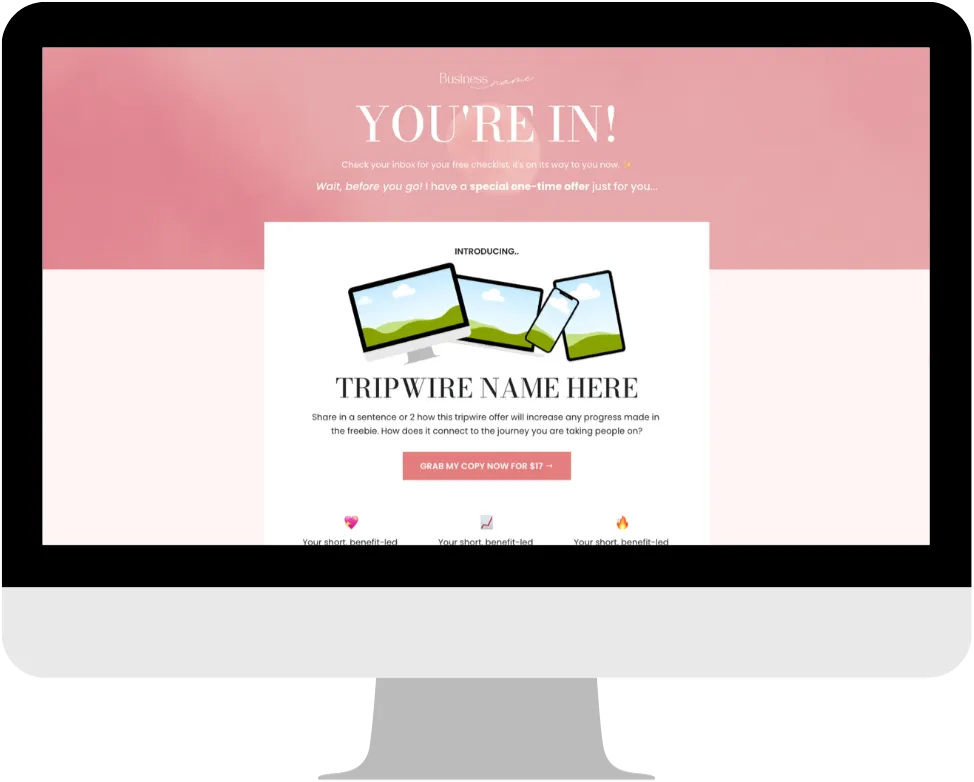
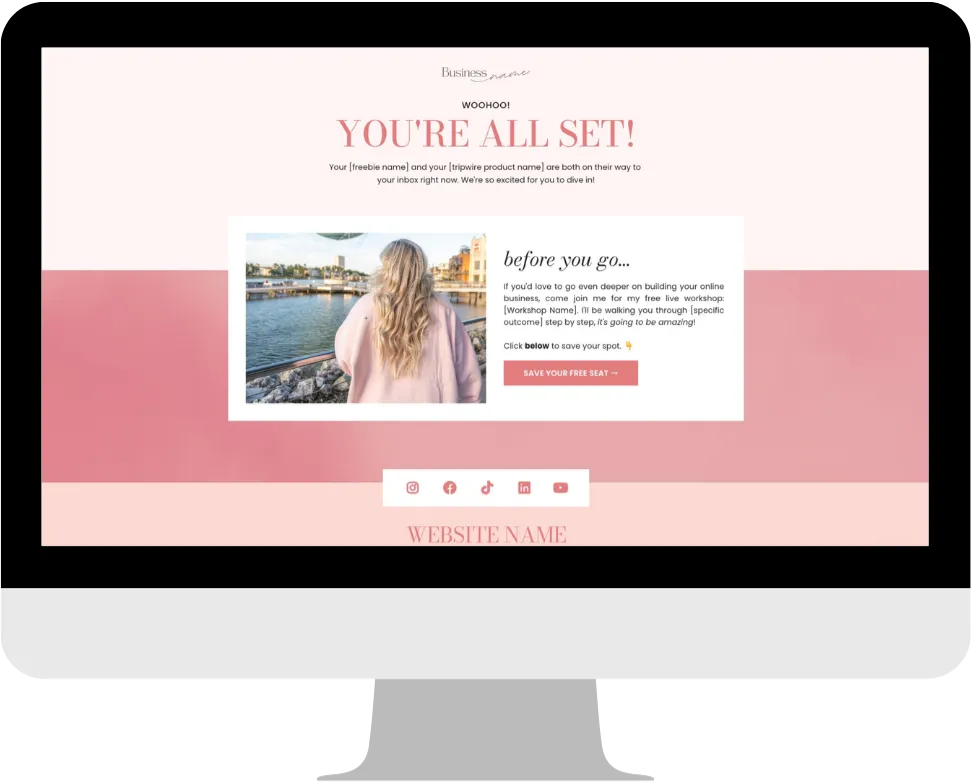
What if every time someone signed up for your freebie, some of them became paying customers too? Automatically, without a launch, a sales call, or you having to do a thing.
That’s exactly what a tripwire funnel does. And once it’s set up, it works in the background 24/7.
This game plan walks you through the whole system from scratch. You’ll create your freebie, build your opt-in and tripwire pages, write your follow-up emails, and connect it all together inside FEA Create. Every step is mapped out, with our gorgeous templates and CarrieAI prompts and to help you with the copy along the way.
The result? A list that doesn’t just grow. A list that buys.
Game plan
Website in a weekend
Your website is the home of your online business. It’s where people come to find out who you are, what you offer, and why they should work with you.
By the end you'll have
Copy for every section of your website, from your "I help" statement to your About Me
A beautiful one-page website, built on the theme that matches your brand vibe and looking gorgeous on desktop and mobile
Your website LIVE, connected to your domain and ready to share with the world
No more staring at a blank page wondering where to start. No more spending hours trying to figure out the tech. Just describe what you need, and let AI do the heavy lifting.
There are four AI tools inside FEA Create, and each one does something different. This game plan will walk you through what they are, when to use them, and how to get started with each one.
💡 Good to know: These AI tools are a paid add-on inside FEA Create, but the costs are tiny. Generating content (emails, blogs, page copy) costs roughly 9p per 1,000 words. To put that in perspective, writing a full blog post costs less than 10p. Generating an image costs about 6p. You add credit as you go, so you're always in control of what you spend.
Your website is your online home for your business, and it's how you show up consistently online and build visibility beyond social media. And the best part? Creating a site you're proud of doesn't have to feel overwhelming.
Your plan
Ten easy steps
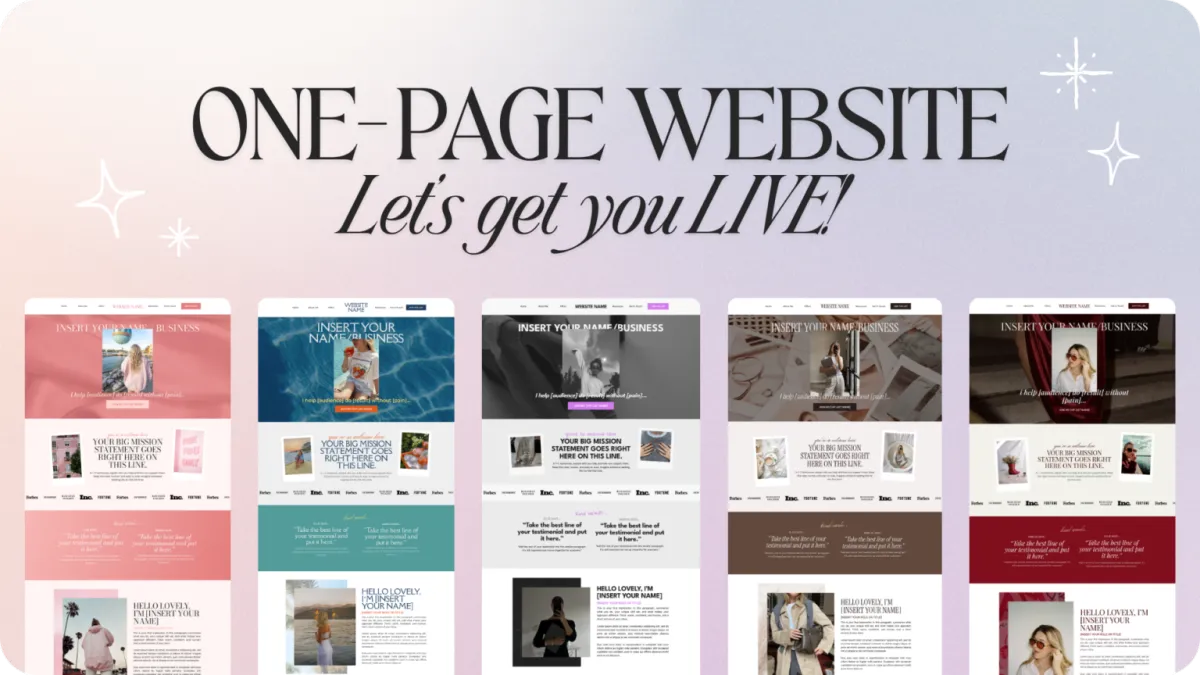
Follow the steps below to get your website up and running this weekend. With our beautiful one-page website template already set up inside your FEA Create account, you'll just need ONE page, a simple form, and a privacy policy to have it all done. Each step below will walk you through setting up a different section of your one-page website template. ✨
1
Hero Section
Make sure your homepage instantly tells visitors what you do, who you help, and what to do next.
2
Welcome & Mission Statement content
Let your visitors know that you truly understand what they're going through.
3
"You're in the right place if you..." content
Help your dream audience see themselves in your words, so they know they're exactly in the right place.
4
Your Signature Offer content
Put your main offer front and centre, and make it easy for people to say yes.
5
Your Low Ticket Offer content
Give visitors an easy way to say yes, even if they're not ready for your main offer yet.
6
Free Resources Section content
Give visitors a no-pressure way to experience your value and start building trust.
7
Testimonials Section content
Let real results speak for you, and give visitors the trust they need to say yes.
8
About Me Section content
Let your dream audience get to know the real you behind the business.
9
Email List Sign Up content
Keep visitors connected to you, even if they're not ready to buy just yet.
10
Publishing Your Website in FEA Create
Your website is built, section by section, and now it's time to get it out into the world!
8
About Me Section content
Let your dream audience get to know the real you behind the business.
9
Email List Sign Up content
Keep visitors connected to you, even if they're not ready to buy just yet.
First
Before you start
Download the Canva template: One-Page Site Elements
Preview our 5 themes: Big Leap, Dreamy Days, Main Character, Power Moves, Quiet Confidence
Step 1 of 10 · Website in a weekend
Hero Section
Make sure your homepage instantly tells visitors what you do, who you help, and what to do next.
This is the first thing people see, and for a lot of visitors, it might be the only thing they see, so it needs to work hard. This is prime real estate on your website. Your hero section needs to instantly tell people what you do, who you help, and what to do next.
What you need:
Your Name or Business Name
Your "I Help" Statement
A Call-to-Action Button
Action Steps:
Use the CarrieAI prompt to write your "I Help" statement
Use the CarrieAI prompt to create your headline and sub-headline
Use the CarrieAI prompt to write your call-to-action button
Inside FEA Create, clone the website template you want to use and add your content, branding and images
🤖 I Help Statements:
Write 5 versions of an "I help" statement for my business. I help [describe your audience] achieve [describe the result] without [describe the pain/problem they want to avoid]. My business is [describe your business]. Ask me clarifying questions if you need more information.
🤖 Headline & Sub Headline Content:
Create a compelling headline and subheadline for my website hero section. My business helps [describe who you help and what transformation you provide]. Ask me clarifying questions if you need more information.
🤖 Call To Action button:
Suggest 3 different call-to-action button texts for my website. My main goal is to [get people to join my email list / book a call / browse my offers]. Ask me clarifying questions if you need more information.

💡 Top Tip: Always review what Workflow AI builds before you switch it on. Check the email content, the timing between steps, and that it's connected to the right forms and lists.
⚠️ Note: there are 2 versions of the one page website template, one with a shop and one without. If you're planning to add an online shop later, go with the shop version. ✨
Step 2 of 10 · Website in a weekend
Welcome & Mission Statement content
Let your visitors know that you truly understand what they're going through.
This section welcomes visitors and shares your big mission. It's all about connecting with your audience and letting them know you understand exactly what they're going through. Keep it warm, human, and easy to scan.
What you need:
A welcoming headline (e.g., "You're So Welcome Here")
Your Big Mission Statement (one powerful line)
1-2 sentences explaining who you help and how
Action Steps:
Use the CarrieAI prompt to write your content for this section
Update this section inside your website template in FEA Create ✨
🤖 Mission Statement:
Write a warm, inviting mission statement for my website. My business is [describe your business] and I'm passionate about [what drives you]. Keep it to one powerful sentence. Ask me clarifying questions if you need more information.
🤖 Who & How You Help:
Write 1-2 sentences that explain who I help and how I support them. Make it clear, human, and easy to scan. My audience is [describe your dream audience] and I help them [describe transformation]. Ask me clarifying questions if you need more information.
💡 Top Tip: Always review what Workflow AI builds before you switch it on. Check the email content, the timing between steps, and that it's connected to the right forms and lists.
⚠️ Note: there are 2 versions of the one page website template, one with a shop and one without. If you're planning to add an online shop later, go with the shop version. ✨
Step 3 of 10 · Website in a weekend
"You're in the right place if you..." content
Help your dream audience see themselves in your words, so they know they're exactly in the right place.
This section helps your dream audience see themselves in your words. When they read it, they should think "yes, that's ME!" It's your chance to speak directly to the people you're here to serve and show them you truly get it.
What you need:
A clear description of your dream audience
A problem they're struggling with
A desire or goal they're working towards
Action Steps:
Use the CarrieAI prompt to create your content for this section
Update this section inside your website template in FEA Create
🤖 You're in the right place section:
Write a "You're in the right place if you..." section for my website. My dream audience is [describe them - their situation, struggles, and dreams]. Include a description of who they are, a problem they're facing, and a goal they want to achieve. Ask me clarifying questions if you need more information. Ask me clarifying questions if you need more information.
🤖 Ideal client descriptions:
Create 3 different versions of my "ideal client" description that would make my dream audience feel seen. They are [describe your audience] struggling with [main challenge] and wanting [main desire]. Ask me clarifying questions if you need more information.
💡 Top Tip: Always review what Workflow AI builds before you switch it on. Check the email content, the timing between steps, and that it's connected to the right forms and lists.
⚠️ Note: there are 2 versions of the one page website template, one with a shop and one without. If you're planning to add an online shop later, go with the shop version. ✨
Step 4 of 10 · Website in a weekend
Your Signature Offer content
Put your main offer front and centre, and make it easy for people to say yes.
This is where you showcase your main offer, the thing you most want people to buy or sign up for. Think of this as your website's sales pitch: clear, compelling, and focused on the result your dream customer will get.
What you need:
Type of offer (e.g., "12-Week Program")
Name of your offer
2-3 sentences explaining what it is and the transformation
A call-to-action button
Action Steps:
Use the CarrieAI prompt to create your content for this section
Update this section inside your website template in FEA Create
🤖 Describe your signature offer:
Write a compelling description for my signature offer. It's called [name] and it's a [type of offer, e.g., course, coaching program, membership]. It helps [who] achieve [what result]. Keep it to 2-3 sentences that create excitement and hint at the transformation. Ask me clarifying questions if you need more information.
🤖 Call to action:
Suggest 5 call-to-action button texts for my signature offer. The offer is [describe] and the action I want people to take is [join waitlist / buy now / book a call / learn more]. Ask me clarifying questions if you need more information.
💡 Top Tip: Always review what Workflow AI builds before you switch it on. Check the email content, the timing between steps, and that it's connected to the right forms and lists.
⚠️ Note: there are 2 versions of the one page website template, one with a shop and one without. If you're planning to add an online shop later, go with the shop version. ✨
Step 5 of 10 · Website in a weekend
Your Low Ticket Offer content
Give visitors an easy way to say yes, even if they're not ready for your main offer yet.
The template includes space for two lower-priced offers. These could be things you have now, or ones you're planning to create! This gives visitors a way to say yes to you even if they're not ready for your main offer yet.
What you need:
Type of offer (e.g., "Printable Workbook")
Name of your offer
1-2 sentences explaining what it is
A call-to-action button
Action Steps:
Use the CarrieAI prompt to create your content for this section
Update this section inside your website template in FEA Create
🤖 Describe my low ticket offer:
Write short, enticing descriptions for my low-ticket offers: 1) [Name and type of first offer] 2) [Name and type of second offer]. Keep each description to 1-2 sentences that hint at the value without giving everything away. Ask me clarifying questions if you need more information.
🤖 Coming Soon Teaser:
I'm planning to create [type of low-ticket offer] but haven't made it yet. Write a "coming soon" teaser description that builds excitement and encourages people to get notified when it's available. Ask me clarifying questions if you need more information.
💡 Top Tip: Always review what Workflow AI builds before you switch it on. Check the email content, the timing between steps, and that it's connected to the right forms and lists.
⚠️ Note: there are 2 versions of the one page website template, one with a shop and one without. If you're planning to add an online shop later, go with the shop version. ✨
Step 6 of 10 · Website in a weekend
Free Resources Section content
Give visitors a no-pressure way to experience your value and start building trust.
Showcase your freebies! This could be a podcast, planner, guide, checklist, whatever free value you offer. It's a lovely way to give visitors an easy, no-pressure way to get a taste of what you do and start building trust.
What you need:
Name of the resource
Short description
Call-to-action (e.g., "Get Notified When It Drops" / "Be The First To Get It Free")
Action Steps:
Use the CarrieAI prompt to create your content for this section
Update this section inside your website template in FEA Create
🤖 First free resource:
Write short, compelling descriptions for my free resources: 1) [Name and type of first resource] 2) [Name and type of second resource]. Make them sound valuable and worth signing up for. Ask me clarifying questions if you need more information.
🤖 Second free resource:
I have a [type of free resource, e.g., podcast / freebie / newsletter]. Write 3 different short descriptions I could use to promote it on my website. Ask me clarifying questions if you need more information.
💡 Top Tip: Always review what Workflow AI builds before you switch it on. Check the email content, the timing between steps, and that it's connected to the right forms and lists.
⚠️ Note: there are 2 versions of the one page website template, one with a shop and one without. If you're planning to add an online shop later, go with the shop version. ✨
Step 7 of 10 · Website in a weekend
Testimonials Section content
Let real results speak for you, and give visitors the trust they need to say yes.
Social proof is powerful! Nothing builds trust faster than hearing from real people who've already gotten results with you. If you have them, add testimonials throughout your site so visitors can see the transformation for themselves.
What you need:
The person's first name
The best line from their testimonial (the headline)
Supporting text (optional longer version)
Action Steps:
Use the CarrieAI prompt to create your content for this section
Update this section inside your website template in FEA Create
🤖 Testimonial Headline:
I have this testimonial from a client: "[paste their full testimonial]". Pull out the most impactful single line to use as a headline, and suggest how to format the rest as supporting text.
💡 Top Tip: Always review what Workflow AI builds before you switch it on. Check the email content, the timing between steps, and that it's connected to the right forms and lists.
⚠️ Note: there are 2 versions of the one page website template, one with a shop and one without. If you're planning to add an online shop later, go with the shop version. ✨
Step 8 of 10 · Website in a weekend
About Me Section content
Let your dream audience get to know the real you behind the business.
This is your chance to make a personal connection! People buy from people, so share who you are, why you do what you do, and let your personality shine through.
What you need:
Your name
Your role or title
A short bio (think: warm, confident, human)
Action Steps:
Use the CarrieAI prompt to create your content for this section
Update this section inside your website template in FEA Create
🤖 Write your about me section:
Write an "About Me" section for my website. I'm [your name], I'm a [your role/title], and I help [who you help] achieve [what transformation]. Include a bit about why I'm passionate about this work. Keep it warm, confident, and around 2-3 short paragraphs. Ask me clarifying questions if you need more information.
🤖 Create your bio:
Write 3 versions of my website bio in different styles: one that's professional and credibility-focused, one that's warm and story-driven, and one that's short and punchy. My background is [share relevant details about you and your business]. Ask me clarifying questions if you need more information.
💡 Top Tip: Always review what Workflow AI builds before you switch it on. Check the email content, the timing between steps, and that it's connected to the right forms and lists.
⚠️ Note: there are 2 versions of the one page website template, one with a shop and one without. If you're planning to add an online shop later, go with the shop version. ✨
Step 9 of 10 · Website in a weekend
Email List Sign Up content
Keep visitors connected to you, even if they're not ready to buy just yet.
The bottom of your page is perfect for capturing email addresses. Give people a reason to join your list, even if they're not ready to buy just yet, this keeps them connected to you.
What you need:
Name of your list or community (optional)
A short description of what they'll get by signing up
Action Steps:
Use the CarrieAI prompt to create your content for this section
Update this section inside your website template in FEA Create
🤖 Email Sign Up Section:
Write a compelling email signup section for my website. My audience is [describe them] and when they join my list they'll get [what value - tips, resources, first access, etc.]. Make it feel like an invitation, not a demand.
🤖 Email List Community Name Idea:
Suggest 5 different names I could call my email community/list. My brand is about [describe your brand vibe and what you help people with].
💡 Top Tip: Always review what Workflow AI builds before you switch it on. Check the email content, the timing between steps, and that it's connected to the right forms and lists.
⚠️ Note: there are 2 versions of the one page website template, one with a shop and one without. If you're planning to add an online shop later, go with the shop version. ✨
Step 10 of 10 · Website in a weekend
Publishing Your Website in FEA Create
Your website is built, section by section, and now it's time to get it out into the world!
Your website is built, section by section, and now it's time to get it out into the world! Before you hit publish, there are just a few final things to check.
Action Steps:
Access your FEA Create account and find the website template
Choose your colour theme (we have 5 beautiful options!)
Start at the top and work your way down, replacing the placeholder text with YOUR copy
Add your photos/images (you can use Canva to create branded images)
Update all the buttons and links
Preview on both desktop AND mobile
Set up your form (for email signups)
Add your privacy policy page
Connect your domain
HIT PUBLISH! 🎉
🤖 Email Sign Up Section:
Write a compelling email signup section for my website. My audience is [describe them] and when they join my list they'll get [what value - tips, resources, first access, etc.]. Make it feel like an invitation, not a demand.
🤖 Email List Community Name Idea:
Suggest 5 different names I could call my email community/list. My brand is about [describe your brand vibe and what you help people with].
💡 Top Tip: Always review what Workflow AI builds before you switch it on. Check the email content, the timing between steps, and that it's connected to the right forms and lists.
Just remember: your first version doesn't need to be perfect. Done is better than perfect, and you can always come back and update it later. ✨
If something goes wrong
Common sticking points
The instructions section is showing on my live site
Each template comes with a handy instructions section at the top, which you'll want to hide before you publish. Click the section, go to Styles → Visibility and untick both Desktop and Mobile. It stays in the editor for you to refer back to, but your visitors won't see it.
I'm worried about messing up the template
Make sure you Clone your chosen theme before you start editing (click the three dots next to the website and select Clone). This gives you your own copy to play with, while the original stays untouched, so you can always start fresh.
My Canva images have a white box around them
When you download images from the Canva templates, choose transparent background. This lets them blend beautifully into your website instead of sitting in a box.
My offer isn't ready yet, so where should my buttons go?
No need to wait until everything's live! Set the button action to Scroll to element → Website Form and change the text to something like "Get Notified". Every "coming soon" visitor then joins your VIP list, and when your offer launches, you simply switch the button to link to your sales page.
Woohoo 🎉
Look what
you just built
Woohoo, you did it! 🎉 Your website is live, and that's such a huge milestone for your business.
A one-page website that tells people exactly who you help and how
Your offers and freebies showcased, with every button leading somewhere
A VIP list signup, ready to grow your email list from day one
Share it
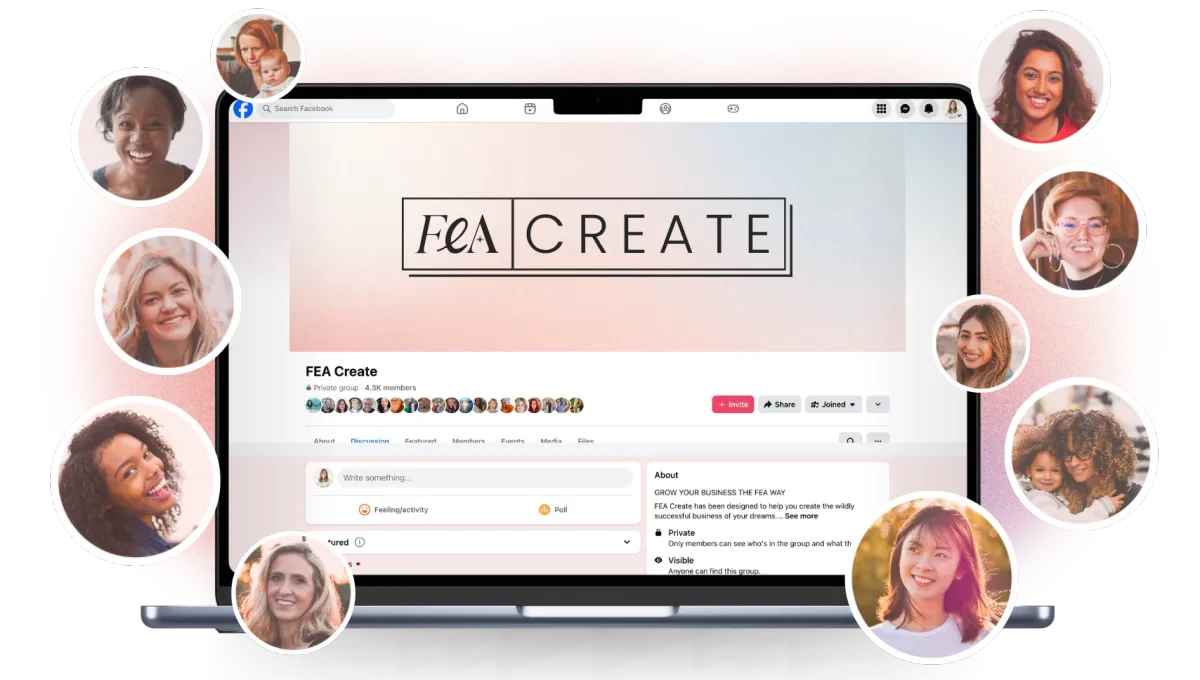
Go and share your page in the Facebook group so we can all celebrate with you. We love seeing what you build. 💖
What's next
You're all set!
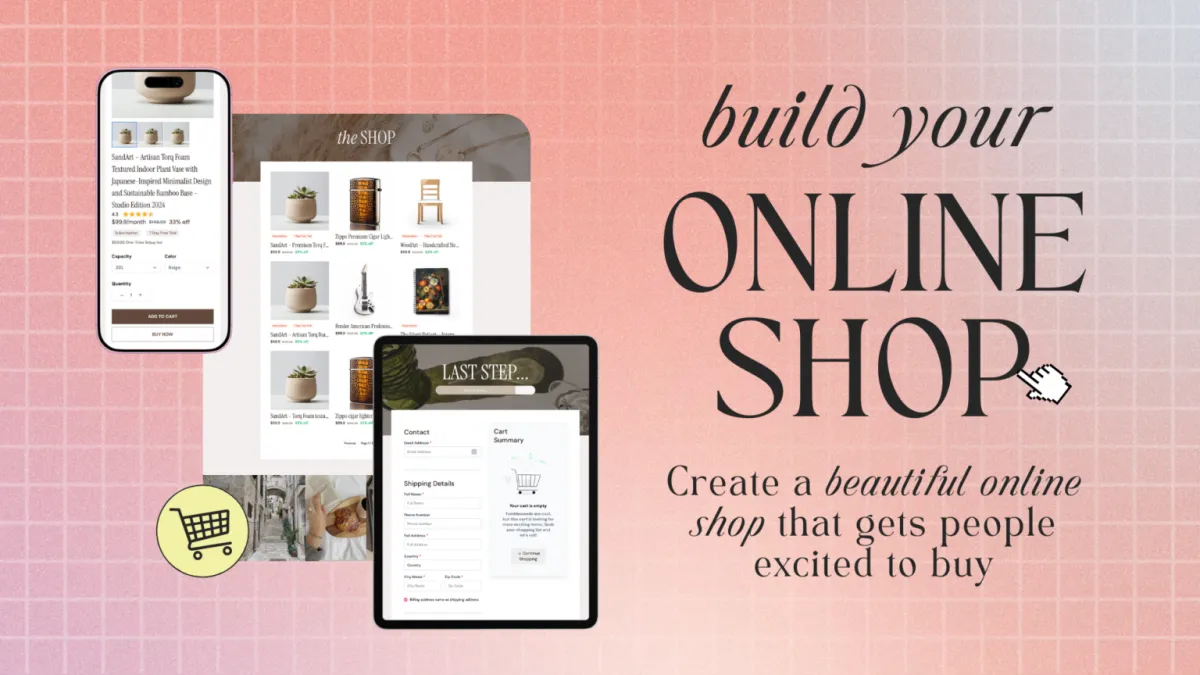
Ready to start selling directly from your site? Check out the Online Shop Gameplan next so you can add products and start making sales!
WEBSITE in a weekend
Your website is the home of your online business. It’s where people come to find out who you are, what you offer, and why they should work with you.
Your website is your online home for your business, and it's how you show up consistently online and build visibility beyond social media. And the best part? Creating a site you're proud of doesn't have to feel overwhelming.
Follow the steps below to get your website up and running this weekend. With our beautiful one-page website template already set up inside your FEA Create account, you'll just need ONE page, a simple form, and a privacy policy to have it all done. Each step below will walk you through setting up a different section of your one-page website template. ✨
Resources
CANVA TEMPLATES
FEA CReate TEMPLATES
Preview our 5 themes:
Step 1
Hero Section
Make sure your homepage instantly tells visitors what you do, who you help, and what to do next.
This is the first thing people see, and for a lot of visitors, it might be the only thing they see, so it needs to work hard. This is prime real estate on your website. Your hero section needs to instantly tell people what you do, who you help, and what to do next.
What you need:
Your Name or Business Name
Your "I Help" Statement
A Call-to-Action Button
Action Steps
Use the CarrieAI prompt to write your "I Help" statement
Use the CarrieAI prompt to create your headline and sub-headline
Use the CarrieAI prompt to write your call-to-action button
Inside FEA Create, clone the website template you want to use and add your content, branding and images
💡 Note: there are 2 versions of the one page website template, one with a shop and one without. If you're planning to add an online shop later, go with the shop version. ✨
💡 Top Tip: Your freebie should deliver a quick win. Something your audience can use right away and get a result from. That quick win builds trust and makes them far more likely to say yes to your tripwire offer.
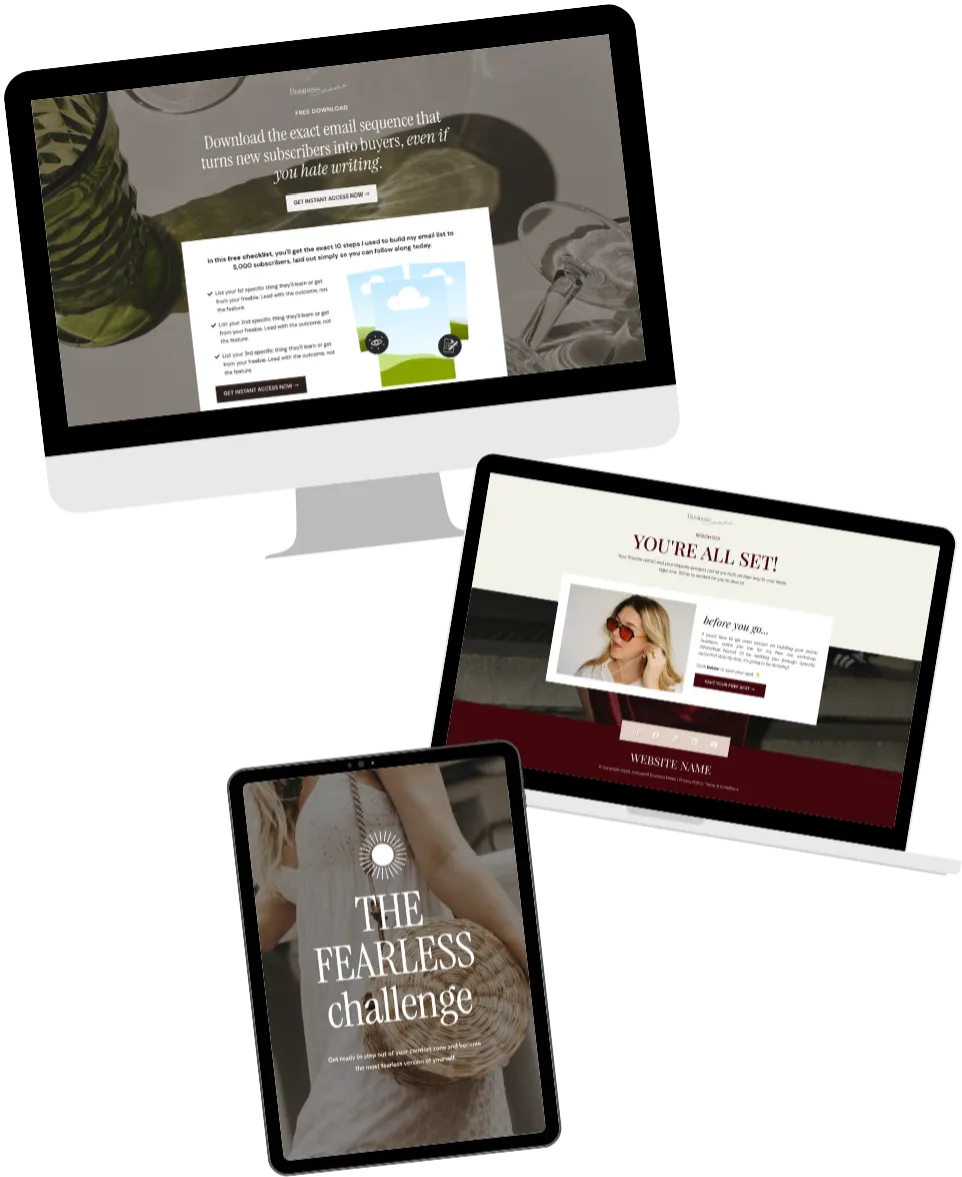
TRY THESE CARRIE AI PROMPTS:
🤖 I Help Statements:
Write 5 versions of an "I help" statement for my business. I help [describe your audience] achieve [describe the result] without [describe the pain/problem they want to avoid]. My business is [describe your business]. Ask me clarifying questions if you need more information.
🤖 Headline & Sub Headline Content:
Create a compelling headline and subheadline for my website hero section. My business helps [describe who you help and what transformation you provide]. Ask me clarifying questions if you need more information.
🤖 Call to action button:
Suggest 3 different call-to-action button texts for my website. My main goal is to [get people to join my email list / book a call / browse my offers]. Ask me clarifying questions if you need more information.
Step 2
Welcome & Mission Statement content
Let your visitors know that you truly understand what they're going through.
This section welcomes visitors and shares your big mission. It's all about connecting with your audience and letting them know you understand exactly what they're going through. Keep it warm, human, and easy to scan.
What you need:
A welcoming headline (e.g., "You're So Welcome Here")
Your Big Mission Statement (one powerful line)
1-2 sentences explaining who you help and how
Action Steps
Use the CarrieAI prompt to write your content for this section
Update this section inside your website template in FEA Create ✨
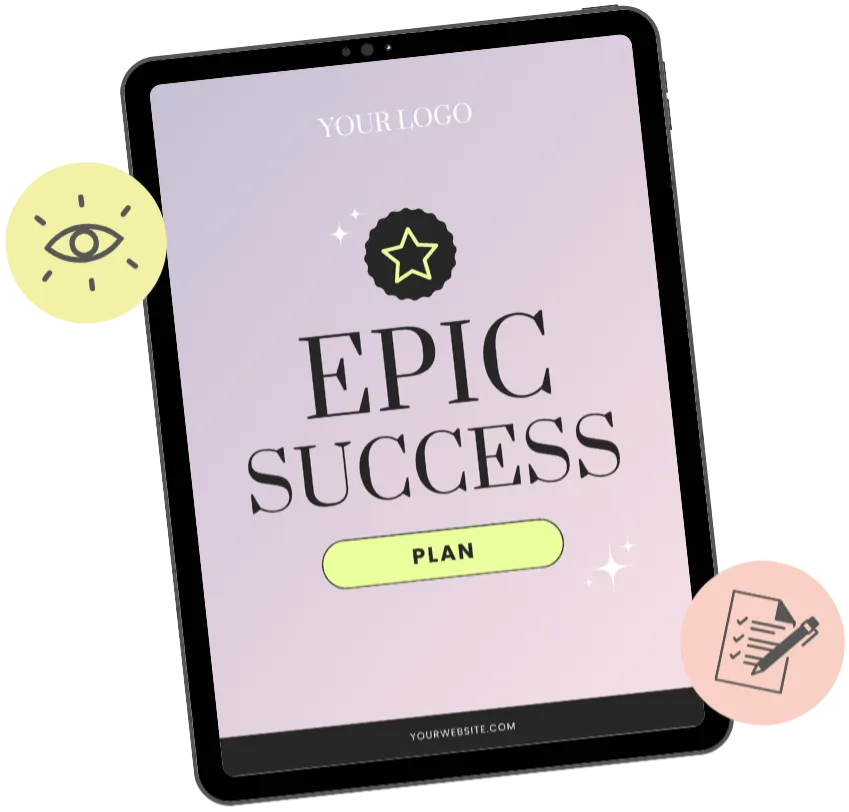
💡 Top Tip: If you have a visual mockup of your freebie (like a PDF cover or workbook preview), add it to the page. It makes the freebie feel more tangible and valuable.
TRY THESE CARRIE AI PROMPTS:
🤖 Mission Statement:
Write a warm, inviting mission statement for my website. My business is [describe your business] and I'm passionate about [what drives you]. Keep it to one powerful sentence. Ask me clarifying questions if you need more information.
🤖 Who and How Your Help:
Write 1-2 sentences that explain who I help and how I support them. Make it clear, human, and easy to scan. My audience is [describe your dream audience] and I help them [describe transformation]. Ask me clarifying questions if you need more information.
Guides
CANVA TEMPLATES
CANVA TEMPLATES
Funnel Template
Funnel Template
FEA CREATE Tripwire funnel template
Preview our 5 themes:
Step 3
"You're in the right place if you..." content
Help your dream audience see themselves in your words, so they know they're exactly in the right place.
This section helps your dream audience see themselves in your words. When they read it, they should think "yes, that's ME!" It's your chance to speak directly to the people you're here to serve and show them you truly get it.
What you need:
A clear description of your dream audience
A problem they're struggling with
A desire or goal they're working towards
Action Steps
Use the CarrieAI prompt to create your content for this section
Update this section inside your website template in FEA Create
💡 Top Tip: If you have a visual mockup of your freebie (like a PDF cover or workbook preview), add it to the page. It makes the freebie feel more tangible and valuable.
TRY THESE CARRIE AI PROMPTS:
🤖 You're in the right place section:
Write a "You're in the right place if you..." section for my website. My dream audience is [describe them - their situation, struggles, and dreams]. Include a description of who they are, a problem they're facing, and a goal they want to achieve. Ask me clarifying questions if you need more information. Ask me clarifying questions if you need more information.
🤖 Ideal client descriptions:
Create 3 different versions of my "ideal client" description that would make my dream audience feel seen. They are [describe your audience] struggling with [main challenge] and wanting [main desire]. Ask me clarifying questions if you need more information.
Templates and Resources
GUIDES
CANVA TEMPLATES
FUNNEL TEMPLATE
↗︎ FEA CREATE Tripwire funnel template
Preview our 5 themes:
↗︎ Big Leap
↗︎ Dreamy Days
↗︎ Power Moves
Guides
CANVA TEMPLATES
CANVA TEMPLATES
Funnel Template
Funnel Template
FEA CREATE Tripwire funnel template
Preview our 5 themes:
Step 4
Your Signature Offer content
Put your main offer front and centre, and make it easy for people to say yes.
This is where you showcase your main offer, the thing you most want people to buy or sign up for. Think of this as your website's sales pitch: clear, compelling, and focused on the result your dream customer will get.
What you need:
Type of offer (e.g., "12-Week Program")
Name of your offer
2-3 sentences explaining what it is and the transformation
A call-to-action button
Action Steps
Use the CarrieAI prompt to create your content for this section
Update this section inside your website template in FEA Create
TRY THESE CARRIE AI PROMPTS:
🤖 Description:
Write a compelling description for my signature offer. It's called [name] and it's a [type of offer, e.g., course, coaching program, membership]. It helps [who] achieve [what result]. Keep it to 2-3 sentences that create excitement and hint at the transformation. Ask me clarifying questions if you need more information.
🤖 Call to action:
Suggest 5 call-to-action button texts for my signature offer. The offer is [describe] and the action I want people to take is [join waitlist / buy now / book a call / learn more]. Ask me clarifying questions if you need more information.
Guides
CANVA TEMPLATES
CANVA TEMPLATES
Funnel Template
Funnel Template
FEA CREATE Tripwire funnel template
Preview our 5 themes:
Step 5
Your Low Ticket Offer content
Give visitors an easy way to say yes, even if they're not ready for your main offer yet.
The template includes space for two lower-priced offers. These could be things you have now, or ones you're planning to create! This gives visitors a way to say yes to you even if they're not ready for your main offer yet.
What you need for each:
Type of offer (e.g., "Printable Workbook")
Name of your offer
1-2 sentences explaining what it is
A call-to-action button
Action Steps
Use the CarrieAI prompt to create your content for this section
Update this section inside your website template in FEA Create
💡 Top Tip: You can also add a small bump offer on the checkout. This is a little add-on that people can tick to add to their order. It's a great way to increase the average order value.
TRY THESE CARRIE AI PROMPTS:
🤖 Descriptions:
Write short, enticing descriptions for my low-ticket offers: 1) [Name and type of first offer] 2) [Name and type of second offer]. Keep each description to 1-2 sentences that hint at the value without giving everything away. Ask me clarifying questions if you need more information.
🤖 Coming Soon Teaser:
I'm planning to create [type of low-ticket offer] but haven't made it yet. Write a "coming soon" teaser description that builds excitement and encourages people to get notified when it's available. Ask me clarifying questions if you need more information.
Funnel Template
FEA CREATE Tripwire funnel template
Preview our 5 themes:
Step 6
Free Resources Section content
Give visitors a no-pressure way to experience your value and start building trust.
Showcase your freebies! This could be a podcast, planner, guide, checklist, whatever free value you offer. It's a lovely way to give visitors an easy, no-pressure way to get a taste of what you do and start building trust.
What you need for each resource:
Name of the resource
Short description
Call-to-action (e.g., "Get Notified When It Drops" / "Be The First To Get It Free")
Action Steps
Use the CarrieAI prompt to create your content for this section
Update this section inside your website template in FEA Create
TRY THESE CARRIE AI PROMPTS:
🤖 First free resource:
Write short, compelling descriptions for my free resources: 1) [Name and type of first resource] 2) [Name and type of second resource]. Make them sound valuable and worth signing up for. Ask me clarifying questions if you need more information.
🤖 Second Free Resource:
I have a [type of free resource, e.g., podcast / freebie / newsletter]. Write 3 different short descriptions I could use to promote it on my website. Ask me clarifying questions if you need more information.
Step 7
Testimonials Section content
Let real results speak for you, and give visitors the trust they need to say yes.
Social proof is powerful! Nothing builds trust faster than hearing from real people who've already gotten results with you. If you have them, add testimonials throughout your site so visitors can see the transformation for themselves.
What you need:
The person's first name
The best line from their testimonial (the headline)
Supporting text (optional longer version)
Action Steps
Use the CarrieAI prompt to create your content for this section
Update this section inside your website template in FEA Create
💡 Top Tip: If someone DID buy the tripwire, they should receive a separate email sequence that welcomes them and helps them take action on the product they bought. People who take action get results. People who get results become raving fans who want to buy more from you.
TRY THESE CARRIE AI PROMPTS:
🤖 Testimonial Headline:
I have this testimonial from a client: "[paste their full testimonial]". Pull out the most impactful single line to use as a headline, and suggest how to format the rest as supporting text.
FEA Create Tripwire Funnel Tutorial Video
OTHER HELPFUL RESOURCES
FEA Create Tripwire Funnel Tutorial Video
Step 8
About Me Section content
Let your dream audience get to know the real you behind the business.
This is your chance to make a personal connection! People buy from people, so share who you are, why you do what you do, and let your personality shine through.
What you need:
Your name
Your role or title
A short bio (think: warm, confident, human)
Action Steps
Use the CarrieAI prompt to create your content for this section
Update this section inside your website template in FEA Create
💡 Top Tip: If someone DID buy the tripwire, they should receive a separate email sequence that welcomes them and helps them take action on the product they bought. People who take action get results. People who get results become raving fans who want to buy more from you.
TRY THESE CARRIE AI PROMPTS:
🤖 Write your about me section:
Write an "About Me" section for my website. I'm [your name], I'm a [your role/title], and I help [who you help] achieve [what transformation]. Include a bit about why I'm passionate about this work. Keep it warm, confident, and around 2-3 short paragraphs. Ask me clarifying questions if you need more information.
🤖 Create your bio:
Write 3 versions of my website bio in different styles: one that's professional and credibility-focused, one that's warm and story-driven, and one that's short and punchy. My background is [share relevant details about you and your business]. Ask me clarifying questions if you need more information.
FEA Create Tripwire Funnel Tutorial Video
OTHER HELPFUL RESOURCES
FEA Create Tripwire Funnel Tutorial Video
Step 9
Email List Sign Up content
Keep visitors connected to you, even if they're not ready to buy just yet.
The bottom of your page is perfect for capturing email addresses. Give people a reason to join your list, even if they're not ready to buy just yet, this keeps them connected to you.
What you need:
Name of your list or community (optional)
A short description of what they'll get by signing up
Action Steps
Use the CarrieAI prompt to create your content for this section
Update this section inside your website template in FEA Create
💡 Top Tip: If someone DID buy the tripwire, they should receive a separate email sequence that welcomes them and helps them take action on the product they bought. People who take action get results. People who get results become raving fans who want to buy more from you.
TRY THESE CARRIE AI PROMPTS:
🤖 Email Sign Up Section:
Write a compelling email signup section for my website. My audience is [describe them] and when they join my list they'll get [what value - tips, resources, first access, etc.]. Make it feel like an invitation, not a demand.
🤖 Email List Community Name Idea:
Suggest 5 different names I could call my email community/list. My brand is about [describe your brand vibe and what you help people with].
FEA Create Tripwire Funnel Tutorial Video
OTHER HELPFUL RESOURCES
FEA Create Tripwire Funnel Tutorial Video
Step 10
Publishing Your Website in FEA Create
Once your funnel is live, these are the numbers to keep an eye on:
Your website is built, section by section, and now it's time to get it out into the world! Before you hit publish, there are just a few final things to check.
Action Steps
Preview your website on both desktop AND mobile
Set up your form for email signups
Add your privacy policy page
Make sure your domain is connected (or use your FEA Create link to get started!)
Publish your website! 🎉
Just remember: your first version doesn't need to be perfect. Done is better than perfect, and you can always come back and update it later. ✨
💡 Top Tip: If someone DID buy the tripwire, they should receive a separate email sequence that welcomes them and helps them take action on the product they bought. People who take action get results. People who get results become raving fans who want to buy more from you.
TRY THESE CARRIE AI PROMPTS:
🤖 Prompt 1:
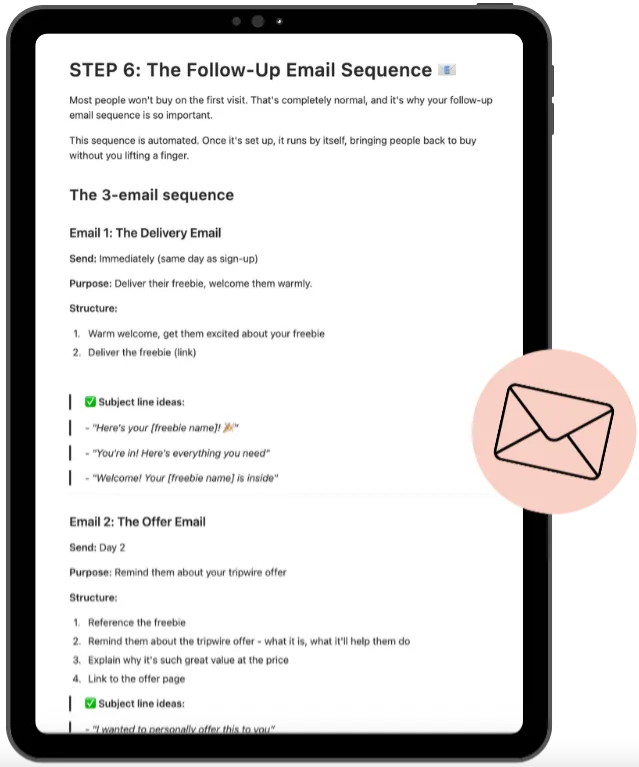
I need to write a 3-email automated sequence for my tripwire funnel. My freebie is [describe your freebie] and my tripwire product is [describe product] which was offered at [special price] on the thank you page but will be offered at [slightly higher price] in the emails, normally [full price]. Write all 3 emails: 1) An immediate delivery email that welcomes them warmly and delivers the freebie. 2) An offer reminder email (sent 6-24 hours later) for people who didn't buy. 3) A final urgency email (sent the next day) letting them know it's their last chance. Keep the tone warm and encouraging, not pushy. Ask me clarifying questions to get all the information you need to help customise and personalise the copy to me, my business and my brand voice.
WOOHOO!
You're all set!
Woohoo, you did it! 🎉 Your website is live, and that's such a huge milestone for your business.
Ready to start selling directly from your site? Check out the Online Shop Gameplan next so you can add products and start making sales!
Here’s what you should do next.
Here's what to do next....
Lorem ipsum dolor sit amet, consectetur adipiscing elit, sed do eiusmod tempor incididunt ut labore et dolore magna aliqua. Ut enim ad minim veniam, quis nostrud exercitation ullamco laboris nisi ut aliquip ex ea commodo consequat.
Explore other game plans
FEA CREATE TUTORIALS
BUILD your tripwire funnel
Lorem ipsum dolor sit amet, consectetur adipiscing elit, sed do eiusmod tempor incididunt ut labore et dolore magna aliqua. Ut enim ad minim veniam, quis nostrud exercitation ullamco laboris nisi ut aliquip ex ea commodo consequat.
1. GET ALL SET UP
Set your business up for success
2. GROW VISIBILITY
From lead gen funnels to traffic campaigns
3. CREATE OFFERS
Create your offers: courses, memberships & beyond
4. SALES & LAUNCH
Build high converting sales funnels and pages
Build Your High Converting Website
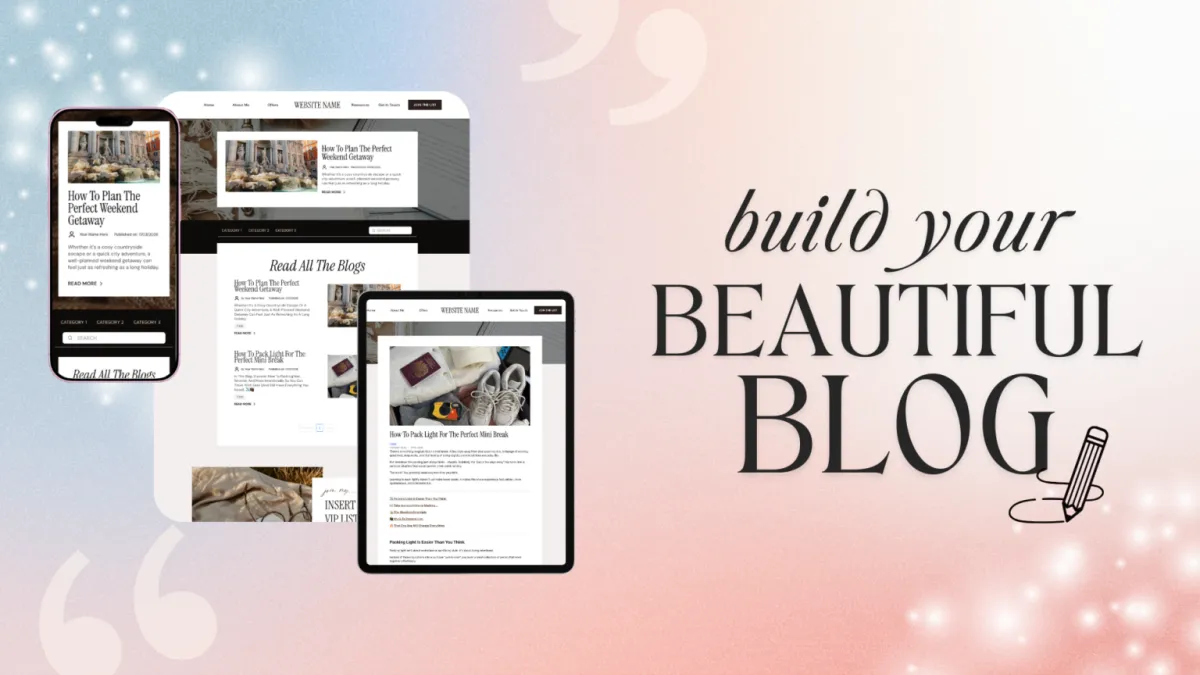
Your website is your online home for your business. You can use your website to help your potential customers learn more about you, your business, your offers, and start their journey to becoming a customer. In this tutorial, we will walk you through how to set up your website using our beautiful website template.
Step One: Title Goes Right Here
Lorem ipsum dolor sit amet, consectetur adipiscing elit, sed do eiusmod tempor incididunt ut labore et dolore magna aliqua. Ut enim ad minim veniam, quis nostrud exercitation ullamco laboris nisi ut aliquip ex ea commodo consequat.
Step Two: Title Goes Right Here
Lorem ipsum dolor sit amet, consectetur adipiscing elit, sed do eiusmod tempor incididunt ut labore et dolore magna aliqua. Ut enim ad minim veniam, quis nostrud exercitation ullamco laboris nisi ut aliquip ex ea commodo consequat.
Step Three: Title Goes Right Here
Lorem ipsum dolor sit amet, consectetur adipiscing elit, sed do eiusmod tempor incididunt ut labore et dolore magna aliqua. Ut enim ad minim veniam, quis nostrud exercitation ullamco laboris nisi ut aliquip ex ea commodo consequat.
Here's what to do next....
Lorem ipsum dolor sit amet, consectetur adipiscing elit, sed do eiusmod tempor incididunt ut labore et dolore magna aliqua. Ut enim ad minim veniam, quis nostrud exercitation ullamco laboris nisi ut aliquip ex ea commodo consequat.
© 2026 Female Entrepreneur Association is a trading name of Carrie & Co Ltd.