BUILD your tripwire funnel
What if every time someone signed up for your freebie, some of them became paying customers too? Automatically, without a launch, a sales call, or you having to do a thing.
That’s exactly what a tripwire funnel does. And once it’s set up, it works in the background 24/7.
This game plan walks you through the whole system from scratch. You’ll create your freebie, build your opt-in and tripwire pages, write your follow-up emails, and connect it all together inside FEA Create. Every step is mapped out, with our gorgeous templates and CarrieAI prompts and to help you with the copy along the way.
The result? A list that doesn’t just grow. A list that buys.
Game plan
Build your online shop
Imagine having a space where you simply upload your product, set the details and a price, and just like that, your dream customers can buy it and have it delivered straight to their inbox. That's exactly what having your very own online shop inside FEA Create lets you do!
By the end you'll have
Your products clear and ready to sell, each with a name, images, pricing and a description that actually sells
Product pages that make buying easy, complete with images, variants and an "Add to Cart" button
A smooth checkout journey, from cart to payment, with coupon codes ready if you want them
No more staring at a blank page wondering where to start. No more spending hours trying to figure out the tech. Just describe what you need, and let AI do the heavy lifting.
There are four AI tools inside FEA Create, and each one does something different. This game plan will walk you through what they are, when to use them, and how to get started with each one.
💡 Good to know: These AI tools are a paid add-on inside FEA Create, but the costs are tiny. Generating content (emails, blogs, page copy) costs roughly 9p per 1,000 words. To put that in perspective, writing a full blog post costs less than 10p. Generating an image costs about 6p. You add credit as you go, so you're always in control of what you spend.
Your plan
Five steps to create your shop
Follow the steps below to get your online shop set up and ready to sell inside FEA Create. Each step will walk you through exactly what you need, so you can go from idea to live product without any of the overwhelm. And if you get stuck along the way or just need a little extra support, don't hesitate to reach out to us, we're always happy to help.
1
Create names for your products
Give each of your products a name that's instantly clear, so your dream customers know exactly what they're getting.
2
Create images that sell
Create images that stop the scroll and show off your product at its best.
3
Price it with confidence
Set a price that feels good to you and easy for your dream customers to say yes to.
4
Tell them why they need it
Write descriptions that clearly show what your product is and why it's worth saying yes to
5
Building your shop in FEA Create
Everything you need to get your shop live and ready to sell
6
Getting Results From AI
Get the most out of using the AI tools built right into FEA Create, and start building with confidence.
First
Before you start
Download the Canva template: One-Page Shop Elements
Watch the masterclasses: The Power of Physical Products, How to Create Digital Products.
Step 1 of 5 · Build your online shop
Create names for your products
Give each of your products a name that's instantly clear, so your dream customers know exactly what they're getting.
A strong product name matters more than you might think. It should be clear and give people an instant understanding of what they're getting.
Your product name matters because it helps someone decide, in seconds, whether to click or keep scrolling. A clear, specific name builds trust and reduces friction - it makes it feel easy to buy.
Aim for clarity over cleverness. The best product names quickly show what it is, who it’s for, or the result it helps them get. And when your shop uses a consistent naming style, everything feels more polished and simpler to browse.
Action Steps:
Use the CarrieAI prompt to come up with the strong, clear names for your products
🤖 Create Your Product Names:
I'm selling [describe your product – what it is, who it's for, and what it helps with]. Suggest 5 clear, compelling product names that would work well for an online shop listing. Ask me clarifying questions if you need more information.

💡 Top Tip: Always review what Workflow AI builds before you switch it on. Check the email content, the timing between steps, and that it's connected to the right forms and lists.
⚠️ Pricing note: Workflow AI uses a separate credit system to the content tools. $10 gives you approximately 950 executions. Each time a workflow runs for a contact costs roughly 1 cent.
Step 2 of 5 · Build your online shop
Create images that sell
Create images that stop the scroll and show off your product at its best.
A good product image can make all the difference. It's often what stops someone mid-scroll and draws them in, so it's worth taking the time to get it right. You'll need at least one main product image, but you can add up to 3-4 images to show different angles or what's included.
What you need:
1 main product image (this shows on the shop listing page)
2-3 additional images (these show on the individual product page)
Action Steps:
Use the Canva template to create your product images
🤖 Create Your Product Names:
I'm selling [describe your product – what it is, who it's for, and what it helps with]. Suggest 5 clear, compelling product names that would work well for an online shop listing. Ask me clarifying questions if you need more information.
💡 Top Tip: Use Canva to create professional-looking product mockups, especially for digital products! Search for "product mockup" templates in Canva and drop in your own images or screenshots.
⚠️ Pricing note: Workflow AI uses a separate credit system to the content tools. $10 gives you approximately 950 executions. Each time a workflow runs for a contact costs roughly 1 cent.
Step 3 of 5 · Build your online shop
Price it with confidence
Set a price that feels good to you and easy for your dream customers to say yes to.
Pricing is personal, and there's no single right answer, it depends on your costs, your time, and what feels aligned for you and your business. What matters most is that your price feels clear, fair, and easy to say yes to.
Start by looking at the basics: your costs (especially for physical products), your time, and the profit you need to make it sustainable.
With FEA Create you can create:
One-time payments
Subscription pricing (e.g., monthly)
Free trials
Discount pricing (showing the original price crossed out)
Coupon codes at checkout
Action Steps:
Use the CarrieAI prompt to decide on the price of your products
🤖 Decide what to charge:
I'm creating a [describe your product type] for [describe your audience]. Help me think through pricing. What are the key factors I should consider? What price range would make sense for this type of product? Ask me clarifying questions if you need more information..
🤖 Feeling nervous to charge that? Try this prompt:
I want to price my [product name/type] at [price you're considering]. Write a short justification I can remind myself of when I feel nervous about charging this amount. Focus on the value and transformation it provides.
💡 Top Tip: Use Canva to create professional-looking product mockups, especially for digital products! Search for "product mockup" templates in Canva and drop in your own images or screenshots.
⚠️ Pricing note: Workflow AI uses a separate credit system to the content tools. $10 gives you approximately 950 executions. Each time a workflow runs for a contact costs roughly 1 cent.
Step 4 of 5 · Build your online shop
Tell them why they need it
Write descriptions that clearly show what your product is and why it's worth saying yes to
Your product description appears on the individual product page and needs to clearly explain what the product is, who it's for, and why someone should buy it.
You'll need:
A compelling product title
A short description (2-3 sentences for the preview)
A longer description with more detail (for the full product page)
Depending on what you're selling, you may want to include options like size, colour, or capacity. FEA Create also lets you add variant options so customers can choose.
Action Steps:
Use the CarrieAI prompt to create compelling descriptions for your products ✨
🤖 Write your product description
Write a compelling product description for my online shop. The product is [name and type of product]. It helps [who] to [achieve what result / solve what problem]. Write a short 2-3 sentence version for the shop listing AND a longer, more detailed version for the full product page.
🤖 Write what's included
Help me write a "what's included" list for my product [describe what's in the product]. Make each item sound valuable and exciting, not just a plain list.
🤖 Write your tagline
Write 5 short, punchy taglines I could use alongside my product [describe product] to grab attention on the shop listing page.
💡 Top Tip: Use Canva to create professional-looking product mockups, especially for digital products! Search for "product mockup" templates in Canva and drop in your own images or screenshots.
⚠️ Pricing note: Workflow AI uses a separate credit system to the content tools. $10 gives you approximately 950 executions. Each time a workflow runs for a contact costs roughly 1 cent.
Step 5 of 5 · Build your online shop
Building your shop in FEA Create
Everything you need to get your shop live and ready to sell
With all your product content ready to go, it's time to bring your shop to life inside FEA Create!
Action Steps:
Head to your FEA Create account and find the shop template for your website.
Set up your products, adding names, descriptions, images and pricing for each one
Customise your checkout page header
Update your thank you page message
Preview the full journey: Shop → Product → Cart → Checkout → Thank You
Link your shop page to your website navigation
🤖 Write your product description
Write a compelling product description for my online shop. The product is [name and type of product]. It helps [who] to [achieve what result / solve what problem]. Write a short 2-3 sentence version for the shop listing AND a longer, more detailed version for the full product page.
🤖 Write what's included
Help me write a "what's included" list for my product [describe what's in the product]. Make each item sound valuable and exciting, not just a plain list.
🤖 Write your tagline
Write 5 short, punchy taglines I could use alongside my product [describe product] to grab attention on the shop listing page.
💡 Top Tip: Use Canva to create professional-looking product mockups, especially for digital products! Search for "product mockup" templates in Canva and drop in your own images or screenshots.
NOTE: If you used the one-page website template, your shop is already set up for you, so you can simply start adding your products! If not, you'll need to install the shop on your website first. Reach out to support if you need a hand.
If something goes wrong
Common sticking points
My product isn't showing up in my shop
When you create your product (Payments → Products), make sure the Include in Online Store toggle is switched on. Without it, your product exists but won't appear in your shop grid.
My checkout isn't taking payments
You'll need to connect a payment provider first. Go to Settings → Integrations and connect Stripe, PayPal, Square or Authorize.net. The good news? FEA Create doesn't charge any transaction fees, so every payment goes straight to you 💰
Someone bought my product but didn't receive it
How it's delivered depends on what you're selling. For digital products, select Digital Product in the delivery settings and upload your file. For courses, turn on Membership Offer under Additional Options and connect your course. For coaching, set up a workflow that sends an onboarding email and booking link. Reach out to us if you need help with this.
My shop is live but nobody's finding it
Your shop needs a way in! Copy your shop link and add it to your homepage, your website menu, your Link in Bio page and your social profiles, so people can find it from wherever they discover you.
Woohoo 🎉
Look what
you just built
Your shop is live and you are ready to start selling, and that's such an exciting step for your business.
Your products listed, priced and ready to buy
A smooth shopping journey, from product page to checkout
A thank you page that celebrates every single sale
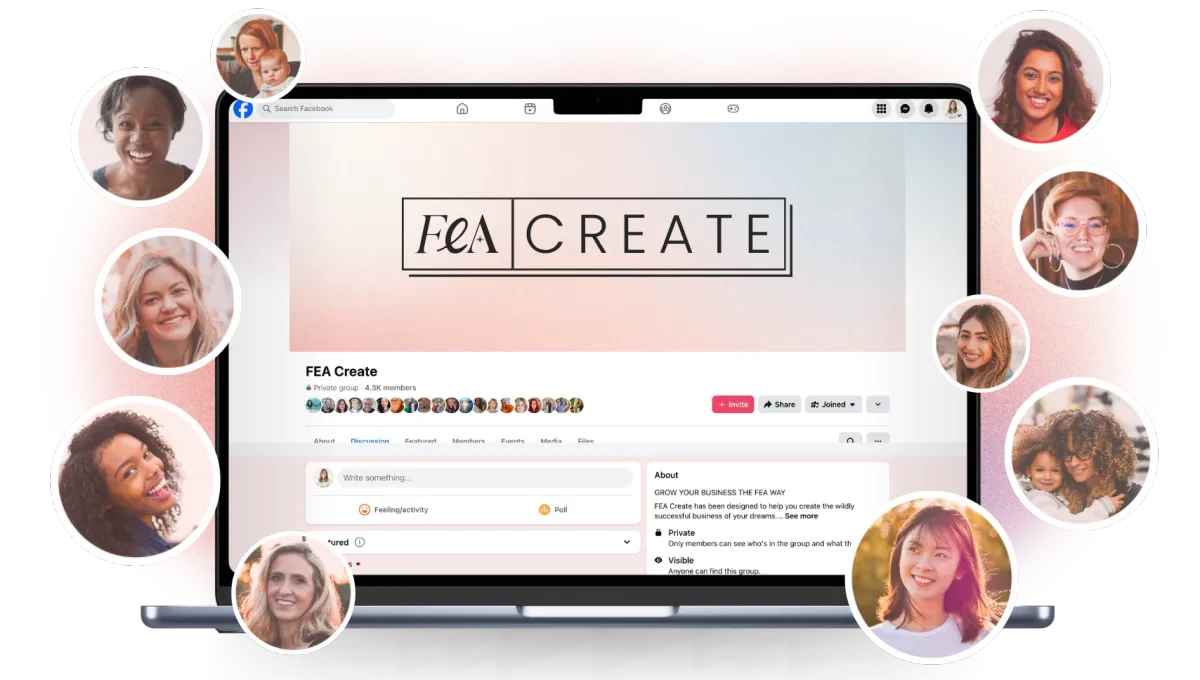
Share it
Go and share your page in the Facebook group so we can all celebrate with you. We love seeing what you build. 💖
What's next
You're all set!
Now that people can find and buy your products, let's help even more people find you. Check out the Build Your Blog Gameplan next so you can start growing your visibility even further!
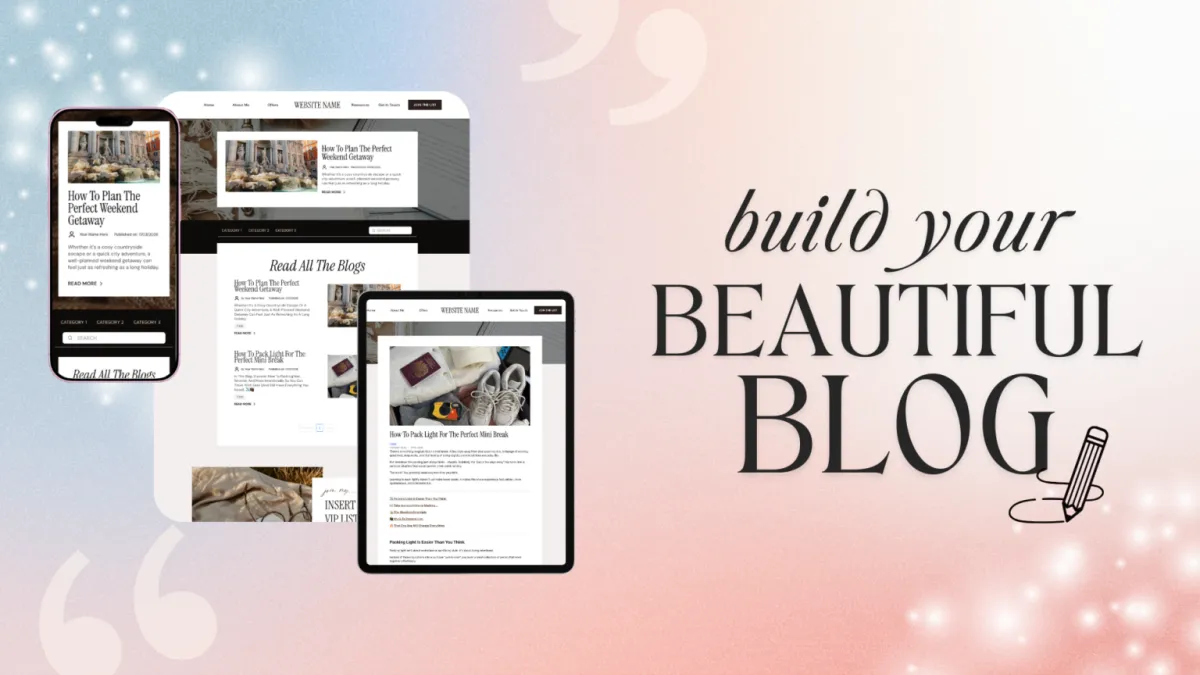
BUILD your online shop
Imagine having a space where you simply upload your product, set the details and a price, and just like that, your dream customers can buy it and have it delivered straight to their inbox. That's exactly what having your very own online shop inside FEA Create lets you do!
Selling online shouldn't feel complicated, and with FEA Create's online shop, it doesn't have to. Whether you're selling digital downloads, physical products, or both, you've got one simple, streamlined space to showcase your products and let your dream customers purchase with ease.
Follow the steps below to get your online shop set up and ready to sell inside FEA Create. Each step will walk you through exactly what you need, so you can go from idea to live product without any of the overwhelm. And if you get stuck along the way or just need a little extra support, don't hesitate to reach out to us, we're always happy to help.
Resources
CANVA TEMPLATES
TRAININGS
Step 1
Create Names For Your Products
Give each of your products a name that's instantly clear, so your dream customers know exactly what they're getting.
A strong product name matters more than you might think. It should be clear and give people an instant understanding of what they're getting.
Your product name matters because it helps someone decide, in seconds, whether to click or keep scrolling. A clear, specific name builds trust and reduces friction - it makes it feel easy to buy.
Aim for clarity over cleverness. The best product names quickly show what it is, who it’s for, or the result it helps them get. And when your shop uses a consistent naming style, everything feels more polished and simpler to browse.
Action Steps
Use the CarrieAI prompt to come up with the strong, clear names for your products
TRY THESE CARRIE AI PROMPTS:
🤖 Create Your Product Names:
I'm selling [describe your product – what it is, who it's for, and what it helps with]. Suggest 5 clear, compelling product names that would work well for an online shop listing. Ask me clarifying questions if you need more information.
Step 2
Create images that sell
Create images that stop the scroll and show off your product at its best.
A good product image can make all the difference. It's often what stops someone mid-scroll and draws them in, so it's worth taking the time to get it right. You'll need at least one main product image, but you can add up to 3-4 images to show different angles or what's included.
What you need:
1 main product image (this shows on the shop listing page)
2-3 additional images (these show on the individual product page)
💡 Top Tip: Use Canva to create professional-looking product mockups, especially for digital products! Search for "product mockup" templates in Canva and drop in your own images or screenshots.
Action Steps
Use the Canva template to create your product images
Guides
CANVA TEMPLATES
CANVA TEMPLATES
Funnel Template
Funnel Template
FEA CREATE Tripwire funnel template
Preview our 5 themes:
Templates and Resources
Templates and Resources
Product Image: Canva Template

Step 3
Price It With Confidence
Set a price that feels good to you and easy for your dream customers to say yes to.
Pricing is personal, and there's no single right answer, it depends on your costs, your time, and what feels aligned for you and your business. What matters most is that your price feels clear, fair, and easy to say yes to.
Start by looking at the basics: your costs (especially for physical products), your time, and the profit you need to make it sustainable.
With FEA Create you can create:
One-time payments
Subscription pricing (e.g., monthly)
Free trials
Discount pricing (showing the original price crossed out)
Coupon codes at checkout
Action Steps
Use the CarrieAI prompt to decide on the price of your products
💡 Top Tip: If you have a visual mockup of your freebie (like a PDF cover or workbook preview), add it to the page. It makes the freebie feel more tangible and valuable.
TRY THESE CARRIE AI PROMPTS:
🤖 Decide what to charge:
I'm creating a [describe your product type] for [describe your audience]. Help me think through pricing. What are the key factors I should consider? What price range would make sense for this type of product? Ask me clarifying questions if you need more information..
🤖 Feeling Nervous to Charge That? Try This Prompt:
I want to price my [product name/type] at [price you're considering]. Write a short justification I can remind myself of when I feel nervous about charging this amount. Focus on the value and transformation it provides.
Templates and Resources
GUIDES
CANVA TEMPLATES
FUNNEL TEMPLATE
↗︎ FEA CREATE Tripwire funnel template
Preview our 5 themes:
↗︎ Big Leap
↗︎ Dreamy Days
↗︎ Power Moves
Guides
CANVA TEMPLATES
CANVA TEMPLATES
Funnel Template
Funnel Template
FEA CREATE Tripwire funnel template
Preview our 5 themes:
Step 4
Tell Them Why They Need It
Write descriptions that clearly show what your product is and why it's worth saying yes to
Your product description appears on the individual product page and needs to clearly explain what the product is, who it's for, and why someone should buy it.
You'll need:
A compelling product title
A short description (2-3 sentences for the preview)
A longer description with more detail (for the full product page)
Depending on what you're selling, you may want to include options like size, colour, or capacity. FEA Create also lets you add variant options so customers can choose.
Action Steps
Use the CarrieAI prompt to create compelling descriptions for your products ✨
TRY THESE CARRIE AI PROMPTS:
🤖 Write your product description
Write a compelling product description for my online shop. The product is [name and type of product]. It helps [who] to [achieve what result / solve what problem]. Write a short 2-3 sentence version for the shop listing AND a longer, more detailed version for the full product page.
🤖 Write what's included
Help me write a "what's included" list for my product [describe what's in the product]. Make each item sound valuable and exciting, not just a plain list.
🤖 Write your tagline
Write 5 short, punchy taglines I could use alongside my product [describe product] to grab attention on the shop listing page.
Guides
CANVA TEMPLATES
CANVA TEMPLATES
Funnel Template
Funnel Template
FEA CREATE Tripwire funnel template
Preview our 5 themes:
Step 5
Building Your Shop in FEA Create
Everything you need to get your shop live and ready to sell
With all your product content ready to go, it's time to bring your shop to life inside FEA Create!
Action Steps
Head to your FEA Create account and find the shop template for your website.
Set up your products, adding names, descriptions, images and pricing for each one
Customise your checkout page header
Update your thank you page message
Preview the full journey: Shop → Product → Cart → Checkout → Thank You
Link your shop page to your website navigation
💡 NOTE: If you used the one-page website template, your shop is already set up for you, so you can simply start adding your products! If not, you'll need to install the shop on your website first. Reach out to support if you need a hand.
Guides
CANVA TEMPLATES
CANVA TEMPLATES
Funnel Template
Funnel Template
FEA CREATE Tripwire funnel template
Preview our 5 themes:
WOOHOO!
You're all set!
Woohoo, you did it! 🎉 Your shop is live and you are ready to start selling, and that's such an exciting step for your business.
Now that people can find and buy your products, let's help even more people find you. Check out the Build Your Blog Gameplan next so you can start growing your visibility even further!
Here’s what you should do next.
Here's what to do next....
Lorem ipsum dolor sit amet, consectetur adipiscing elit, sed do eiusmod tempor incididunt ut labore et dolore magna aliqua. Ut enim ad minim veniam, quis nostrud exercitation ullamco laboris nisi ut aliquip ex ea commodo consequat.
Explore other game plans


FEA CREATE TUTORIALS
BUILD your tripwire funnel
Lorem ipsum dolor sit amet, consectetur adipiscing elit, sed do eiusmod tempor incididunt ut labore et dolore magna aliqua. Ut enim ad minim veniam, quis nostrud exercitation ullamco laboris nisi ut aliquip ex ea commodo consequat.
1. GET ALL SET UP
Set your business up for success
2. GROW VISIBILITY
From lead gen funnels to traffic campaigns
3. CREATE OFFERS
Create your offers: courses, memberships & beyond
4. SALES & LAUNCH
Build high converting sales funnels and pages
Build Your High Converting Website
Your website is your online home for your business. You can use your website to help your potential customers learn more about you, your business, your offers, and start their journey to becoming a customer. In this tutorial, we will walk you through how to set up your website using our beautiful website template.
Step One: Title Goes Right Here
Lorem ipsum dolor sit amet, consectetur adipiscing elit, sed do eiusmod tempor incididunt ut labore et dolore magna aliqua. Ut enim ad minim veniam, quis nostrud exercitation ullamco laboris nisi ut aliquip ex ea commodo consequat.
Step Two: Title Goes Right Here
Lorem ipsum dolor sit amet, consectetur adipiscing elit, sed do eiusmod tempor incididunt ut labore et dolore magna aliqua. Ut enim ad minim veniam, quis nostrud exercitation ullamco laboris nisi ut aliquip ex ea commodo consequat.
Step Three: Title Goes Right Here
Lorem ipsum dolor sit amet, consectetur adipiscing elit, sed do eiusmod tempor incididunt ut labore et dolore magna aliqua. Ut enim ad minim veniam, quis nostrud exercitation ullamco laboris nisi ut aliquip ex ea commodo consequat.
Here's what to do next....
Lorem ipsum dolor sit amet, consectetur adipiscing elit, sed do eiusmod tempor incididunt ut labore et dolore magna aliqua. Ut enim ad minim veniam, quis nostrud exercitation ullamco laboris nisi ut aliquip ex ea commodo consequat.
© 2026 Female Entrepreneur Association is a trading name of Carrie & Co Ltd.