BUILD your tripwire funnel
What if every time someone signed up for your freebie, some of them became paying customers too? Automatically, without a launch, a sales call, or you having to do a thing.
That’s exactly what a tripwire funnel does. And once it’s set up, it works in the background 24/7.
This game plan walks you through the whole system from scratch. You’ll create your freebie, build your opt-in and tripwire pages, write your follow-up emails, and connect it all together inside FEA Create. Every step is mapped out, with our gorgeous templates and CarrieAI prompts and to help you with the copy along the way.
The result? A list that doesn’t just grow. A list that buys.
Game plan
Create Your Micro Offer In 7 Days
A micro offer is a low-priced no-brainer offer that delivers amazing value and gives potential clients a taste of what it’s like to work with you and learning from you.
In this case, we’re going to be creating a mini course micro offer - a short, focused online course, usually 5-6 bite-sized video lessons, that teaches one specific thing and gets someone a quick result. And with this game plan, we’ve made the creation process super simple for you.
By the end you'll have
A validated mini course topic - one clear problem, solved in 5–6 short lessons
A full course structure - modules, lessons, and descriptions, built and ready inside FEA Create
Scripts written for every lesson - so you know exactly what to say when you hit record
Filmed, edited videos uploaded and live - no fancy production required
A priced, sellable course - connected to checkout, with instant access for buyers
No more staring at a blank page wondering where to start. No more spending hours trying to figure out the tech. Just describe what you need, and let AI do the heavy lifting.
There are four AI tools inside FEA Create, and each one does something different. This game plan will walk you through what they are, when to use them, and how to get started with each one.
💡 Good to know: These AI tools are a paid add-on inside FEA Create, but the costs are tiny. Generating content (emails, blogs, page copy) costs roughly 9p per 1,000 words. To put that in perspective, writing a full blog post costs less than 10p. Generating an image costs about 6p. You add credit as you go, so you're always in control of what you spend.
Your plan
Just follow the steps...
Follow the day-by-day steps below to create your mini course. This isn't about building the perfect course or spending weeks on production. It's about taking one thing you already teach your clients and turning it into a simple, sellable product in a week, with CarrieAI and Ask AI doing the heavy lifting.
1
Pick Your Course Topic
Choose the one thing you teach your coaching clients that you could turn into a short, focused course.
2
Build Your Course Structure
Use Ask AI to turn your topic into a structured course with modules and lessons.
3
Write Your Lesson Scripts Using CarrieAI
Take your course structure back to CarrieAI and turn each lesson into a script you can read to camera.
4
Film Your Videos
Record your lessons. Keep it simple, keep it short, and don't aim for perfect.
5
Edit and Upload Your Videos
Do a light edit on your videos and upload them into the course structure Ask AI already built for you.
6
Price Your Course
Decide what your mini course is worth and set a price that feels like a no-brainer for your audience.
First
Before you start
Know the one thing you keep explaining to clients over and over - the question that comes up in almost every discovery call, or the breakthrough that happens in session 2 or 3. That's your course topic.
Have a rough idea of your audience and coaching focus - who you help, and with what, so the topic-brainstorm step has something to work with.
What will this cost me?
The AI tools are a paid add-on and you top up credit as you go, so you're always in control. Here's what things actually cost:
A full blog post: under £0.10
A newsletter email: £0.03-£0.05
An AI-generated image: about £0.06
Building a page with AI Studio: pennies
100 people through your email sequence: about £0.80
So everything in this game plan, plus your first hundred subscribers going through it, comes to roughly £1.
Pick Your Course Topic
Choose the one thing you teach your coaching clients that you could turn into a short, focused course.
The best mini courses solve one specific problem, fast. Instead of "everything I know about mindset" think more along the lines of "how to stop the Sunday night dread in 5 days." Instead of "nutrition fundamentals" think more along the lines of "the 7-day meal plan for busy mums who hate cooking."
As a coach, you should already have your topic more or less figured out. Think about the questions your clients ask you over and over. The thing you find yourself explaining in every discovery call. The breakthrough that happens for almost every client in session 2 or 3. That's your mini course.
A good mini course topic:
Solves one clear problem your clients keep coming to you with
Can be taught in 5-6 short lessons
Gives them a quick, tangible win they can see or feel within a week
Naturally leads to wanting more support from you (your one-to-one coaching, group programme, or membership)
What to avoid:
Trying to cram your whole methodology into one course
Topics that are too vague ("confidence" or "wellness")
Anything that takes months to see results from
Action Steps:
Use the CarrieAI prompt to brainstorm your mini course topic
Choose the one topic that feels like the most obvious quick win for your clients
Write it down as a single sentence: "This course helps [who] to [result] in [timeframe]"
CarrieAI prompt • Brainstorm your mini course topic:
I'm a coach and I want to create a mini course. I help [describe your audience] with [describe your coaching focus]. The questions my clients ask me most often are: [list 3-5 common questions or struggles]. Suggest 5 mini course topics that each solve one specific problem, could be taught in 5-6 short lessons, and would give my clients a quick win. For each one, give me a working title and a one-sentence description of the transformation. Ask me clarifying questions to get all the information you need to help customise and personalise the copy to me, my business and my brand voice.

💡 Top Tip: Always review what Workflow AI builds before you switch it on. Check the email content, the timing between steps, and that it's connected to the right forms and lists.
⚠️ Pricing note: Workflow AI uses a separate credit system to the content tools. $10 gives you approximately 950 executions. Each time a workflow runs for a contact costs roughly 1 cent.
Step 2 of 6 · Create Your Micro Offer In 7 Days
Build Your Course Structure
Use Ask AI to turn your topic into a structured course with modules and lessons.
Now you've got your topic, it's time to shape it into a course. This is where Ask AI comes in. Because it lives inside your FEA Create account, it can build the actual course structure for you, ready for you to add your content into.
You're going to ask it to create a course with 5-6 lessons, each around 5 minutes long. Keep it short. People finish short courses. They don't finish long ones.
Of course you can also use Ask AI to structure bigger courses too - simply explain the level of depth you’d like and number of lessons (and modules if needed).
How to structure your mini course:
Lesson 1: Welcome and what to expect (set the scene, build excitement)
Lessons 2-5: One key teaching point per lesson, with a simple action to take
Final lesson: Wrap up, celebrate their progress, and introduce your next step (your coaching offer)
Ask AI Prompt • Course Structure
Create a mini course called "[your course title]" for [describe your audience]. The course helps them [describe the transformation]. Build it with 5-6 lessons, each around 5 minutes long. Lesson 1 should be a welcome and overview. Lessons 2-5 should each teach one key concept with a simple action step. The final lesson should wrap up and introduce the next step. For each lesson, write a title and a 2-sentence description. Also write a short course description (3-4 sentences) that would appear on the course page.
💡 Top Tip: Always review what Workflow AI builds before you switch it on. Check the email content, the timing between steps, and that it's connected to the right forms and lists.
Once you approve the structure, Ask AI will start to build out the course product inside your FEA Create account.
Step 3 of 6 · Create Your Micro Offer In 7 Days
Write Your Lesson Scripts Using CarrieAI
Take your course structure back to CarrieAI and turn each lesson into a script you can read to camera.
You've got your structure. Now you need to know exactly what to say in each video. This is where you go back to CarrieAI, because CarrieAI knows your business, your voice, and your audience, so it can write scripts that actually sound like you.
You don't need to memorise anything. These scripts are there to guide you so you never lose your train of thought. Read them, make them your own, and add in your own client stories and examples wherever they fit.
What makes a good 5-minute lesson script:
Opens with a quick hook that names the problem this lesson solves
Teaches one thing clearly, with an example
Ends with one simple action step they can take before the next lesson
Sounds like a conversation, not a lecture
Action Steps:
Paste your course structure from Step 2 into CarrieAI
Use the prompt below to write your scripts, one lesson at a time
Read each script out loud and tweak anything that doesn't sound like you
Add your own client stories or examples where they'd help
CarrieAI prompt • Write your lesson scripts:
Here's the structure for my mini course: [paste your lesson titles and descriptions from Ask AI]. Write a script for Lesson [number]: "[lesson title]". It should be around 5 minutes when read aloud (roughly 600-700 words). Open with a hook that names the problem, teach the key concept with a relatable example, and end with one simple action step. Keep it conversational and warm, like I'm talking to a client one-to-one. Ask me clarifying questions to get all the information you need to help customise and personalise the copy to me, my business and my brand voice.
CarrieAI prompt • Write your welcome and wrap-up lessons:
Write two short scripts for my mini course "[your course title]". Script 1 is the welcome lesson: greet them warmly, tell them what they'll achieve by the end, and get them excited to start. Script 2 is the final wrap-up lesson: celebrate what they've done, summarise the key takeaways, and introduce my [one-to-one coaching / group programme / membership] as the natural next step for anyone who wants to go deeper. Keep both around 3-4 minutes when read aloud. Ask me clarifying questions to get all the information you need to help customise and personalise the copy to me, my business and my brand voice.
💡 Top Tip: Always review what Workflow AI builds before you switch it on. Check the email content, the timing between steps, and that it's connected to the right forms and lists.
Once you approve the structure, Ask AI will start to build out the course product inside your FEA Create account.
Step 4 of 6 · Create Your Micro Offer In 7 Days
Film Your Videos
Record your lessons. Keep it simple, keep it short, and don't aim for perfect.
This is the step most people put off. But you really don’t have to! Your clients don't need a Hollywood production. They need you, on camera, teaching them something useful in a way that feels like a conversation.
You can film on your phone or laptop, at your desk or on the sofa, in one sitting or spread across the day. What matters is that you press record and get it done.
Talking head or slides?
You've got two options, and both work brilliantly:
Talking head: You on camera, speaking directly to your student. This is the most personal option and it's perfect for coaches because people are buying you.
Slides with voiceover: Simple slides with your key points, and you talking over them. Great for lessons with steps, frameworks, or anything visual. You can create these in Canva and record your screen using Loom, Zoom, or your laptop's built-in screen recorder.
If in doubt, go talking head. It's faster, it builds more connection, and you don't need to design anything.
Reading your script:
Nobody expects you to memorise 5 minutes of content. Use a teleprompter app on your phone or laptop (Teleprompter Premium, BIGVU, or PromptSmart are all easy to use) and paste your script in. Position it as close to the camera lens as possible so it looks like you're making eye contact.
If you don't want to use a teleprompter, put your key bullet points on a sticky note next to the camera and speak naturally around them.
Filming tips:
Face a window for natural light, or use a ring light if you have one
Prop your phone or laptop at eye level (a stack of books works!)
Wear something you feel good in
Check your background is tidy and not distracting
Speak as if you're talking to one client, not a room of people
If you stumble, pause, and carry on. You can trim it later
If you’re filming on your laptop, you can use a tool such as Loom or Descript
Action Steps:
Set up your filming space
Load your scripts into your teleprompter app (or write your bullet points on sticky notes)
Film all your lessons in one or two sittings
Do a quick review of each video and re-record anything that really didn't work
Trim the start and end of each video if needed (no fancy editing required)
Write your lesson scripts:
Here's the structure for my mini course: [paste your lesson titles and descriptions from Ask AI]. Write a script for Lesson [number]: "[lesson title]". It should be around 5 minutes when read aloud (roughly 600-700 words). Open with a hook that names the problem, teach the key concept with a relatable example, and end with one simple action step. Keep it conversational and warm, like I'm talking to a client one-to-one. Ask me clarifying questions to get all the information you need to help customise and personalise the copy to me, my business and my brand voice.
Write your welcome and wrap-up lessons:
Write two short scripts for my mini course "[your course title]". Script 1 is the welcome lesson: greet them warmly, tell them what they'll achieve by the end, and get them excited to start. Script 2 is the final wrap-up lesson: celebrate what they've done, summarise the key takeaways, and introduce my [one-to-one coaching / group programme / membership] as the natural next step for anyone who wants to go deeper. Keep both around 3-4 minutes when read aloud. Ask me clarifying questions to get all the information you need to help customise and personalise the copy to me, my business and my brand voice.
💡 Top Tip: Always review what Workflow AI builds before you switch it on. Check the email content, the timing between steps, and that it's connected to the right forms and lists.
Once you approve the structure, Ask AI will start to build out the course product inside your FEA Create account.
Step 5 of 6 · Create Your Micro Offer In 7 Days
Edit and Upload Your Videos
Do a light edit on your videos and upload them into the course structure Ask AI already built for you.
One your videos are filmed don't overthink the editing. You're trimming the start and end, cutting out any big mistakes, and that's about it. Nobody needs fancy transitions or background music.
Simple editing tools:
Loom: If you recorded with Loom, you can trim clips directly inside it. Just drag the start and end points and hit save. Loom also gives you a shareable link or a downloadable file.
Descript: It transcribes your video into text, and you delete the words you don't want so the video edits itself. It also has a one-click "remove filler words" feature that takes out all the ums and ahs.
Action Steps:
Trim and tidy each video using Loom, Descript, or your phone's built-in editor
Export or download each video as an MP4 file
Go to your Courses area inside FEA Create and open the course Ask AI created
Upload each video to its matching lesson
Paste in the lesson descriptions from Day 2 (edit them if anything changed while filming)
Add your course thumbnail image (use the Canva template we have for you)
Preview the course as a student to check every video plays and the flow feels right
Write your lesson scripts:
Here's the structure for my mini course: [paste your lesson titles and descriptions from Ask AI]. Write a script for Lesson [number]: "[lesson title]". It should be around 5 minutes when read aloud (roughly 600-700 words). Open with a hook that names the problem, teach the key concept with a relatable example, and end with one simple action step. Keep it conversational and warm, like I'm talking to a client one-to-one. Ask me clarifying questions to get all the information you need to help customise and personalise the copy to me, my business and my brand voice.
Write your welcome and wrap-up lessons:
Write two short scripts for my mini course "[your course title]". Script 1 is the welcome lesson: greet them warmly, tell them what they'll achieve by the end, and get them excited to start. Script 2 is the final wrap-up lesson: celebrate what they've done, summarise the key takeaways, and introduce my [one-to-one coaching / group programme / membership] as the natural next step for anyone who wants to go deeper. Keep both around 3-4 minutes when read aloud. Ask me clarifying questions to get all the information you need to help customise and personalise the copy to me, my business and my brand voice.
💡 Top Tip: Always review what Workflow AI builds before you switch it on. Check the email content, the timing between steps, and that it's connected to the right forms and lists.
Once you approve the structure, Ask AI will start to build out the course product inside your FEA Create account.
Step 6 of 6 · Create Your Micro Offer In 7 Days
Price Your Course
Decide what your mini course is worth and set a price that feels like a no-brainer for your audience.
Pricing is where a lot of coaches freeze. You don't want to undercharge and undervalue your expertise, but you also don't want to price yourself out of a sale. So let's make this simple.
A mini course is your entry point, not your main income.
As a coach, the real value of your mini course isn't the sale itself. It's what the sale leads to. Someone buys your course, gets a result, and thinks "if this is what I got for $47, imagine what I'd get working with her properly!" So price your course to get people in, not to maximise revenue from one product.
Typical mini course pricing:
$27-$47: Perfect for a first digital product, or if your audience is newer and you're still building trust. Easy yes, low risk for them, gets people through the door
$47-$67: Works well if you've already got an established audience, testimonials, or you're solving a bigger, more urgent problem
If this is your first course, start at the lower end. You can always raise the price once you have testimonials and results to back it up.
Action Steps:
Use the CarrieAI prompt to help you decide on your price
Choose your price and commit to it (no second-guessing!)
Set up your product and checkout inside FEA Create
Connect the checkout to your course so people get instant access after buying
Test the whole thing by buying it yourself (you can refund it after!)
CarrieAI prompt • Decide on your course price:
I'm a coach and I've created a mini course called "[your course title]" for [describe your audience]. It helps them [describe the transformation] in [timeframe] across [number] short video lessons. My one-to-one coaching costs [your rate] and my audience is [describe how established they are, e.g., a small but engaged Instagram following / an email list of 500 / mostly new to me]. Help me decide on the right price for this course. Consider that I want it to be an easy yes that leads people towards my coaching. Suggest 3 price points with the reasoning behind each, and recommend which one to start with. Ask me clarifying questions to get all the information you need to help customise and personalise the copy to me, my business and my brand voice.
💡 Top Tip: Always review what Workflow AI builds before you switch it on. Check the email content, the timing between steps, and that it's connected to the right forms and lists.
Once you approve the structure, Ask AI will start to build out the course product inside your FEA Create account.
If something goes wrong
Common sticking points
How long does a course need to be?
There’s no set length for your course. You can create as many modules and lessons as you need, so you can structure your course in a way that works best for your students and your content.
How do I link my course to a checkout?
Once you’ve created your course, you can connect it to a checkout so your customers can purchase access. When the checkout and course offer are connected correctly, access can be granted automatically after purchase. Read the full help article →
How do I customise the layout?
You can choose from a range of customisable themes in your course to create a look and feel that suits your brand.
Simply choose the theme you like best and customise it to create a beautiful experience for your students. Read the full help article →
How big can the videos be?
Videos uploaded to FEA Create can be up to 4GB in size.
Can I attach workbooks or other files to the lessons?
Yes! You can add resources such as workbooks and other downloadable files to your lessons, giving your students everything they need in one place. Read the full help article →
Can I drip feed course content?
Yes! You can drip feed your course content, which means you can choose when different lessons or modules become available to your students.
This is a great option if you want to guide students through your course step by step rather than giving them access to everything straight away. Read the full help article →
Does my course need to have videos?
No! Your course doesn’t need to be video-based. You can create lessons using written content and other available content types such as audio, and add supporting resources such as workbooks and files.
How do I automatically grant access once someone pays?
You can set up your course offer and checkout so that when someone purchases your course, they are automatically given access to the course through your Client Portal. Read the full help article →
Can I add completion tracking?
Yes! Completion tracking is automatically included with your course, so there’s nothing extra you need to set up. 🎉
You can keep track of your students’ progress and view course statistics by going to:
Create Your Offer → Courses → Analytics
From there, you can view overall course progress as well as analytics for specific members. Read the full help article →
Where do students log in, and can I customise that page?
Students log in through your Client Portal, where they can access the courses and other content you’ve given them access to.
You can also customise the Client Portal so it feels branded to your business and creates a more personalised experience for your students. Read the full help article →
Can I add a certificate of completion?
Yes! You can add a certificate of completion to your course and customise it to match your brand.
This is a lovely way to celebrate your students completing the course and give them something they can keep or share. Read the full help article →
Woohoo 🎉
Look what
you just built
IA mini course, live and ready to sell, in one week.
A structured course, built and hosted inside your account
5–6 lessons, scripted, filmed, and uploaded
A price set, connected to checkout, ready for buyers
Share it
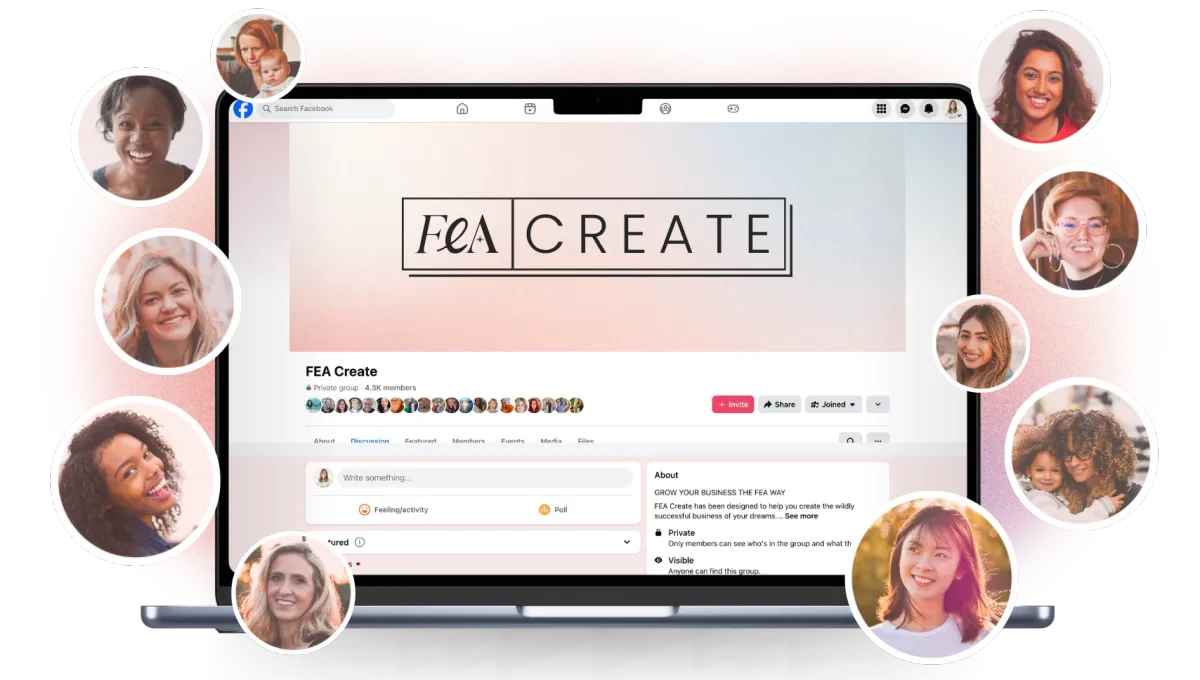
Go and share your page in the Facebook group so we can all celebrate with you. We love seeing what you build. 💖
What's next
You're all set!
Now that you are making progress with your funnels and marketing, let's get your business more eyeballs!
Batch creating your content is the key to being consistent with your visibility. Check out the Grow Your Audience Gameplan next so you can start automate your visbility!

BUILD it faster with AI
Your FEA Create account now has the most amazing AI tools built right in. That means you can describe what you want to build, and AI will build it for you, without leaving your account, without needing any other tools, and without any tech skills.
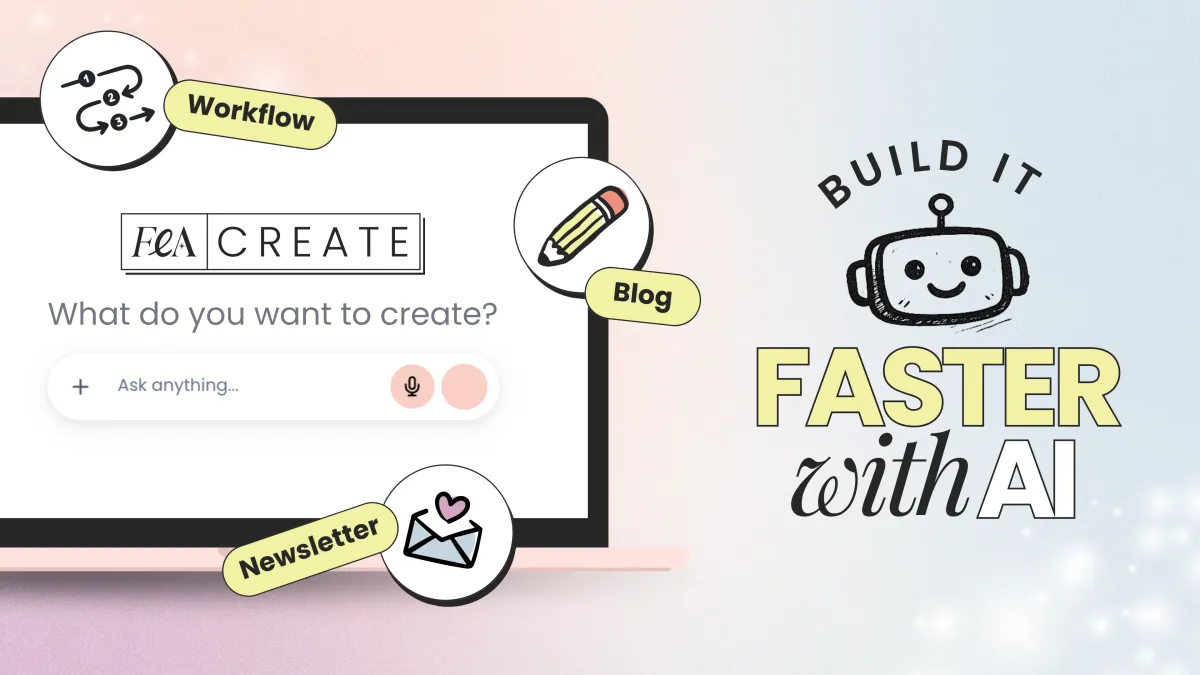
No more staring at a blank page wondering where to start. No more spending hours trying to figure out the tech. Just describe what you need, and let AI do the heavy lifting.
There are four AI tools inside FEA Create, and each one does something different. This game plan will walk you through what they are, when to use them, and how to get started with each one.
💡 Good to know: These AI tools are a paid add-on inside FEA Create, but the costs are tiny. Generating content (emails, blogs, page copy) costs roughly 9p per 1,000 words. To put that in perspective, writing a full blog post costs less than 10p. Generating an image costs about 6p. You add credit as you go, so you're always in control of what you spend.
Inside this game plan
Step 1
✨ Use AI Studio to build your Funnels & Websites
Use AI Studio to build your websites, funnels, landing pages, and more! Just tell it what you want to build and it will build it all for you!
What it does: You describe what you want to build, and AI Studio builds it for you. Landing pages, opt-in pages, sales pages, and more. You type a description, and it generates a fully designed, ready-to-edit page.
When to use it: When you need a new page and you want a starting point that's better than a blank canvas. Instead of picking a template and replacing every section, you describe your page and AI Studio creates one tailored to what you actually need.
How to get started:
1. Follow the tutorial to open AI Studio inside your FEA Create account
2. In the prompt box, describe the page you want to build. Be specific about what the page is for, who it's for, and what action you want visitors to take
3. AI Studio will generate a full page for you
4. Review it, tweak the copy and images to match your brand, and publish
TRY THIS AI STUDIO PROMPT:
Opt In Page Prompt
Build me a modern, clean opt-in page for a free guide called "[NAME OF YOUR FREEBIE]."
About the offer: It's a [type of freebie, e.g., free 5-day email course / downloadable PDF guide / video training] that teaches [who it's for] how to [main outcome] without [pain point or obstacle they want to avoid]. By the end, they'll have [2-3 specific, tangible results they'll walk away with].
Target audience: [Describe your dream audience. Include their age range, life stage, what they're struggling with, what they've tried before, and why they haven't found a solution yet. The more specific you are, the better the copy will be.]
Page structure I want:
A bold, benefit-driven headline at the top
A short subheadline that explains what the freebie is and how long it takes
4-5 bullet points about what they'll get (focused on outcomes, not features)
A sign-up form with name and email fields
A short "about me" section with space for a photo, my name, and a 2-3 sentence bio
A section for 2 short testimonial quotes
A footer with social media links
Design direction: [Describe the look and feel you want. Include your brand colours if you have them, or describe the vibe, e.g., "soft and feminine with blush pink and gold accents" or "bold and energetic with bright coral and navy." Mention whether you want it to feel minimal, cosy, luxe, playful, etc. Describe the type of photography you'd like as placeholders, e.g., "lifestyle photos of women working from home" or "bright, airy food photography" or "outdoor fitness photography."]
Tone of the copy: [Describe how you want it to sound. E.g., "warm and encouraging, like a supportive friend" or "confident and energetic, like a personal trainer who's got your back" or "calm and reassuring, like a therapist who really gets it." Also mention anything you want to avoid, e.g., "no pushy sales language" or "no guilt or shame" or "no corporate jargon."]
Step 2
✨ Use Ask AI to build out your booking calendars, courses, & more!
Let Ask AI build your booking calendars, create your courses, give you instructions on how to do things, and even help you fix something that's not working!
What it does: Ask AI is like having a tech assistant inside your FEA Create account. You tell it what you want to set up, and it builds it for you through a simple conversation. It can create things like booking calendars, social media connections, lead capture flows, brand boards, blog posts with images, and more.
When to use it: When you need to set something up inside your account and you're not sure where to start or how to do it manually. Instead of watching a tutorial and clicking through settings, you just tell Ask AI what you want and it does the setup for you.
How to get started:
Open Ask AI inside your FEA Create account
Choose from the suggested setup options (which you’ll find under Templates from the left-hand sidebar), or type your own request
Follow the conversation as Ask AI walks you through the setup
Review what it's created and make any adjustments
Some things you can ask it to do:
Connect your Google Calendar and create a new booking calendar
Link your Instagram or Facebook to the Social Planner
Set up a chatbot AI agent trained on your business
Create a pipeline with custom stages
And so much more! There’s a long list of use cases you can choose from inside Templates
💡 Top Tip: If you've ever felt stuck on the tech side of things, Ask AI is your new best friend. It handles the setup so you can just focus on growing your business!
Guides
CANVA TEMPLATES
CANVA TEMPLATES
Funnel Template
Funnel Template
FEA CREATE Tripwire funnel template
Preview our 5 themes:
Step 3
✨ Use the Workflow AI to build out your automations
No more guessing what trigger or action step to use. Tell the workflow AI what you want to build and it will build it for you!
What it does: You describe an automation or workflow you want, and Workflow AI builds it for you. Instead of manually creating triggers, actions, and conditions step by step, you just explain what you want to happen in plain English.
When to use it: When you want to set up an automation (like a follow-up email sequence, a lead nurturing flow, or a form submission trigger) but the idea of building it manually feels overwhelming.
How to get started:
Go to the Automations section in FEA Create
Click "Build using AI"
Either choose from the suggested types (Lead nurturing, Form automation, Email campaigns) or type your own description
Workflow AI will build out the full workflow for you
Review the steps, adjust any timings or content, and switch it on
💡 Top Tip: If you have a visual mockup of your freebie (like a PDF cover or workbook preview), add it to the page. It makes the freebie feel more tangible and valuable.
Templates and Resources
GUIDES
CANVA TEMPLATES
FUNNEL TEMPLATE
↗︎ FEA CREATE Tripwire funnel template
Preview our 5 themes:
↗︎ Big Leap
↗︎ Dreamy Days
↗︎ Power Moves
Guides
CANVA TEMPLATES
CANVA TEMPLATES
Funnel Template
Funnel Template
FEA CREATE Tripwire funnel template
Preview our 5 themes:
TRY THIS WORKFLOW AI:
🤖 Create A Lead Nurture Sequence:
Build me a lead nurturing automation that starts when someone downloads my freebie "[name of your freebie]" by filling in the opt-in form on my [name of your opt-in page] page.
Here's what I want to happen:
Step 1: Immediately send a delivery email. Subject line: "[something warm and exciting, e.g., Yay! Your guide is ready]." The email should welcome them warmly, deliver the download link, and tell them to keep an eye on their inbox because I'll be sending them something helpful tomorrow.
Step 2: Wait 24 hours, then send a value email. This email should share one quick, practical tip related to [the topic of your freebie] to build trust and show I know my stuff. At the end, introduce my paid offer "[name of your product]" as the next step for anyone who wants to go deeper. Position it as a helpful recommendation, not a hard sell. Include a link to my sales page.
Step 3: Wait 48 hours, then send a final email. This should let them know that the special introductory price of [your special price] for "[name of your product]" is expiring in 24 hours and the price is going back up to [your full price]. Keep it warm but clear that this is their last chance at this price. Include a direct link to buy.
Step 4: After the sequence ends, add the tag "Freebie - [name of your freebie]" to the contact so I know they came through this funnel.
For all emails: keep paragraphs short (2-3 sentences), include one clear call-to-action per email, and make the tone [describe your tone, e.g., warm and encouraging / confident and energetic / calm and professional].
💡 Top Tip: Always review what Workflow AI builds before you switch it on. Check the email content, the timing between steps, and that it's connected to the right forms and lists.
⚠️ Pricing note: Workflow AI uses a separate credit system to the content tools. $10 gives you approximately 950 executions. Each time a workflow runs for a contact costs roughly 1 cent.
Step 4
✨ Use the Newsletter and Blog AI to nurture your audience
Let FEA Create design and create beautiful blogs and newsletters to nuture your audience
What it does: Writes full newsletter emails and blog posts for you, and can generate images to go with them. You describe the topic and it produces a ready-to-edit draft.
When to use it: When you need to write a newsletter or blog post and you want a solid first draft to work from, rather than starting from scratch.
How to get started:
Go to the Newsletter or Blog section inside FEA Create
Click “Generate with AI”
Describe what you want to write about, including the topic, your audience, and the tone
The AI will generate a full draft for you
Edit it to match your voice, add your personal touches, and publish
💡 Top Tip: Always edit what AI generates. Use it as a starting point, not the finished product. Add your own stories, examples, and personality. Your audience follows you for YOU, not for AI-generated content.
Guides
CANVA TEMPLATES
CANVA TEMPLATES
Funnel Template
Funnel Template
FEA CREATE Tripwire funnel template
Preview our 5 themes:
TRY THESE NEWSLETTER & BLOG AI PROMPTS:
🤖 Create Your Newsletter:
Write a weekly newsletter email on the topic: "[your topic for this week's email]."
My audience: [Describe your audience. Include who they are, what stage they're at, what they're struggling with, and what kind of content they find helpful. E.g., "Women in their 30s-40s who have just started a small baking business from home. They're confident in their products but have no idea how to market themselves online. They want simple, practical advice they can act on straight away."]
Structure: Open with a short, relatable personal story or observation (2-3 sentences) that connects to the topic and hooks them in. Then share [number] practical tips, each with a short explanation and one specific action they can take today. Close with a warm sign-off and a call-to-action to [describe what you want them to do, e.g., reply to the email / click through to your blog post / check out your offer / follow you on Instagram].
Tone: [Describe how you want it to sound. E.g., "like I'm writing to a friend over coffee, warm, encouraging, practical, and a little bit funny" or "calm, knowledgeable, and reassuring, like a nutritionist who genuinely cares" or "energetic and motivating, like a personal trainer cheering them on." Also mention anything to avoid, e.g., "no jargon" or "no guilt-based language" or "nothing too formal."]
Length: Around [400-500 / 500-700 / 300-400] words total.
Also suggest 5 subject line options that feel [curious and personal / direct and benefit-driven / warm and intriguing], not clickbaity.
🤖 Create Your Blog:
Write a blog post with the title: "[Your Blog Post Title, Ideally Framed as a Question]"
My audience: [Describe your audience in detail. Include who they are, what life stage they're at, what they're struggling with, and what they want to achieve. E.g., "Women in their 40s who are starting to experience perimenopause symptoms and want practical, evidence-based advice on managing brain fog, fatigue, and weight gain through nutrition. They've tried googling but feel overwhelmed by conflicting information."]
Structure:
An empathetic intro (100-150 words) that hooks them by acknowledging what they're going through, then promises what they'll learn in this post
Section 1: [Describe what this section should cover, e.g., "Why perimenopause affects your energy levels and what's actually happening in your body, explained simply"]
Section 2: [E.g., "5-7 specific foods and supplements that can help, each with its own subheading and a practical tip for how to incorporate it"]
Section 3: [E.g., "3 common nutrition mistakes women make during perimenopause and what to do instead"]
FAQ section: [List 4-5 specific questions your audience would ask, e.g., "Should I cut out carbs?", "Do I need to take HRT to feel better?", "How long before I notice a difference?", "Can I still drink coffee?"]
Conclusion (100-150 words) with encouragement and a call-to-action to [describe your CTA, e.g., "download my free Perimenopause Nutrition Starter Guide" or "book a free 15-minute consultation"]
Tone: [Describe how you want it to sound and anything to avoid. E.g., "Warm, knowledgeable, and reassuring. Like a trusted nutritionist who explains things in plain English without being patronising. No fearmongering, no extreme diet language, no 'you must do this or else' energy."]
SEO: Naturally include keywords like [list 3-5 keywords your audience would search for, e.g., "perimenopause nutrition", "best foods for perimenopause", "perimenopause diet plan", "menopause brain fog food"] in the title, headings, and first 100 words. Write a meta description (150-160 characters). Include an FAQ section with clear, direct answers that AI search tools can easily reference.
TIPS
💰 Understanding the Costs
What it actually costs to use the AI tools inside FEA Create
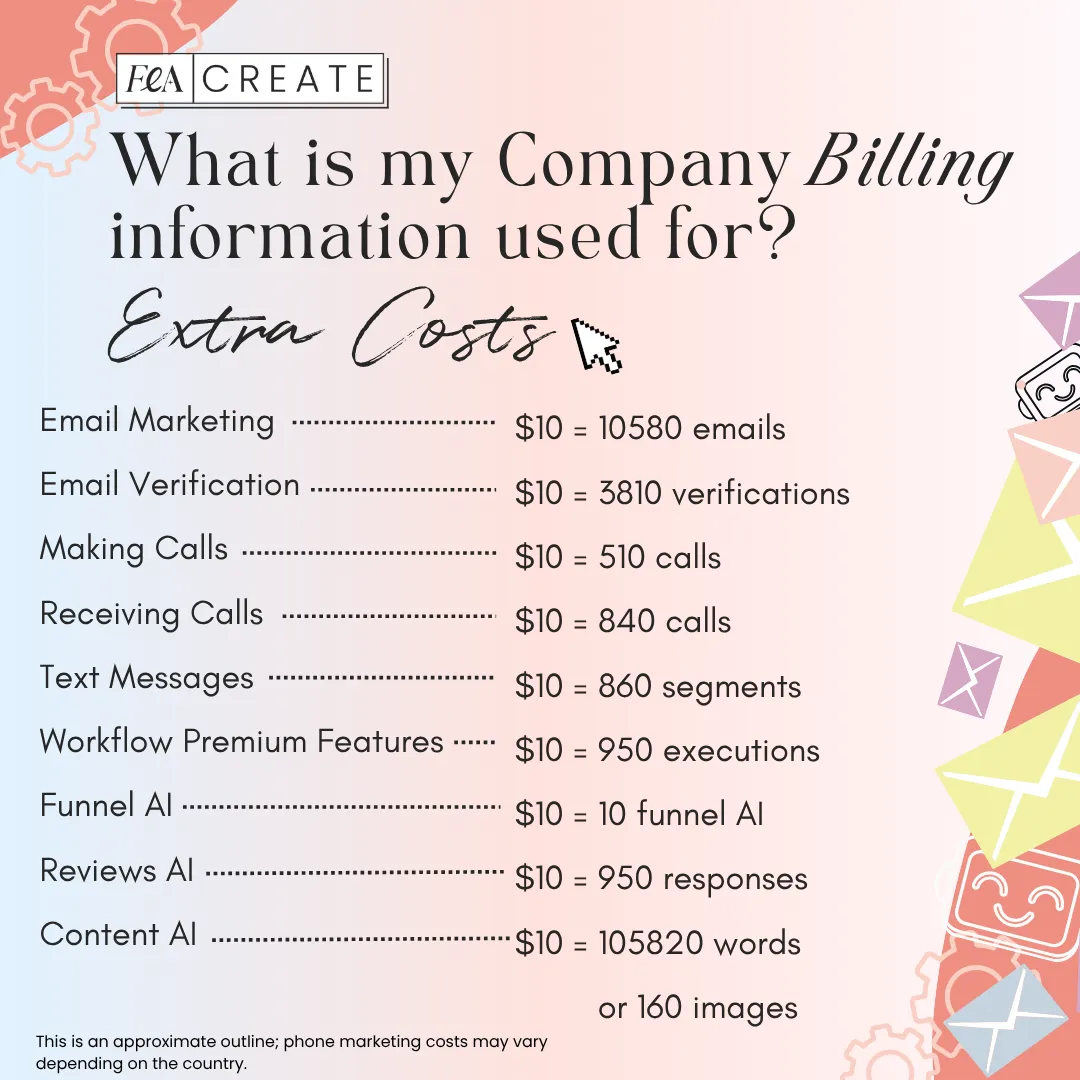
The AI tools inside FEA Create are a paid add-on. You add credit to your account and it gets used as you go. Here's what things actually cost:
Ask AI & AI Studio:
$3.17 per 1 million tokens. In real terms, building a page or setting something up with these tools costs just pennies per use. It's genuinely negligible.
Content AI (Newsletter & Blog AI):
$10 gives you approximately 105,000 words of generated content or 160 AI-generated images. That's roughly 100+ full blog posts, or 300+ newsletter emails. A full blog post costs less than 10p. A newsletter email costs about 3-5p.
Workflow AI:
$10 gives you approximately 950 executions. Each time a workflow runs for a contact costs roughly 1p. So if 100 people sign up for your freebie and go through your automated email sequence, that costs about $1.
Guides
CANVA TEMPLATES
CANVA TEMPLATES
Funnel Template
Funnel Template
FEA CREATE Tripwire funnel template
Preview our 5 themes:
TIPS
🌟 Getting Better Results From AI
Get the most out of using the AI tools built right into FEA Create, and start building with confidence.
Be specific. "Build me a page" gives you a generic result. "Build me an opt-in page for a free 5-day email course on meal planning for busy mums, with a headline, 4 bullet points, a sign-up form, and my bio" gives you something much more useful.
Always edit the output. AI gives you a brilliant starting point, but it doesn't know your voice, your stories, or your audience the way you do. Add your personality.
Start small. Pick the one tool that solves your biggest current problem and start there.
Review before publishing. Especially with Workflow AI, always check what's been built before you switch it on.
🌟 You’ve Got This!
You now have AI tools built right into your FEA Create account that can build pages, write content, and set up automations for you.
Remember:
🩷 These tools are here to save you time, not replace your creativity
🩷 The better you describe what you want, the better the result
🩷 Start with one tool and get comfortable before trying the others
🩷 Always add your own voice and personality to AI-generated content
🩷 Share what you've built in the Facebook group so we can celebrate with you!
Now go build something!
Guides
CANVA TEMPLATES
CANVA TEMPLATES
Funnel Template
Funnel Template
FEA CREATE Tripwire funnel template
Preview our 5 themes:
WOOHOO!
You're all set!
Now that you are making progress with your funnels and marketing, let's get your business more eyeballs!
Batch creating your content is the key to being consistent with your visibility. Check out the Grow Your Audience Gameplan next so you can start automate your visbility!
Here’s what you should do next.
Here's what to do next....
Lorem ipsum dolor sit amet, consectetur adipiscing elit, sed do eiusmod tempor incididunt ut labore et dolore magna aliqua. Ut enim ad minim veniam, quis nostrud exercitation ullamco laboris nisi ut aliquip ex ea commodo consequat.
Explore other game plans

FEA CREATE TUTORIALS
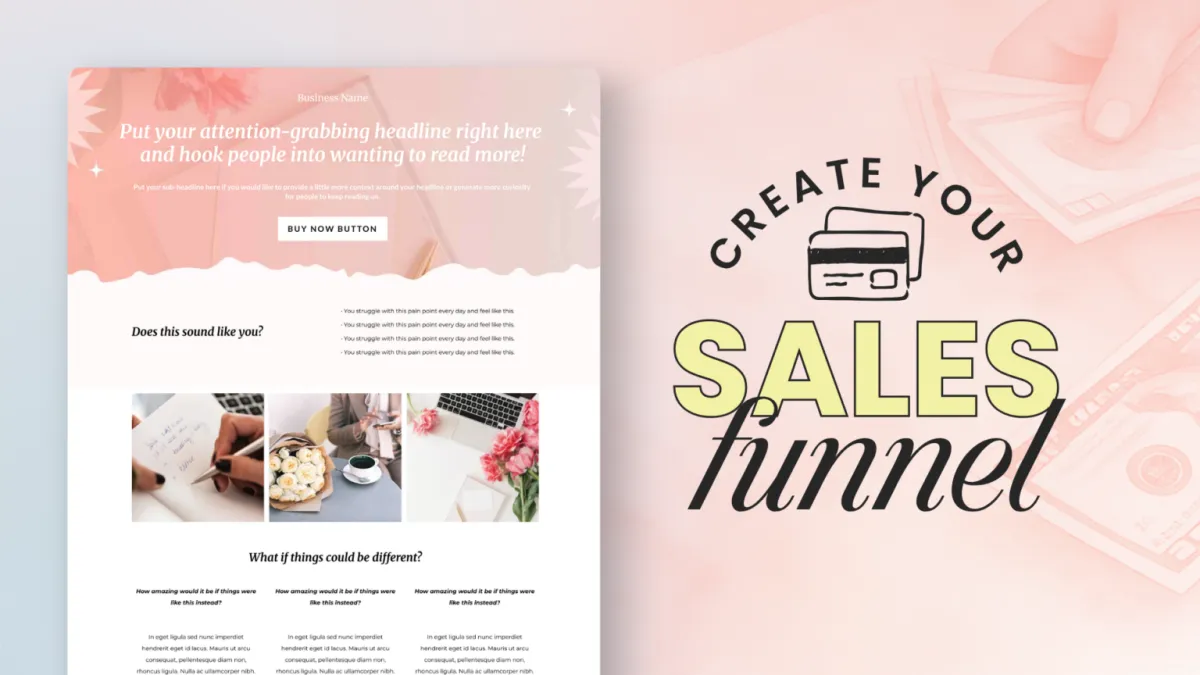
BUILD your tripwire funnel
Lorem ipsum dolor sit amet, consectetur adipiscing elit, sed do eiusmod tempor incididunt ut labore et dolore magna aliqua. Ut enim ad minim veniam, quis nostrud exercitation ullamco laboris nisi ut aliquip ex ea commodo consequat.
1. GET ALL SET UP
Set your business up for success
2. GROW VISIBILITY
From lead gen funnels to traffic campaigns
3. CREATE OFFERS
Create your offers: courses, memberships & beyond
4. SALES & LAUNCH
Build high converting sales funnels and pages
Build Your High Converting Website
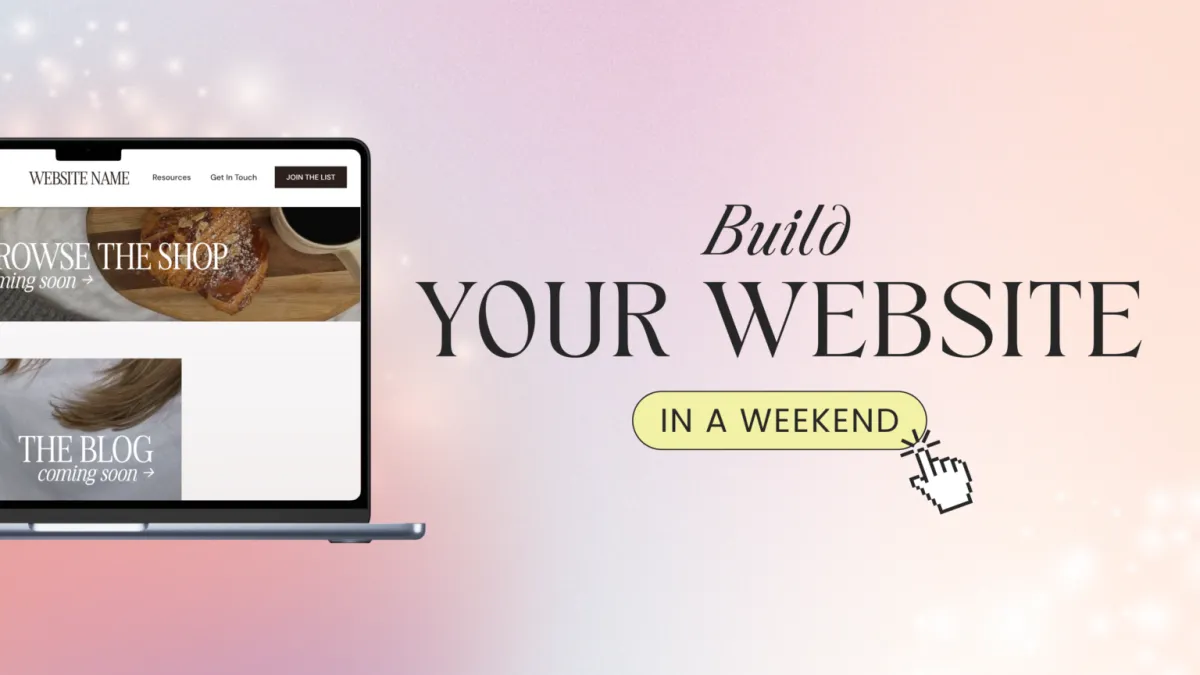
Your website is your online home for your business. You can use your website to help your potential customers learn more about you, your business, your offers, and start their journey to becoming a customer. In this tutorial, we will walk you through how to set up your website using our beautiful website template.
Step One: Title Goes Right Here
Lorem ipsum dolor sit amet, consectetur adipiscing elit, sed do eiusmod tempor incididunt ut labore et dolore magna aliqua. Ut enim ad minim veniam, quis nostrud exercitation ullamco laboris nisi ut aliquip ex ea commodo consequat.
Step Two: Title Goes Right Here
Lorem ipsum dolor sit amet, consectetur adipiscing elit, sed do eiusmod tempor incididunt ut labore et dolore magna aliqua. Ut enim ad minim veniam, quis nostrud exercitation ullamco laboris nisi ut aliquip ex ea commodo consequat.
Step Three: Title Goes Right Here
Lorem ipsum dolor sit amet, consectetur adipiscing elit, sed do eiusmod tempor incididunt ut labore et dolore magna aliqua. Ut enim ad minim veniam, quis nostrud exercitation ullamco laboris nisi ut aliquip ex ea commodo consequat.
Here's what to do next....
Lorem ipsum dolor sit amet, consectetur adipiscing elit, sed do eiusmod tempor incididunt ut labore et dolore magna aliqua. Ut enim ad minim veniam, quis nostrud exercitation ullamco laboris nisi ut aliquip ex ea commodo consequat.
© 2026 Female Entrepreneur Association is a trading name of Carrie & Co Ltd.