BUILD your tripwire funnel
What if every time someone signed up for your freebie, some of them became paying customers too? Automatically, without a launch, a sales call, or you having to do a thing.
That’s exactly what a tripwire funnel does. And once it’s set up, it works in the background 24/7.
This game plan walks you through the whole system from scratch. You’ll create your freebie, build your opt-in and tripwire pages, write your follow-up emails, and connect it all together inside FEA Create. Every step is mapped out, with our gorgeous templates and CarrieAI prompts and to help you with the copy along the way.
The result? A list that doesn’t just grow. A list that buys.
Game plan
Build your beautiful blog
A blog is one of the most powerful SEO tools you have for growing your online business. It’s how you build visibility beyond social media for years to come, attract your dream audience through search, and position yourself as the go-to expert in your space.
By the end you'll have
Your first blog post written, structured with a hook, clear steps, an FAQ, and a call-to-action for your freebie
A post optimised for Google and AI search, with keywords, a meta description, and scannable headings that tools like ChatGPT love to pick up
Your blog live inside FEA Create, with a homepage, categories, and your first post published
No more staring at a blank page wondering where to start. No more spending hours trying to figure out the tech. Just describe what you need, and let AI do the heavy lifting.
There are four AI tools inside FEA Create, and each one does something different. This game plan will walk you through what they are, when to use them, and how to get started with each one.
💡 Good to know: These AI tools are a paid add-on inside FEA Create, but the costs are tiny. Generating content (emails, blogs, page copy) costs roughly 9p per 1,000 words. To put that in perspective, writing a full blog post costs less than 10p. Generating an image costs about 6p. You add credit as you go, so you're always in control of what you spend.
Your plan
Five steps to follow
Ready to bring your blog to life? Here's something exciting: blogging isn't just about Google anymore. AI tools like ChatGPT and Perplexity are picking up great content too, which means the right people could find you even if they've never heard of you before. ✨
Follow the steps below to write blog content that's optimised for SEO and get your blog fully set up inside FEA Create. Your beautiful blog template is already waiting for you, and CarrieAI is here to help every step of the way. Remember, done is better than perfect. You can always update and improve later, and even one blog post a week can transform your visibility!
1
Plan Your Blog Topics & Titles
A simple plan for content that actually gets found
2
Write Your First Blog Post
Let's turn your title into a full post.
3
Optimise Your Blog for Search (SEO + AI)
If you want people to discover your blog through Google, AI search tools, or even voice assistants, you need to make sure your content is SEO optimised.
4
Set Up Your Blog in FEA Create
Let's get your blog built and ready for your first post
5
Repurpose Your Content
Everything you need to get your shop live and ready to sell
6
Getting Results From AI
Get the most out of using the AI tools built right into FEA Create, and start building with confidence.
First
Before you start
Download the Canva template: Blog Featured Image Templates
Download the guide: Blog Content Creation Guide
Preview our 5 themes: Big Leap, Dreamy Days, Main Character, Power Moves, Quiet Confidence
Step 1 of 5 · Build your beautiful blog
Plan Your Blog Topics & Titles
A simple plan for content that actually gets found
Before you write a single word, you need to get clear on what you're going to blog about and who you're writing for. The goal is to create content that answers the real questions your dream audience is already searching for.
Think about the core topics your business covers. These are the 3-5 main themes you talk about most. For example, if you're a health coach, your core topics might be nutrition, mindset, meal planning, hormones, and fitness for busy mums.
Once you've got your core topics, the next step is to turn them into specific blog post titles that your audience would actually type into Google or ask an AI tool.
Action Steps
Use the CarrieAI prompt to come up with your core blog topics
Use the CarrieAI prompt to create your blog titles
Use the CarrieAI prompt to optimise your blog titles
Organise your titles in a Google Doc, Word doc or wherever you keep your copy, and plan out when you'll post each one ✨
🤖 Create your blog topics
I need help brainstorming blog topics for my business. My business is [describe your business] and I help [describe your audience] with [describe what you help them with]. What are 5 core topic categories I should be blogging about to attract my dream audience? Ask me clarifying questions if you need more information.
🤖 Create your blog titles
Based on my core blog topics of [list your 3-5 core topics], brainstorm 10 blog post titles for each topic. Frame each title as a question or a clear promise that my dream audience would search for on Google or ask an AI tool. My audience is [describe your dream audience]. Ask me clarifying questions if you need more information.
🤖 Optimize your blog titles for SEO
I want to make sure my blog titles will rank well in search. Take these blog title ideas: [paste your titles]. For each one, suggest a stronger version that includes a long-tail keyword and is framed as a specific question. My niche is [describe your niche] and my audience is [describe your audience].

💡 Top Tip: Frame your blog titles as questions wherever possible. Questions perform brilliantly in both traditional search and AI search because they match how real people look for information.
⚠️ Pricing note: Workflow AI uses a separate credit system to the content tools. $10 gives you approximately 950 executions. Each time a workflow runs for a contact costs roughly 1 cent.
Step 2 of 5 · Build your beautiful blog
Write Your First Blog Post
Let's turn your title into a full post.
Now that you've got your topics and titles, it's time to write your first blog post! The key to a great blog post is structure. A well-structured post is easier to read, easier to scan, and much more likely to be picked up by search engines and AI tools.
Check out our Blog Strategy Guide for our 'Blog Post Structure Template'. We've laid it all out for you, so all you need to do is follow the flow!
Action Steps
Pick which CarrieAI prompt you want to use: one to create a brand new blog post, or one to repurpose a YouTube video or podcast into a blog post
Review what CarrieAI creates and edit anything that needs optimising or a little more of your own voice
Save your content in your content doc ✨
🤖 Write A Full Blog Post
I want to write a blog post with the title: "[your blog title]". My business is [describe your business] and my audience is [describe your audience]. Please write this blog post following this exact structure: 1) An engaging intro (100-150 words) that hooks the reader with empathy, shows understanding, promises what they'll learn, and includes a call-to-action. 2) A section explaining the problem and why it matters, with a relatable example. 3) A step-by-step solution section with 3-5 actionable steps, each with its own subheading. 4) A section on 2-3 common mistakes to avoid. 5) A tools, resources, or examples section. 6) An FAQ section with 3-5 related questions and short answers. 7) A warm conclusion (100-150 words) with a call-to-action for [your freebie/lead magnet]. Use short paragraphs.
🤖 Repurpose Your Content
I have existing content I'd like to turn into a blog post. Here is the content: [paste your transcript, notes, or social media post]. Please turn this into a well-structured blog post following this format: Title (as a question), Intro with a hook, 3-5 step solution section, common mistakes section, FAQ section, and a conclusion with a call-to-action for [your freebie/lead magnet]. My audience is [describe your audience]. Keep it warm, practical, and easy to scan.
💡 Top Tip: Copy and paste any copy you create with CarrieAI into a Blog Content Google Doc to keep your content handy!
⚠️ Pricing note: Workflow AI uses a separate credit system to the content tools. $10 gives you approximately 950 executions. Each time a workflow runs for a contact costs roughly 1 cent.
Step 3 of 5 · Build your beautiful blog
Optimise Your Blog for Search (SEO + AI)
If you want people to discover your blog through Google, AI search tools, or even voice assistants, you need to make sure your content is SEO optimised.
You've worked so hard on creating your content, now let's make sure that content is going to reach the right people! The idea is simple: make it really easy for both search engines and AI tools to understand what your blog post is about, who it's for, and why it's trustworthy.
Here's what to focus on:
Keywords: These are the words and phrases your dream audience is typing into Google or asking AI. You want to naturally weave these into your blog title, headings, intro, and throughout your post.
Meta Descriptions: This is the short summary (150-160 characters) that appears under your blog title in Google search results. It should include your keyword and give people a reason to click.
AI-Friendly Formatting: AI tools love content that's clearly structured with headings, short paragraphs, bullet points, and FAQ sections. If your blog post makes sense even when someone reads just one section on its own, you're doing it right.
Action Steps
Use the CarrieAI prompt to find your keywords and weave them naturally into your title, headings, intro and throughout your post
Use the CarrieAI prompt to write your meta description
Use the CarrieAI prompt to check and improve your AI-friendly formatting ✨
🤖 Create your keywords
I'm writing a blog post titled "[your blog title]" for my business [describe your business]. Suggest 10-15 keywords and phrases my dream audience of [describe your audience] would search for to find this content. Include a mix of short keywords and longer, more specific phrases. Ask me clarifying questions if you need more information.
🤖 Create your meta description
Write a meta description for my blog post titled "[your blog title]". It should be between 150-160 characters, include the keyword [your main keyword], and make people want to click through to read the full post. Give me 3 options to choose from. Ask me clarifying questions if you need more information.
🤖 SEO review your blog post content
Review this blog post for SEO and AI search optimisation: [paste your blog post]. Check that it includes: keywords in the title, headings, and first 100 words. Clear H2 and H3 headings. Short paragraphs. An FAQ section. A meta description suggestion. Suggest any improvements to help this post rank better in Google search and get picked up by AI search tools. Ask me clarifying questions if you need more information.
💡 Top Tip: Copy and paste any copy you create with CarrieAI into a Blog Content Google Doc to keep your content handy!
⚠️ Pricing note: Workflow AI uses a separate credit system to the content tools. $10 gives you approximately 950 executions. Each time a workflow runs for a contact costs roughly 1 cent.
Step 4 of 5 · Build your beautiful blog
Set Up Your Blog in FEA Create
Let's get your blog built and ready for your first post
Once you've got your content ready, it's time to bring it to life with the template! We also have this beautiful Canva template for your blog title image.
We have a gorgeous blog template for you inside FEA Create, designed to make this process sooo simple and actually enjoyable. Simply drop in your content and start creating! It's desktop and mobile optimised too!
Just remember: Your first blog post doesn't need to be perfect. Done is better than perfect.
Action Steps
Go to your FEA Create dashboard and go to websites > blogs
Set up your blog homepage with your intro paragraph and categories
Create your first blog post using the blog post template
Add your blog category and tags
Write your excerpt (the short preview text that appears on your blog homepage) and Set your meta title and meta description
HIT PUBLISH! 🎉 and share with the world
🤖 Create your keywords
I'm writing a blog post titled "[your blog title]" for my business [describe your business]. Suggest 10-15 keywords and phrases my dream audience of [describe your audience] would search for to find this content. Include a mix of short keywords and longer, more specific phrases. Ask me clarifying questions if you need more information.
🤖 Create your meta description
Write a meta description for my blog post titled "[your blog title]". It should be between 150-160 characters, include the keyword [your main keyword], and make people want to click through to read the full post. Give me 3 options to choose from. Ask me clarifying questions if you need more information.
🤖 SEO review your blog post content
Review this blog post for SEO and AI search optimisation: [paste your blog post]. Check that it includes: keywords in the title, headings, and first 100 words. Clear H2 and H3 headings. Short paragraphs. An FAQ section. A meta description suggestion. Suggest any improvements to help this post rank better in Google search and get picked up by AI search tools. Ask me clarifying questions if you need more information.
💡 Top Tip: Copy and paste any copy you create with CarrieAI into a Blog Content Google Doc to keep your content handy!
⚠️ Pricing note: Workflow AI uses a separate credit system to the content tools. $10 gives you approximately 950 executions. Each time a workflow runs for a contact costs roughly 1 cent.
Step 5 of 5 · Build your beautiful blog
Repurpose Your Content
Everything you need to get your shop live and ready to sell
One of the smartest things you can do as a business owner is to stop creating everything from scratch. Your blog posts are goldmines of content that can be repurposed across multiple platforms.
This works both ways: you can turn existing content INTO blog posts, and you can turn blog posts INTO other content formats.
Turn existing content into blog posts:
Podcast episodes or video transcripts, social media posts that performed well, workshop or masterclass recordings, email newsletters your audience loved, Q&A sessions and client FAQs.
Turn blog posts into other content:
Pull key quotes for social media graphics, turn the step-by-step section into a carousel post, record yourself talking through the blog as a short video or reel, send the key takeaways as an email newsletter, and create a Pinterest pin with the blog title and a branded graphic
Action Steps
Go to your FEA Create dashboard and go to websites > blogs
Set up your blog homepage with your intro paragraph and categories
Create your first blog post using the blog post template
Add your blog category and tags
Write your excerpt (the short preview text that appears on your blog homepage) and Set your meta title and meta description
HIT PUBLISH! 🎉 and share with the world
🤖 Turn Your Podcast or Video Into a Blog Post:
I have a [podcast episode / video transcript / social media post] that I'd like to turn into a blog post. Here is the content: [paste your content]. Please turn this into a well-structured blog post with a question-based title, an engaging intro, clear H2 sections, an FAQ section, and a conclusion with a call-to-action for [your freebie/lead magnet]. My audience is [describe your audience]. Ask me clarifying questions if you need more information.
🤖 Create your social media and newsletter content from your blog:
I've written this blog post and I want to repurpose it into other content. Here is the blog post: [paste your blog post]. Please create: 1) 3 social media caption options I could use to promote this post. 2) 5 pull quotes I could turn into graphics. 3) A short email newsletter version that teases the blog and drives people to read it. 4) 3 ideas for short video or reel content based on this post. Ask me clarifying questions if you need more information.
💡 Top Tip: One great blog post can easily become 5-10 pieces of content across different platforms. Work smarter, not harder!
⚠️ Pricing note: Workflow AI uses a separate credit system to the content tools. $10 gives you approximately 950 executions. Each time a workflow runs for a contact costs roughly 1 cent.
If something goes wrong
Common sticking points
My blog menu isn't linking back to my website
Your blog's header menu needs connecting to your website manually. Click each menu item, go to Button Actions, choose Website URL and paste in the full link (including https://). Do this on both the blog homepage and the individual blog post page, as they're set up separately.
I can still see demo posts on my blog homepage
That's completely normal inside the editor! The blog feed shows demo content while you're editing, then automatically swaps in your real posts once they're published. If a post still isn't showing, check it hasn't been saved as a draft or scheduled for a later date.
People are reading my blog but not joining my list
Check that your VIP list signup form has been added and connected to your lead capture workflow. Again, this needs doing on both the blog homepage and the individual post page, so every reader has a way to join you.
I'm struggling to blog consistently
You don't need to write every week in real time. Batch a few posts in one sitting and use the scheduling option when you publish to space them out. Even one or two posts a week makes a real difference, and the Carrie AI prompts mean you never have to start from a blank page.
Woohoo 🎉
Look what
you just built
A beautiful blog that's live and ready to get you found.
A list of blog topics and titles your dream audience is searching for
Your first blog post, written, optimised and published
A blog homepage that turns readers into subscribers
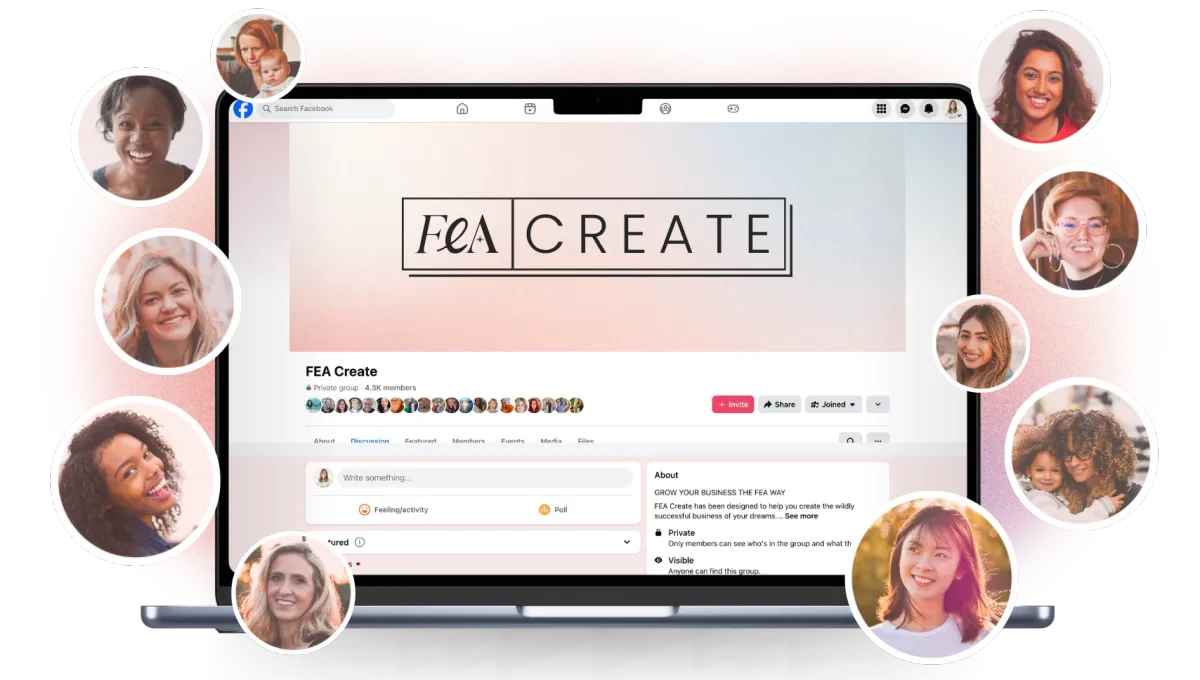
Share it
Go and share your page in the Facebook group so we can all celebrate with you. We love seeing what you build. 💖
What's next
You're all set!
Your blog is set up and ready to start attracting your dream audience! Come back to this gameplan anytime you want to plan new topics, write another post, or optimise older content.
Now that you're publishing content, let's turn those readers into subscribers! Check out the Build Your Email List next so you can start turning visibility into leads.
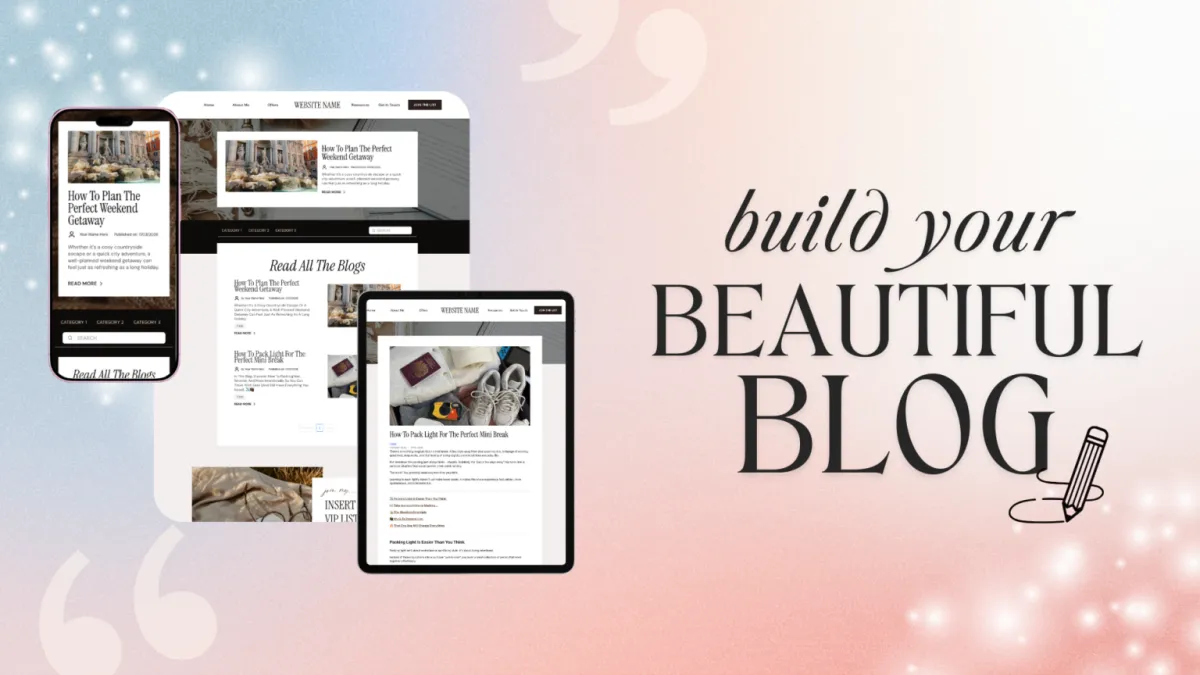
BUILD your beautiful blog
A blog is one of the most powerful SEO tools you have for growing your online business. It’s how you build visibility beyond social media for years to come, attract your dream audience through search, and position yourself as the go-to expert in your space.
Ready to bring your blog to life? Here's something exciting: blogging isn't just about Google anymore. AI tools like ChatGPT and Perplexity are picking up great content too, which means the right people could find you even if they've never heard of you before. ✨
Follow the steps below to write blog content that's optimised for SEO and get your blog fully set up inside FEA Create. Your beautiful blog template is already waiting for you, and CarrieAI is here to help every step of the way. Remember, done is better than perfect. You can always update and improve later, and even one blog post a week can transform your visibility!
Resources
CANVA TEMPLATES
GUIDES
FEA CReate TEMPLATES
Step 1
Plan Your Blog Topics & Titles
A simple plan for content that actually gets found
Before you write a single word, you need to get clear on what you're going to blog about and who you're writing for. The goal is to create content that answers the real questions your dream audience is already searching for.
Think about the core topics your business covers. These are the 3-5 main themes you talk about most. For example, if you're a health coach, your core topics might be nutrition, mindset, meal planning, hormones, and fitness for busy mums.
Once you've got your core topics, the next step is to turn them into specific blog post titles that your audience would actually type into Google or ask an AI tool.
Action Steps
Use the CarrieAI prompt to come up with your core blog topics
Use the CarrieAI prompt to create your blog titles
Use the CarrieAI prompt to optimise your blog titles
Organise your titles in a Google Doc, Word doc or wherever you keep your copy, and plan out when you'll post each one ✨
💡 Top Tip: Frame your blog titles as questions wherever possible. Questions perform brilliantly in both traditional search and AI search because they match how real people look for information.
TRY THESE CARRIE AI PROMPTS:
🤖 Create your blog topics
I need help brainstorming blog topics for my business. My business is [describe your business] and I help [describe your audience] with [describe what you help them with]. What are 5 core topic categories I should be blogging about to attract my dream audience? Ask me clarifying questions if you need more information.
🤖 Create your blog titles
Based on my core blog topics of [list your 3-5 core topics], brainstorm 10 blog post titles for each topic. Frame each title as a question or a clear promise that my dream audience would search for on Google or ask an AI tool. My audience is [describe your dream audience]. Ask me clarifying questions if you need more information.
🤖 Optimize your blog titles for SEO
I want to make sure my blog titles will rank well in search. Take these blog title ideas: [paste your titles]. For each one, suggest a stronger version that includes a long-tail keyword and is framed as a specific question. My niche is [describe your niche] and my audience is [describe your audience].
Step 2
Write Your First Blog Post
Let's turn your title into a full post.
Now that you've got your topics and titles, it's time to write your first blog post! The key to a great blog post is structure. A well-structured post is easier to read, easier to scan, and much more likely to be picked up by search engines and AI tools.
Check out our Blog Strategy Guide for our 'Blog Post Structure Template'. We've laid it all out for you, so all you need to do is follow the flow!
Action Steps
Pick which CarrieAI prompt you want to use: one to create a brand new blog post, or one to repurpose a YouTube video or podcast into a blog post
Review what CarrieAI creates and edit anything that needs optimising or a little more of your own voice
Save your content in your content doc ✨
💡 Top Tip: Copy and paste any copy you create with CarrieAI into a Blog Content Google Doc to keep your content handy!
Guides
CANVA TEMPLATES
CANVA TEMPLATES
Funnel Template
Funnel Template
FEA CREATE Tripwire funnel template
Preview our 5 themes:
Templates and Resources
TRY THESE CARRIE AI PROMPTS:
🤖 Write A Full Blog Post
I want to write a blog post with the title: "[your blog title]". My business is [describe your business] and my audience is [describe your audience]. Please write this blog post following this exact structure: 1) An engaging intro (100-150 words) that hooks the reader with empathy, shows understanding, promises what they'll learn, and includes a call-to-action. 2) A section explaining the problem and why it matters, with a relatable example. 3) A step-by-step solution section with 3-5 actionable steps, each with its own subheading. 4) A section on 2-3 common mistakes to avoid. 5) A tools, resources, or examples section. 6) An FAQ section with 3-5 related questions and short answers. 7) A warm conclusion (100-150 words) with a call-to-action for [your freebie/lead magnet]. Use short paragraphs.
🤖 Repurpose Your Content
I have existing content I'd like to turn into a blog post. Here is the content: [paste your transcript, notes, or social media post]. Please turn this into a well-structured blog post following this format: Title (as a question), Intro with a hook, 3-5 step solution section, common mistakes section, FAQ section, and a conclusion with a call-to-action for [your freebie/lead magnet]. My audience is [describe your audience]. Keep it warm, practical, and easy to scan.
Step 3
Optimise Your Blog for Search (SEO + AI)
If you want people to discover your blog through Google, AI search tools, or even voice assistants, you need to make sure your content is SEO optimised.
You've worked so hard on creating your content, now let's make sure that content is going to reach the right people! The idea is simple: make it really easy for both search engines and AI tools to understand what your blog post is about, who it's for, and why it's trustworthy.
Here's what to focus on:
Keywords: These are the words and phrases your dream audience is typing into Google or asking AI. You want to naturally weave these into your blog title, headings, intro, and throughout your post.
Meta Descriptions: This is the short summary (150-160 characters) that appears under your blog title in Google search results. It should include your keyword and give people a reason to click.
AI-Friendly Formatting: AI tools love content that's clearly structured with headings, short paragraphs, bullet points, and FAQ sections. If your blog post makes sense even when someone reads just one section on its own, you're doing it right.
Action Steps
Use the CarrieAI prompt to find your keywords and weave them naturally into your title, headings, intro and throughout your post
Use the CarrieAI prompt to write your meta description
Use the CarrieAI prompt to check and improve your AI-friendly formatting ✨
💡 Top Tip: If you have a visual mockup of your freebie (like a PDF cover or workbook preview), add it to the page. It makes the freebie feel more tangible and valuable.
TRY THESE CARRIE AI PROMPTS:
🤖 Create your keywords
I'm writing a blog post titled "[your blog title]" for my business [describe your business]. Suggest 10-15 keywords and phrases my dream audience of [describe your audience] would search for to find this content. Include a mix of short keywords and longer, more specific phrases. Ask me clarifying questions if you need more information.
🤖 Create your meta description
Write a meta description for my blog post titled "[your blog title]". It should be between 150-160 characters, include the keyword [your main keyword], and make people want to click through to read the full post. Give me 3 options to choose from. Ask me clarifying questions if you need more information.
🤖 SEO review your blog post content
Review this blog post for SEO and AI search optimisation: [paste your blog post]. Check that it includes: keywords in the title, headings, and first 100 words. Clear H2 and H3 headings. Short paragraphs. An FAQ section. A meta description suggestion. Suggest any improvements to help this post rank better in Google search and get picked up by AI search tools. Ask me clarifying questions if you need more information.
Templates and Resources
GUIDES
CANVA TEMPLATES
FUNNEL TEMPLATE
↗︎ FEA CREATE Tripwire funnel template
Preview our 5 themes:
↗︎ Big Leap
↗︎ Dreamy Days
↗︎ Power Moves
Guides
CANVA TEMPLATES
CANVA TEMPLATES
Funnel Template
Funnel Template
FEA CREATE Tripwire funnel template
Preview our 5 themes:
Step 4
Set Up Your Blog in FEA Create
Let's get your blog built and ready for your first post
Once you've got your content ready, it's time to bring it to life with the template! We also have this beautiful Canva template for your blog title image.
We have a gorgeous blog template for you inside FEA Create, designed to make this process sooo simple and actually enjoyable. Simply drop in your content and start creating! It's desktop and mobile optimised too!
Just remember: Your first blog post doesn't need to be perfect. Done is better than perfect.
Step 1: Go to your FEA Create dashboard and go to websites > blogs
Step 2: Set up your blog homepage with your intro paragraph and categories
Step 3: Create your first blog post using the blog post template
Step 4: Add your blog category and tags
Step 5: Write your excerpt (the short preview text that appears on your blog homepage) and Set your meta title and meta description
Step 6: HIT PUBLISH! 🎉 and share with the world
Guides
CANVA TEMPLATES
CANVA TEMPLATES
Funnel Template
Funnel Template
FEA CREATE Tripwire funnel template
Preview our 5 themes:
BONUS STEP:
Repurpose Your Content
Everything you need to get your shop live and ready to sell
One of the smartest things you can do as a business owner is to stop creating everything from scratch. Your blog posts are goldmines of content that can be repurposed across multiple platforms.
This works both ways: you can turn existing content INTO blog posts, and you can turn blog posts INTO other content formats.
Turn existing content into blog posts:
Podcast episodes or video transcripts, social media posts that performed well, workshop or masterclass recordings, email newsletters your audience loved, Q&A sessions and client FAQs.
Turn blog posts into other content:
Pull key quotes for social media graphics, turn the step-by-step section into a carousel post, record yourself talking through the blog as a short video or reel, send the key takeaways as an email newsletter, and create a Pinterest pin with the blog title and a branded graphic
💡 Top Tip: One great blog post can easily become 5-10 pieces of content across different platforms. Work smarter, not harder!
Guides
CANVA TEMPLATES
CANVA TEMPLATES
Funnel Template
Funnel Template
FEA CREATE Tripwire funnel template
Preview our 5 themes:
TRY THESE CARRIE AI PROMPTS:
🤖 Turn Your Podcast or Video Into a Blog Post:
I have a [podcast episode / video transcript / social media post] that I'd like to turn into a blog post. Here is the content: [paste your content]. Please turn this into a well-structured blog post with a question-based title, an engaging intro, clear H2 sections, an FAQ section, and a conclusion with a call-to-action for [your freebie/lead magnet]. My audience is [describe your audience]. Ask me clarifying questions if you need more information.
🤖 Create your social media and newsletter content from your blog:
I've written this blog post and I want to repurpose it into other content. Here is the blog post: [paste your blog post]. Please create: 1) 3 social media caption options I could use to promote this post. 2) 5 pull quotes I could turn into graphics. 3) A short email newsletter version that teases the blog and drives people to read it. 4) 3 ideas for short video or reel content based on this post. Ask me clarifying questions if you need more information.
WOOHOO!
You're all set!
Your blog is set up and ready to start attracting your dream audience! Come back to this gameplan anytime you want to plan new topics, write another post, or optimise older content.
Now that you're publishing content, let's turn those readers into subscribers! Check out the Build Your Email List next so you can start turning visibility into leads.
Here’s what you should do next.
Here's what to do next....
Lorem ipsum dolor sit amet, consectetur adipiscing elit, sed do eiusmod tempor incididunt ut labore et dolore magna aliqua. Ut enim ad minim veniam, quis nostrud exercitation ullamco laboris nisi ut aliquip ex ea commodo consequat.
Explore other game plans


FEA CREATE TUTORIALS
BUILD your tripwire funnel
Lorem ipsum dolor sit amet, consectetur adipiscing elit, sed do eiusmod tempor incididunt ut labore et dolore magna aliqua. Ut enim ad minim veniam, quis nostrud exercitation ullamco laboris nisi ut aliquip ex ea commodo consequat.
1. GET ALL SET UP
Set your business up for success
2. GROW VISIBILITY
From lead gen funnels to traffic campaigns
3. CREATE OFFERS
Create your offers: courses, memberships & beyond
4. SALES & LAUNCH
Build high converting sales funnels and pages
Build Your High Converting Website
Your website is your online home for your business. You can use your website to help your potential customers learn more about you, your business, your offers, and start their journey to becoming a customer. In this tutorial, we will walk you through how to set up your website using our beautiful website template.
Step One: Title Goes Right Here
Lorem ipsum dolor sit amet, consectetur adipiscing elit, sed do eiusmod tempor incididunt ut labore et dolore magna aliqua. Ut enim ad minim veniam, quis nostrud exercitation ullamco laboris nisi ut aliquip ex ea commodo consequat.
Step Two: Title Goes Right Here
Lorem ipsum dolor sit amet, consectetur adipiscing elit, sed do eiusmod tempor incididunt ut labore et dolore magna aliqua. Ut enim ad minim veniam, quis nostrud exercitation ullamco laboris nisi ut aliquip ex ea commodo consequat.
Step Three: Title Goes Right Here
Lorem ipsum dolor sit amet, consectetur adipiscing elit, sed do eiusmod tempor incididunt ut labore et dolore magna aliqua. Ut enim ad minim veniam, quis nostrud exercitation ullamco laboris nisi ut aliquip ex ea commodo consequat.
Here's what to do next....
Lorem ipsum dolor sit amet, consectetur adipiscing elit, sed do eiusmod tempor incididunt ut labore et dolore magna aliqua. Ut enim ad minim veniam, quis nostrud exercitation ullamco laboris nisi ut aliquip ex ea commodo consequat.
© 2026 Female Entrepreneur Association is a trading name of Carrie & Co Ltd.