BUILD your tripwire funnel
What if every time someone signed up for your freebie, some of them became paying customers too? Automatically, without a launch, a sales call, or you having to do a thing.
That’s exactly what a tripwire funnel does. And once it’s set up, it works in the background 24/7.
This game plan walks you through the whole system from scratch. You’ll create your freebie, build your opt-in and tripwire pages, write your follow-up emails, and connect it all together inside FEA Create. Every step is mapped out, with our gorgeous templates and CarrieAI prompts and to help you with the copy along the way.
The result? A list that doesn’t just grow. A list that buys.
Game plan
Welcome to FEA Create
Welcome to FEA Create! ✨ FEA Create is your all in one platform for running your entire business online, and this game plan is here to help you get it all up and running, step by step, so you can build with real confidence.
By the end you'll have
Your business profile set up
Your domain connected, so your website, funnels and membership area all live on your own branded URL
Your email marketing ready to go
Your payment processor connected
Your account ready to build on, with your brand board set up and contacts or courses moved across from other platforms 🎉
No more staring at a blank page wondering where to start. No more spending hours trying to figure out the tech. Just describe what you need, and let AI do the heavy lifting.
There are four AI tools inside FEA Create, and each one does something different. This game plan will walk you through what they are, when to use them, and how to get started with each one.
💡 Good to know: These AI tools are a paid add-on inside FEA Create, but the costs are tiny. Generating content (emails, blogs, page copy) costs roughly 9p per 1,000 words. To put that in perspective, writing a full blog post costs less than 10p. Generating an image costs about 6p. You add credit as you go, so you're always in control of what you spend.
New to FEA Create? Watch the video above to get a full tour and see how it all fits together.
Your plan
Five steps to get set up
Once you've watched the video, follow the steps below to get your account set up. We'll walk you through your business and profile settings, connecting your domain, setting up email marketing, connecting Stripe and setting your brand board. Everything you need to get your systems running smoothly is right here inside FEA Create.
By the end of this gameplan, your account will be fully set up and ready for you to start building inside FEA Create!
We'd also love to see you on your FEA Onboarding Call. It's a chance to get set up, explore the membership and FEA Create, and feel confident heading into your first 30 days. You'll get a tour of the tools, guidance on your account, time for Q&A, and extra support with domains if you need it. Book your onboarding call here! ✨
1
Adding your business profile settings
Set the foundation for everything you'll build inside FEA Create by getting your business and profile settings just right.
2
Connect your domain
Connecting your domain means your funnels, website, blog and membership area can all live on your own branded URL instead of a generic link.
3
Setting up your email marketing
Your email list is one of the most valuable assets in your business, and setting up email marketing inside FEA Create means you can automate the whole journey, from lead nurture sequences and booking reminders to newsletters and sales campaigns.
4
Connecting your payment processor
Connecting a payment processor is what lets you actually start accepting sales online, whether that's for courses, memberships, coaching or your services.
5
Additional set up options
A few more ways to make FEA Create your own
6
Getting Results From AI
Get the most out of using the AI tools built right into FEA Create, and start building with confidence.
First
Before you start
Check out these help articles: Take A Tour of FEA Create, Business & Profile Settings, Connecting Your Domain, Setting Up Your Email Marketing, Connecting Your Payment Processor
Book onto an onboarding call with our amazing team to get the full tour of everything you have included in your FEA membership
Step 1 of 5 · Welcome to FEA Create
Adding Your Business Profile Settings
Set the foundation for everything you'll build inside FEA Create by getting your business and profile settings just right.
Your business profile settings are the foundation for everything else inside FEA Create. From your invoices and branding to your booking calendars and email marketing. Getting this right now means everything else you build on top of it will just work.
ACTION STEPS:
Head to Settings in the bottom left corner to add your business name, logo, currency, time zone and platform language.
Then pop over to your Personal Profile to connect your email inbox, calendar and set your availability.
Your opt-in page prompt ✨
Build me a modern, clean opt-in page for a free guide called "[NAME OF YOUR FREEBIE]."
About the offer: It's a [type of freebie, e.g., free 5-day email course / downloadable PDF guide / video training] that teaches [who it's for] how to [main outcome] without [pain point or obstacle they want to avoid]. By the end, they'll have [2-3 specific, tangible results they'll walk away with].
Target audience: [Describe your dream audience. Include their age range, life stage, what they're struggling with, what they've tried before, and why they haven't found a solution yet. The more specific you are, the better the copy will be.]
Page structure I want:
A bold, benefit-driven headline at the top
A short subheadline that explains what the freebie is and how long it takes
4-5 bullet points about what they'll get (focused on outcomes, not features)
A sign-up form with name and email fields
A short "about me" section with space for a photo, my name, and a 2-3 sentence bio
A section for 2 short testimonial quotes
A footer with social media links
Design direction: [Describe the look and feel you want. Include your brand colours if you have them, or describe the vibe, e.g., "soft and feminine with blush pink and gold accents" or "bold and energetic with bright coral and navy." Mention whether you want it to feel minimal, cosy, luxe, playful, etc. Describe the type of photography you'd like as placeholders, e.g., "lifestyle photos of women working from home" or "bright, airy food photography" or "outdoor fitness photography."]
Tone of the copy: [Describe how you want it to sound. E.g., "warm and encouraging, like a supportive friend" or "confident and energetic, like a personal trainer who's got your back" or "calm and reassuring, like a therapist who really gets it." Also mention anything you want to avoid, e.g., "no pushy sales language" or "no guilt or shame" or "no corporate jargon."]

💡 Top Tip: Always review what Workflow AI builds before you switch it on. Check the email content, the timing between steps, and that it's connected to the right forms and lists.
⚠️ Pricing note: Workflow AI uses a separate credit system to the content tools. $10 gives you approximately 950 executions. Each time a workflow runs for a contact costs roughly 1 cent.
Step 2 of 5 · Welcome to FEA Create
Connect your domain
Connecting your domain means your funnels, website, blog and membership area can all live on your own branded URL instead of a generic link.
You can buy a new domain directly inside FEA Create, transfer one you already own, connect it from your current provider, or use a subdomain if your main site lives elsewhere. However you do it, just allow up to 48 hours for the connection to fully complete.
ACTION STEPS:
Decide whether you're buying a new domain, transferring one, connecting from your existing provider, or using a subdomain
Follow the steps for your chosen option inside FEA Create
Avoid making DNS changes in the middle of a launch or promotion, as some downtime is normal
Once connected, give it 48 hours and then open your domain in a private or incognito browser window to test that pages, buttons and forms all work correctly
Your opt-in page prompt ✨
Build me a modern, clean opt-in page for a free guide called "[NAME OF YOUR FREEBIE]."
About the offer: It's a [type of freebie, e.g., free 5-day email course / downloadable PDF guide / video training] that teaches [who it's for] how to [main outcome] without [pain point or obstacle they want to avoid]. By the end, they'll have [2-3 specific, tangible results they'll walk away with].
Target audience: [Describe your dream audience. Include their age range, life stage, what they're struggling with, what they've tried before, and why they haven't found a solution yet. The more specific you are, the better the copy will be.]
Page structure I want:
A bold, benefit-driven headline at the top
A short subheadline that explains what the freebie is and how long it takes
4-5 bullet points about what they'll get (focused on outcomes, not features)
A sign-up form with name and email fields
A short "about me" section with space for a photo, my name, and a 2-3 sentence bio
A section for 2 short testimonial quotes
A footer with social media links
Design direction: [Describe the look and feel you want. Include your brand colours if you have them, or describe the vibe, e.g., "soft and feminine with blush pink and gold accents" or "bold and energetic with bright coral and navy." Mention whether you want it to feel minimal, cosy, luxe, playful, etc. Describe the type of photography you'd like as placeholders, e.g., "lifestyle photos of women working from home" or "bright, airy food photography" or "outdoor fitness photography."]
Tone of the copy: [Describe how you want it to sound. E.g., "warm and encouraging, like a supportive friend" or "confident and energetic, like a personal trainer who's got your back" or "calm and reassuring, like a therapist who really gets it." Also mention anything you want to avoid, e.g., "no pushy sales language" or "no guilt or shame" or "no corporate jargon."]
💡 Top Tip: Always review what Workflow AI builds before you switch it on. Check the email content, the timing between steps, and that it's connected to the right forms and lists.
⚠️ Pricing note: Workflow AI uses a separate credit system to the content tools. $10 gives you approximately 950 executions. Each time a workflow runs for a contact costs roughly 1 cent.
Step 3 of 5 · Welcome to FEA Create
Setting up your email marketing
Your email list is one of the most valuable assets in your business, and setting up email marketing inside FEA Create means you can automate the whole journey, from lead nurture sequences and booking reminders to newsletters and sales campaigns.
To get set up, you'll need a connected domain, a business email address and billing added, then you'll request activation and connect a dedicated sending domain to help your emails land in the inbox instead of spam.
ACTION STEPS:
Go to Settings > Email Services and check your default provider is LeadConnector. If not, email the team at [email protected]
Click Dedicated Domain > Add Domain and enter your domain as lc.yourdomain.com (no https or www)
Click Add & Verify, then connect and authorise your domain provider so the DNS records can be added
Click Verify Domain once your records are added, and wait at least 48 hours before sending any emails
Your opt-in page prompt ✨
Build me a modern, clean opt-in page for a free guide called "[NAME OF YOUR FREEBIE]."
About the offer: It's a [type of freebie, e.g., free 5-day email course / downloadable PDF guide / video training] that teaches [who it's for] how to [main outcome] without [pain point or obstacle they want to avoid]. By the end, they'll have [2-3 specific, tangible results they'll walk away with].
Target audience: [Describe your dream audience. Include their age range, life stage, what they're struggling with, what they've tried before, and why they haven't found a solution yet. The more specific you are, the better the copy will be.]
Page structure I want:
A bold, benefit-driven headline at the top
A short subheadline that explains what the freebie is and how long it takes
4-5 bullet points about what they'll get (focused on outcomes, not features)
A sign-up form with name and email fields
A short "about me" section with space for a photo, my name, and a 2-3 sentence bio
A section for 2 short testimonial quotes
A footer with social media links
Design direction: [Describe the look and feel you want. Include your brand colours if you have them, or describe the vibe, e.g., "soft and feminine with blush pink and gold accents" or "bold and energetic with bright coral and navy." Mention whether you want it to feel minimal, cosy, luxe, playful, etc. Describe the type of photography you'd like as placeholders, e.g., "lifestyle photos of women working from home" or "bright, airy food photography" or "outdoor fitness photography."]
Tone of the copy: [Describe how you want it to sound. E.g., "warm and encouraging, like a supportive friend" or "confident and energetic, like a personal trainer who's got your back" or "calm and reassuring, like a therapist who really gets it." Also mention anything you want to avoid, e.g., "no pushy sales language" or "no guilt or shame" or "no corporate jargon."]
💡 Top Tip: Always review what Workflow AI builds before you switch it on. Check the email content, the timing between steps, and that it's connected to the right forms and lists.
⚠️ Note: There is an additional cost for sending emails with FEA Create. You can see the full breakdown here.
Step 4 of 5 · Welcome to FEA Create
Connecting Your Payment Processor
Connecting a payment processor is what lets you actually start accepting sales online, whether that's for courses, memberships, coaching or your services.
Stripe is the recommended option, as it works seamlessly with your funnels, checkout pages and memberships and supports Apple Pay, Google Pay and more, but you can also connect PayPal or use both together for extra flexibility at checkout.
ACTION STEPS:
Go to Payments > Integrations inside FEA Create
Choose your processor (Stripe is recommended) and click Connect
Log into your account, select it and approve the connection
Add any extra API keys or credentials if your processor asks for them
Confirm your integration is active so you're ready to create checkout pages and start selling
Your opt-in page prompt ✨
Build me a modern, clean opt-in page for a free guide called "[NAME OF YOUR FREEBIE]."
About the offer: It's a [type of freebie, e.g., free 5-day email course / downloadable PDF guide / video training] that teaches [who it's for] how to [main outcome] without [pain point or obstacle they want to avoid]. By the end, they'll have [2-3 specific, tangible results they'll walk away with].
Target audience: [Describe your dream audience. Include their age range, life stage, what they're struggling with, what they've tried before, and why they haven't found a solution yet. The more specific you are, the better the copy will be.]
Page structure I want:
A bold, benefit-driven headline at the top
A short subheadline that explains what the freebie is and how long it takes
4-5 bullet points about what they'll get (focused on outcomes, not features)
A sign-up form with name and email fields
A short "about me" section with space for a photo, my name, and a 2-3 sentence bio
A section for 2 short testimonial quotes
A footer with social media links
Design direction: [Describe the look and feel you want. Include your brand colours if you have them, or describe the vibe, e.g., "soft and feminine with blush pink and gold accents" or "bold and energetic with bright coral and navy." Mention whether you want it to feel minimal, cosy, luxe, playful, etc. Describe the type of photography you'd like as placeholders, e.g., "lifestyle photos of women working from home" or "bright, airy food photography" or "outdoor fitness photography."]
Tone of the copy: [Describe how you want it to sound. E.g., "warm and encouraging, like a supportive friend" or "confident and energetic, like a personal trainer who's got your back" or "calm and reassuring, like a therapist who really gets it." Also mention anything you want to avoid, e.g., "no pushy sales language" or "no guilt or shame" or "no corporate jargon."]
💡 Top Tip: Always review what Workflow AI builds before you switch it on. Check the email content, the timing between steps, and that it's connected to the right forms and lists.
⚠️ Note: There is an additional cost for sending emails with FEA Create. You can see the full breakdown here.
Step 5 of 5 · Welcome to FEA Create
Additional set up options
A few more ways to make FEA Create your own
Once you've got the essentials set up, here are a few more things you can do to make FEA Create feel like home:
ACTION STEPS:
Once you've got the essentials set up, here are a few more things you can do to make FEA Create feel like home:
Set up your brand board so your colours, fonts and logo carry through everywhere you create
Import your contacts so your existing audience is ready to go from day one
Migrate from other platforms if you're moving your business over from somewhere else
Import your courses from Kajabi so your content moves across with you ✨
Your opt-in page prompt ✨
Build me a modern, clean opt-in page for a free guide called "[NAME OF YOUR FREEBIE]."
About the offer: It's a [type of freebie, e.g., free 5-day email course / downloadable PDF guide / video training] that teaches [who it's for] how to [main outcome] without [pain point or obstacle they want to avoid]. By the end, they'll have [2-3 specific, tangible results they'll walk away with].
Target audience: [Describe your dream audience. Include their age range, life stage, what they're struggling with, what they've tried before, and why they haven't found a solution yet. The more specific you are, the better the copy will be.]
Page structure I want:
A bold, benefit-driven headline at the top
A short subheadline that explains what the freebie is and how long it takes
4-5 bullet points about what they'll get (focused on outcomes, not features)
A sign-up form with name and email fields
A short "about me" section with space for a photo, my name, and a 2-3 sentence bio
A section for 2 short testimonial quotes
A footer with social media links
Design direction: [Describe the look and feel you want. Include your brand colours if you have them, or describe the vibe, e.g., "soft and feminine with blush pink and gold accents" or "bold and energetic with bright coral and navy." Mention whether you want it to feel minimal, cosy, luxe, playful, etc. Describe the type of photography you'd like as placeholders, e.g., "lifestyle photos of women working from home" or "bright, airy food photography" or "outdoor fitness photography."]
Tone of the copy: [Describe how you want it to sound. E.g., "warm and encouraging, like a supportive friend" or "confident and energetic, like a personal trainer who's got your back" or "calm and reassuring, like a therapist who really gets it." Also mention anything you want to avoid, e.g., "no pushy sales language" or "no guilt or shame" or "no corporate jargon."]
💡 Top Tip: Always review what Workflow AI builds before you switch it on. Check the email content, the timing between steps, and that it's connected to the right forms and lists.
⚠️ Note: There is an additional cost for sending emails with FEA Create. You can see the full breakdown here.
If something goes wrong
Common sticking points
I've connected my domain but my website isn't showing yet
Don't panic, this is completely normal! It can take up to 48 hours for your domain connection to complete. Once it's had time, open your domain in a private or incognito window to check your pages, buttons and forms are all working. If you're mid-launch or promotion, wait until it's finished before making any DNS changes, as some downtime is normal.
My calendar and inbox aren't connected
Your business details and your personal details live in two different places! Once you've set up your business profile, head to your Personal Profile to connect your email inbox and calendar and set your availability.
I don't know which payment processor to choose
Stripe is our recommended option, as it works seamlessly with your funnels, checkout pages and memberships, and supports Apple Pay and Google Pay. Prefer PayPal? You can connect that too, or connect both for extra flexibility at checkout. Just go to Payments → Integrations to get started.
I'm feeling overwhelmed and not sure where to start
You're not alone, and you don't have to figure it all out on your own! Work through the steps in order, starting with your business profile, as everything else builds on it. And book your free onboarding call for a full tour of FEA Create, guidance on your account and time for Q&A 💕
Woohoo 🎉
Look what
you just built
Your account is fully set up and ready to go, and that's such an important step in building a business that truly works for you.
Your business profile and branded domain, all set up
Email marketing ready to land in your subscribers' inboxes
Payments connected, so you're ready to start selling
Share it
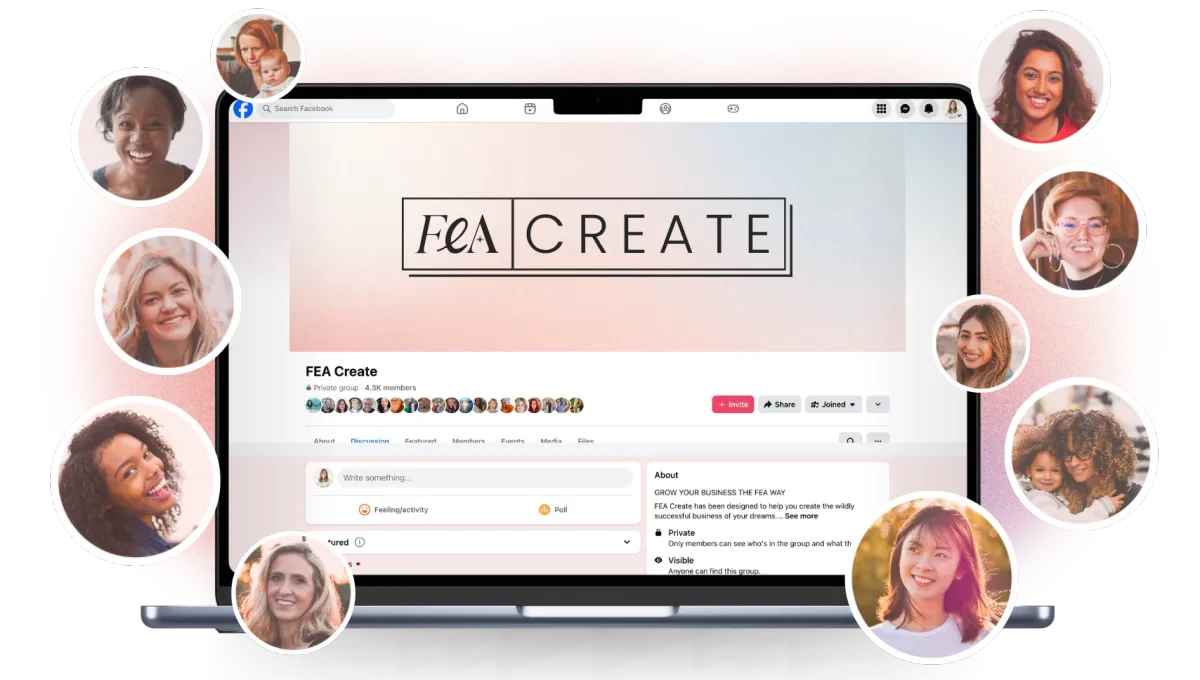
Go and say hello in the Facebook group so we can all connect with you 💖
What's next
You're all set!
Now it's time to put it to use. Head to the game plan library to pick your next game plan and keep that momentum going!
WELCOME to FEA Create
Welcome to FEA Create! ✨ FEA Create is your all in one platform for running your entire business online, and this gameplan is here to help you get it all up and running, step by step, so you can build with real confidence.
New to FEA Create? Watch the video above to get a full tour and see how it all fits together.
Once you've watched the video, follow the steps below to get your account set up. We'll walk you through your business and profile settings, connecting your domain, setting up email marketing, connecting Stripe and setting your brand board. Everything you need to get your systems running smoothly is right here inside FEA Create.
By the end of this gameplan, your account will be fully set up and ready for you to start building inside FEA Create!
We'd also love to see you on your FEA Onboarding Call. It's a chance to get set up, explore the membership and FEA Create, and feel confident heading into your first 30 days. You'll get a tour of the tools, guidance on your account, time for Q&A, and extra support with domains if you need it. Book your onboarding call here! ✨
Step 1
Adding Your Business Profile Settings
Set the foundation for everything you'll build inside FEA Create by getting your business and profile settings just right.
Your business profile settings are the foundation for everything else inside FEA Create. From your invoices and branding to your booking calendars and email marketing. Getting this right now means everything else you build on top of it will just work.
ACTION STEPS:
Head to Settings in the bottom left corner to add your business name, logo, currency, time zone and platform language.
Then pop over to your Personal Profile to connect your email inbox, calendar and set your availability.
Step 2
CONNECT YOUR DOMAIN
Connecting your domain means your funnels, website, blog and membership area can all live on your own branded URL instead of a generic link.
You can buy a new domain directly inside FEA Create, transfer one you already own, connect it from your current provider, or use a subdomain if your main site lives elsewhere. However you do it, just allow up to 48 hours for the connection to fully complete.
Action Steps
Decide whether you're buying a new domain, transferring one, connecting from your existing provider, or using a subdomain
Follow the steps for your chosen option inside FEA Create
Avoid making DNS changes in the middle of a launch or promotion, as some downtime is normal
Once connected, give it 48 hours and then open your domain in a private or incognito browser window to test that pages, buttons and forms all work correctly
Guides
CANVA TEMPLATES
CANVA TEMPLATES
Funnel Template
Funnel Template
FEA CREATE Tripwire funnel template
Preview our 5 themes:
Step 3
SETTING UP YOUR EMAIL MARKETING
Your email list is one of the most valuable assets in your business, and setting up email marketing inside FEA Create means you can automate the whole journey, from lead nurture sequences and booking reminders to newsletters and sales campaigns.
To get set up, you'll need a connected domain, a business email address and billing added, then you'll request activation and connect a dedicated sending domain to help your emails land in the inbox instead of spam.
Action Steps
Go to Settings > Email Services and check your default provider is LeadConnector. If not, email the team at [email protected]
Click Dedicated Domain > Add Domain and enter your domain as lc.yourdomain.com (no https or www)
Click Add & Verify, then connect and authorise your domain provider so the DNS records can be added
Click Verify Domain once your records are added, and wait at least 48 hours before sending any emails
NOTE: There is an additional cost for sending emails with FEA Create. You can see the full breakdown here.
💡 Top Tip: If you have a visual mockup of your freebie (like a PDF cover or workbook preview), add it to the page. It makes the freebie feel more tangible and valuable.
Templates and Resources
GUIDES
CANVA TEMPLATES
FUNNEL TEMPLATE
↗︎ FEA CREATE Tripwire funnel template
Preview our 5 themes:
↗︎ Big Leap
↗︎ Dreamy Days
↗︎ Power Moves
Guides
CANVA TEMPLATES
CANVA TEMPLATES
Funnel Template
Funnel Template
FEA CREATE Tripwire funnel template
Preview our 5 themes:
Step 4
Connecting Your Payment Processor
Connecting a payment processor is what lets you actually start accepting sales online, whether that's for courses, memberships, coaching or your services.
Stripe is the recommended option, as it works seamlessly with your funnels, checkout pages and memberships and supports Apple Pay, Google Pay and more, but you can also connect PayPal or use both together for extra flexibility at checkout.
Action Steps
Go to Payments > Integrations inside FEA Create
Choose your processor (Stripe is recommended) and click Connect
Log into your account, select it and approve the connection
Add any extra API keys or credentials if your processor asks for them
Confirm your integration is active so you're ready to create checkout pages and start selling
Guides
CANVA TEMPLATES
CANVA TEMPLATES
Funnel Template
Funnel Template
FEA CREATE Tripwire funnel template
Preview our 5 themes:
TIPS
ADDITIONAL SET UP OPTIONS
A few more ways to make FEA Create your own
Once you've got the essentials set up, here are a few more things you can do to make FEA Create feel like home:
Set up your brand board so your colours, fonts and logo carry through everywhere you create
Import your contacts so your existing audience is ready to go from day one
Migrate from other platforms if you're moving your business over from somewhere else
Import your courses from Kajabi so your content moves across with you ✨
Guides
CANVA TEMPLATES
CANVA TEMPLATES
Funnel Template
Funnel Template
FEA CREATE Tripwire funnel template
Preview our 5 themes:
WOOHOO!
You're all set!
Woohoo, you did it! 🎉 Your account is fully set up and ready to go, and that's such an important step in building a business that truly works for you.
Now it's time to put it to use. Head to the Gameplan Library to pick your next gameplan and keep that momentum going!
Here’s what you should do next.
Here's what to do next....
Lorem ipsum dolor sit amet, consectetur adipiscing elit, sed do eiusmod tempor incididunt ut labore et dolore magna aliqua. Ut enim ad minim veniam, quis nostrud exercitation ullamco laboris nisi ut aliquip ex ea commodo consequat.
Explore other game plans


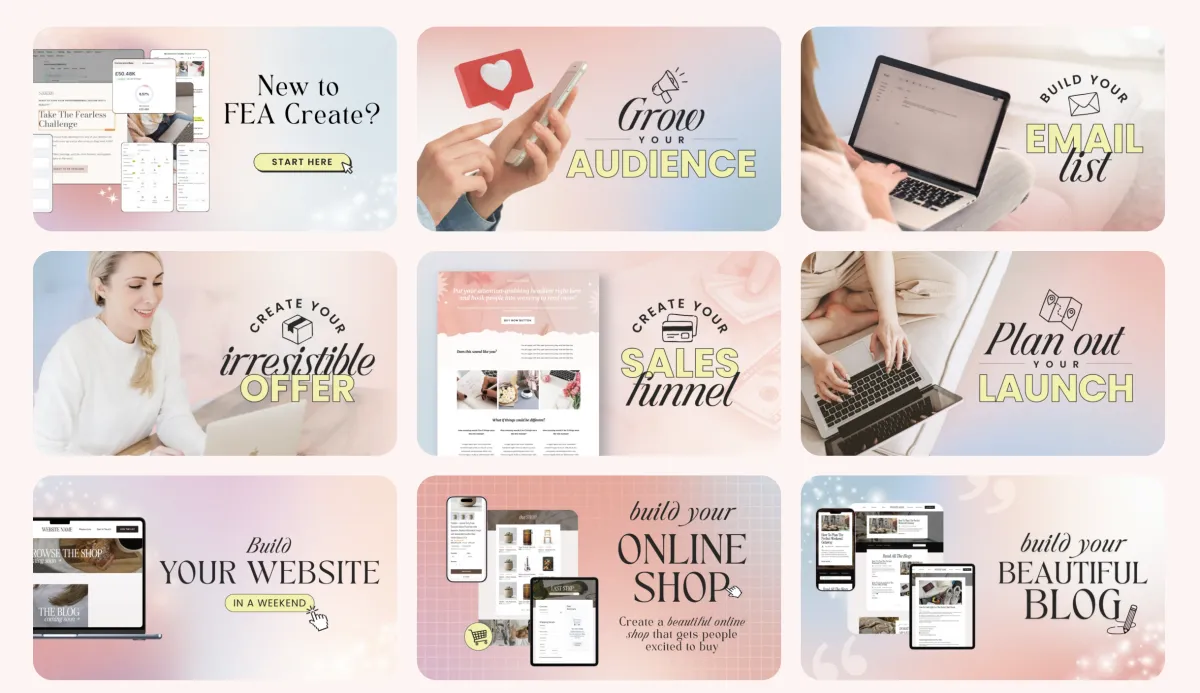
FEA CREATE TUTORIALS
BUILD your tripwire funnel
Lorem ipsum dolor sit amet, consectetur adipiscing elit, sed do eiusmod tempor incididunt ut labore et dolore magna aliqua. Ut enim ad minim veniam, quis nostrud exercitation ullamco laboris nisi ut aliquip ex ea commodo consequat.
1. GET ALL SET UP
Set your business up for success
2. GROW VISIBILITY
From lead gen funnels to traffic campaigns
3. CREATE OFFERS
Create your offers: courses, memberships & beyond
4. SALES & LAUNCH
Build high converting sales funnels and pages
Build Your High Converting Website
Your website is your online home for your business. You can use your website to help your potential customers learn more about you, your business, your offers, and start their journey to becoming a customer. In this tutorial, we will walk you through how to set up your website using our beautiful website template.
Step One: Title Goes Right Here
Lorem ipsum dolor sit amet, consectetur adipiscing elit, sed do eiusmod tempor incididunt ut labore et dolore magna aliqua. Ut enim ad minim veniam, quis nostrud exercitation ullamco laboris nisi ut aliquip ex ea commodo consequat.
Step Two: Title Goes Right Here
Lorem ipsum dolor sit amet, consectetur adipiscing elit, sed do eiusmod tempor incididunt ut labore et dolore magna aliqua. Ut enim ad minim veniam, quis nostrud exercitation ullamco laboris nisi ut aliquip ex ea commodo consequat.
Step Three: Title Goes Right Here
Lorem ipsum dolor sit amet, consectetur adipiscing elit, sed do eiusmod tempor incididunt ut labore et dolore magna aliqua. Ut enim ad minim veniam, quis nostrud exercitation ullamco laboris nisi ut aliquip ex ea commodo consequat.
Here's what to do next....
Lorem ipsum dolor sit amet, consectetur adipiscing elit, sed do eiusmod tempor incididunt ut labore et dolore magna aliqua. Ut enim ad minim veniam, quis nostrud exercitation ullamco laboris nisi ut aliquip ex ea commodo consequat.
© 2026 Female Entrepreneur Association is a trading name of Carrie & Co Ltd.